Retour au blog
B2B Lead Database: What Is It and Why Do Sales Teams Need It?

Andrea López
Partager
Key Takeaways (TL;DR)
A B2B lead database is a searchable store of company and contact records that sales teams use to find buyers and reach them with accurate details.
Business databases serve several purposes. Contact data, company data, buying signals and public record checks are the main ones, and a B2B sales leads database covers the first three.
Contact data goes stale quickly. HubSpot's database decay simulation puts the loss in marketing databases at about 22.5% a year, so a refresh cycle matters as much as the size of the database.
Five checks tend to separate strong options from weak ones: regional coverage, verified accuracy, useful filters, CRM integration and compliance controls.
Most lead generation problems start after the export rather than inside the database itself: dirty lists, scattered tools and generic messages. A database earns its keep when list building, enrichment and outreach share one workflow.
Test any provider on 100 contacts from your own ideal customer profile (ICP) before you commit to it.
B2B Lead Database: at a Glance
Topic | What you need to know |
|---|---|
What is a B2B lead database? | A structured and searchable store of company and contact records built for finding and reaching buyers |
Typical fields | Name, job title, work email, phone number, company size, industry, location, technology and buying signals |
Main types | Contact databases, company databases, technographic data, intent data and hybrid databases |
Who uses it | SDRs, account executives, RevOps teams, recruiters, agencies and marketers running outbound |
Key features | Filters, verification, enrichment, CRM sync, compliance controls and clear credit rules |
How it is built | Primary data sources, verification and validation, and data refresh cycles |
Biggest risk | Decay: HubSpot puts the loss in marketing databases at about 22.5% a year |
Selection test | Pull 100 contacts from your ICP and measure match rate, bounce rate and job title accuracy |
Cost model | Credits per record, seats or custom enterprise quotes |
What is a B2B Lead Database?
A lead database is a searchable source of business contacts and company information that sales teams use to find potential buyers. Depending on the provider, that can include:
Names
Job titles
Work emails
Phone numbers
Company size
Industry
Location
Technologies used
Signals that indicate a company may be entering a buying window
Over the years, the category has moved well beyond static directories.
Newer tools refresh records more frequently, verify contact details before export and add lead generation data such as hiring activity, funding events, company news or technology changes.
That shift has also created clearer differences between products. Some are primarily data providers, others enrich records across several sources, and a smaller group connects B2B lead database access directly with list building, CRM routing and outbound execution.
Those differences are crucial because a larger database does not automatically give your team more usable prospects. What actually matters is whether the tool can consistently find the right people in the markets you sell to, return data you can trust and fit the way your team actually prospects.
What a lead database record looks like
To see what these fields look like in practice, here is an illustrative record for a sales team targeting UK software firms:
Name and title: Head of Sales
Company: 120-person B2B software firm in Manchester
Contact data: verified work email and direct phone number
Technology: uses a major CRM and a marketing automation tool
Signal: hired three SDRs in the last 60 days
Each field earns its place by answering a different question. The title and company size tell you whether the account is fit for outreach or not, whereas email and phone provide you with a way to reach out to the person post-identification.
Lastly, the signal is what turns a plausible account into a well-timed one.
How a lead database differs from a CRM
People often confuse a lead database with a CRM, assuming the two do the same job because both store contacts and companies. They solve different problems, though, and knowing which is which changes how a sales stack should be built.
A lead database holds the people you have not met yet. Its job is to help you find and reach new prospects by searching a far larger pool of companies and contacts than any single sales team could ever hold on its own.
A CRM holds the people and accounts you already have a relationship with. That means open deals, past customers and contacts your reps have worked before, along with the activity history attached to each one.
While one looks outward at your total addressable market (TAM), the other looks backward at your existing pipeline. That difference also shapes how both work together than compete with each other.
A lead database hands you a first draft of a prospect list, not a finished one. Every record still needs checking before a rep acts on it, because titles change and emails lapse faster than most teams expect.
Once a prospect clears that check and enters a live conversation, the CRM takes over and manages everything from there.
Where business databases fit in
A lead database is often mistaken for a business database, which is a wider category of databases covering far more than sales prospecting.
The following type of records usually make up a business database:
public registries (like the Companies House in the UK)
market research libraries
credit databases, and
ownership records
Each confirms something real about a company, its existence, how it is funded or how large its market is.
What none of them provide though, is a verified email or phone number of the person a rep actually needs to call.
That's a different job, done by a different type of tool. The broader business databases are still useful for checking a company before a big deal, but they're not where prospecting starts.
A B2B lead database, though, is where the lead generation starts. If that's your goal, this is the category to focus on.
To know about lead generation as a concept, the next question is: "What does a team actually gain from using one?"
Why Should You Use B2B Lead Databases?

The short answer is time. Sales teams adopt a lead database since it shortens the distance between choosing a market and having a conversation with someone in it.
That benefit breaks down into 5 more specific gains, with each one setting up the next:
1. Faster list building
One of the biggest benefits of a B2B lead database is speed. A rep building a list by hand has to work through company websites and social profiles one at a time, and that process is not scalable.
Even a diligent rep working this way might manage only a few dozen contacts in a full day.
That's where a database search can return a comparable list in minutes.
That gap matters more than it sounds, because manual research is exactly the kind of task that eats into a seller's day without anyone noticing. Around 70% of a salesperson's time today goes to tasks outside selling, with manual lead generation sitting near the top of that list.
2. Sharper targeting
Speed on its own is not enough. A fast list is only useful if it holds the right data, which is where targeting comes in.
Filters let a rep narrow down a market by company size, industry, technology stack or a recent change in headcount, so the search reflects the ICP rather than a rough guess at it.
Signals then add a layer that filters alone cannot: timing. A company that has recently opened a Chief People Officer role may be actively evaluating HR software, while a manager promoted last month might be more open to a new tool than someone who has held the same seat for years.
Neither fact would show up in a plain firmographic database, which is why a sharply targeted B2B lead database is crucial for sales teams that want their outreach to land.
3. Better first conversations
Sharper targeting changes what the first call sounds like.
When the data behind it is accurate, a rep reaches the right person with the right title on the first attempt, rather than opening with an apology for an outdated email address.
That first impression carries weight. A prospect who feels the rep did their homework is more likely to stay on the call and answer honestly, while a prospect who senses a generic, poorly targeted pitch disengages within seconds.
Accurate data, therefore, does more than save time, changing how a sales conversation unfolds once it actually starts, which is why the quality of the underlying database is as crucial as the speed it was built at.
4. Cleaner CRM data
The benefits do not stop at new prospects.
A lead database that includes enrichment can be pointed at records a team already owns, filling in missing emails and phone numbers and correcting job titles that may have drifted out of date, by clearing out duplicates that accumulate over time.
This cleanup pays off beyond the next campaign, with reporting becoming more reliable once the underlying data is trustworthy.
In addition, lead routing also improves because every record is finally carrying the fields the routing rules were written to use.
5. Lower cost per meeting
Apart from the above four gains, having a lead database also lowers the cost associated with booking a meeting.
This is possible due to less research time and fewer bounced emails, which frees up hours so that reps can spend that time talking to buyers instead.
Whether a team sees gains like these depends heavily on the kind of database it chooses, because providers build their products in distinctly different ways, which is what we'll cover in the next section.
Types of B2B Lead Databases
Providers sort business databases along two separate axes: the kind of data they hold, and the method they use to collect it.
Both shape what you end up with, so it helps to take them one at a time, starting with the data itself.
Types by the data they hold
The table below compares the five types a lead generation team is most likely to encounter.
Type | What it holds | Best for | Watch out for |
|---|---|---|---|
Contact database | Names, titles, work emails and phone numbers | Outbound email and calling | Fast decay and thin phone coverage |
Company database | Size, industry, revenue, location and ownership | Market mapping and ICP work | No people data on its own |
Technographic data | The tools a company uses | Finding fit and displacing rivals | Detection errors on smaller firms |
Intent and signal data | Hiring, funding, job changes and research activity | Timing outreach | False positives and noisy signals |
Hybrid database | A mix of all four | One workflow from search to outreach | Higher price and heavier setup |
Most sales teams start lead generation with a contact database, because it answers the most urgent question first: who can we actually reach? Company and signal data tend to come later, once a team has enough closed deals to know which accounts convert.
A hybrid database suits teams that would rather run one search and get everything back at once.
Types by how they collect data
Collection method is the second axis, and it affects freshness and coverage in ways that the data type alone does not.
Four models cover how most providers collect their data:
Static databases refresh on a schedule such as monthly or quarterly
Live lookup tools fetch data at the moment you search
Aggregators query several providers in turn and keep the best verified result
First-party databases draw on your own CRM, website and event data
Each model trades one strength for another, so the right choice depends on whether your team values freshness, filtering depth or coverage more.
Enginy takes the aggregator approach, applying waterfall enrichment across more than 30 providers so a search keeps going when the first source comes up empty.
Regional and specialist databases
Regional and specialist databases are the third type: they build deep coverage in one region instead of spreading thin everywhere, or specialise by sector, serving industries like recruitment or healthcare particularly well.
A provider built for one market is also more likely to follow that market's rules closely.
A team selling into locations like the UK or Germany needs data that respects both regional focus and compliance. A database that looks strong on a global scale can still have real gaps in the specific markets a team sells into.
Once you know which type fits your market, the next question is what to look for inside the product itself.
Key Features of B2B Lead Databases

A long feature list can make different products look similar on paper, so it helps to know what to test rather than just what to compare.
The 7 features below do that, following the path a single record takes.
1. Search and filters
Everything starts with the search. Good filters let a team narrow a large database down to a short list using firmographic criteria such as company size and industry, alongside job title filters that accept Boolean logic.
Past job titles and past employers add a layer of precision that basic filters miss.
Natural language search lowers the barrier for non-technical users. In Enginy, a rep can type "CTOs at early-stage startups in Barcelona" and the system builds the underlying filters on its own, removing the need for a GTM engineer to translate every search by hand.
2. Buying signals
Filters tell you who fits the profile. Signals tell you who might be ready now.
Job changes, hiring alerts and funding rounds are the common ones, along with shifts in a company's technology stack and attendance at relevant events.
Social activity can add a more specific kind of context.
A prospect who comments on a competitor's post has shown, in a small way, that the topic is on their mind, and Enginy's social prospecting is built to turn moments like that into warm lists ready for outreach.
3. Verification and freshness
A signal only matters if the contact behind it is still reachable, which brings in verification. This checks whether an email address can actually receive mail and whether a phone number connects to a working line.
It is worth asking a provider directly how often records are re-checked, and what happens to an address it cannot confirm.
Vendors commonly publish accuracy figures somewhere in the range of 95% to 98% for email data.
Treat those numbers as a starting point rather than a guarantee, because a sample test against your own list will tell you far more than any page on a provider's website.
4. Enrichment
Once a record has been verified, enrichment is what completes it. Given a name and a company, it can supply the missing email, add a direct dial, or fill in details about the company itself.
Strong contact data enrichment draws on several sources at once, so a gap in one does not leave the record incomplete.
5. CRM integration
A complete record is only useful once it reaches the place your team actually works from day to day. A database that cannot sync cleanly to a CRM creates manual exporting and importing as a permanent tax on the workflow.
It is worth checking for native links to systems such as HubSpot, Salesforce, Pipedrive, Microsoft Dynamics 365 and Zoho, and for how the tool handles duplicates on import.
A recurring sync matters as much as the first one, because it keeps records current without a rep having to export a fresh file every week.
6. Compliance controls
Once records are flowing into the CRM, compliance controls protect both the team and its sender reputation.
Look for suppression lists, clear opt-out handling, and a blocklist that keeps outreach away from existing customers and partners.
It is also reasonable to ask where a provider stores its data and what its process looks like for handling deletion requests.
7. Clear credit and export rules
The last feature to check is commercial rather than technical. Most providers run on a credit system, so find out precisely what consumes a credit and what does not, whether unused credits roll over, and whether exports are capped in any way.
These rules shape the real price far more than the headline number does. A provider charging 10 credits per phone number is not comparable to one charging a single credit.
Knowing what good features look like is only half the picture. The other half is how the underlying data was put together, which we cover next.
How Is a B2B Lead Database Built?
Most business databases are assembled in three layers: where the data comes from, how it is checked, and how often it is kept current. Each layer determines how much of what you see in a search result you can actually trust.
1. Primary Data Sources
Primary data sources are the raw material a database is built from: company websites, registries, press releases, job adverts, event listings and social profiles. Providers also license data from partners or accept contributions from users who share their address books.
These sources matter because coverage depends on them.
Each additional source widens the pool of companies and contacts a provider can return, but each one also needs matching, since the same person often appears under different titles or companies across sources.
2. Verification and Validation
Verification tests whether a contact detail actually works. An email check confirms whether a mailbox can receive mail, and catch-all domains need extra handling since they accept almost any address. A phone check confirms format and whether the line is live.
Validation goes further and checks whether the record still makes sense: does this person still work at this company, and does the title on file match what is current?
Together, the two explain why published accuracy figures of 95% to 98% for email are a starting point rather than a guarantee, and why a sample test on your own list matters more.
3. Data Refresh Cycles
Records age the moment they are verified, because people change jobs and companies restructure. Providers manage this by re-checking records on a cycle that can range from days to several months, and that cycle is what separates a reliable database from a stale one.
Refreshing also means removal, as providers suppress contacts who opt out and screen numbers against do-not-call lists. It is worth asking a provider what triggers an update: a fixed schedule, a job-change alert, or a check only at the point of export.
Understanding where the data comes from changes how a team should use it. The next section turns that understanding into something practical.
How to Use B2B Lead Databases?
A database earns its cost only when its records lead to action.
Sales teams tend to put one to work in 9 ways, usually in combination rather than one at a time, and the order below reflects how most teams move through them in practice:
1. Prioritise Accounts That Show Intent
Having a B2B lead database helps you prioritise accounts that show the highest buying intent, since filters like a hiring alert, a job change, a funding round or a shift in the technology stack point towards accounts that may already be in a buying window.
Filtering on signals like these, then ranking the accounts that also fit the ICP, turns a flat list into a prioritised one.
A company opening a Chief People Officer role may be shopping for HR software, but a signal is only context, not proof.
The signal is worth acting on only when it connects to the problem your product solves.
2. Create a Shared Data Layer for Sales and Marketing
Signals become more valuable when both revenue teams are looking at the same ones.
Sales and marketing often work from 2 different pictures of the same market, built from different exports at different times.
Having a shared data layer closes that gap by putting both teams on the same records and the same ICP.
That shared view makes campaign planning considerably easier.
Marketing can build audiences directly from the same lists sales is prospecting, while a consistent naming convention keeps every list traceable inside the CRM long after it was created.
3. Improve CRM Quality and RevOps
A shared data layer is only as good as the records sitting inside it, which is why CRM quality comes next.
A database can be pointed at the records a team already owns rather than only at brand-new prospects, filling in missing emails and phone numbers, correcting titles that have drifted, and clearing duplicates that build up over time.
Recurring, automated lists keep that process running without anyone having to export a file by hand each week.
RevOps teams, in turn, can trust the routing and reporting rules they have built; because every record finally carries the fields those rules depend on.
4. Run Social Outreach
With clean records in place, outreach becomes the practical next step, and social outreach is often where it starts.
Lists built from event attendees, or from people who have engaged with a relevant post, make warmer starting points than a cold list ever can.
Enginy's social prospecting feature turns those warm signals into connection requests and openers that read as a natural next step, not a cold approach.
5. Cold Call With Verified Numbers
Social outreach works well for contacts with little direct contact data on file. Once a verified phone number exists, though, calling becomes a stronger option, because a verified direct dial keeps an SDR away from switchboards and disconnected lines.
The channel should follow the data available for each contact:
Email only: social outreach plus email
Verified phone and email: calling plus outbound campaigns
No contact data at all: social outreach alone
Routing contacts this way keeps every one of them in play, rather than letting a rep waste calls on numbers that were never going to connect.
6. Send Cold Email
Cold email works best when every address has been verified before it is sent.
A verified address protects your sender reputation, and most deliverability guides recommend keeping hard bounces under 2% of total sends.
Reference a genuine signal or a detail the two companies share in the first line, so the email does not read like a template. Keep the rest of the message short, too, rather than trying to carry the whole pitch in the opening line.
7. Add SMS Outreach
A B2B lead database can supply the verified mobile numbers a team needs for SMS outreach, which usually works as a follow-up to a call or an email rather than a first point of contact.
A short text often lands best as a reminder before a demo, or as a nudge after a message has gone unanswered.
SMS carries more regulatory weight than the other channels, though, so confirm the consent and opt-out rules for each market before sending anything.
8. Combine the Channels in One Sequence
The same filters, signals and contact data that fill a B2B lead database also let sales teams run multichannel outreach campaigns. Instead of working each channel separately, a team can mix social outreach, email and calling into a single, connected sequence.
That combination makes it possible to reach more than one decision-maker at the same account, rather than betting everything on a single contact.
Enginy's multichannel outreach runs sequences like this from one workflow, so by the time an SDR calls, the account has often already heard the company's name.
9. Measure and Feed Results Back
Having a B2B lead database allows you to track the reply and bounce rate for every list, and to compare lists based on their age, meaning how old or new the underlying data is. A falling reply rate is usually the clearest sign that the data has aged and needs to be updated.
Once you have measured those key metrics, you can feed that data back into the CRM and re-verify contacts every 90 days to keep the database useful and updated.
A clear set of uses like this helps a great deal, but some limits remain no matter how well a team runs the process. The next section covers the ones worth planning for.
Challenges Around Using B2B Lead Databases for B2B Teams
Business databases can remove a large amount of manual research, but they cannot remove uncertainty from B2B data.
The main challenges tend to come from freshness, coverage and the way teams operationalise the information, some of which are covered below:
1. Data decays faster than most teams plan for
HubSpot's database decay simulation puts the loss in marketing databases at about 22.5% a year, which works out to roughly 2.1% a month. A separate 2026 email list decay report puts annual email decay at 23% or higher.
Job changes are behind most of that loss. People move roles, get promoted or leave a company altogether, and any one of those events is enough to turn an email, a title or a phone number into a dead end.
The practical fix is a refresh habit: re-verify before sending, and favour providers that check their records often rather than occasionally.
2. Coverage gaps by region and seniority
Refreshing cannot fix a gap that was never filled in the first place. A provider can hold a hundred million contacts and still have few in the specific region a team sells into.
Coverage tends to thin out beyond the US, and it thins further for senior roles and smaller companies.
The only reliable test is a direct one: ask for a sample pulled from your own target market, rather than taking a global total at face value.
3. Compliance in the UK and EU
Even a well-covered market still has to be approached lawfully, and the rules differ meaningfully by country. In the UK and EU, GDPR covers personal data, including business contact details, so a team needs a lawful basis to process it and must respect the right to object.
UK rules on electronic marketing add a further layer, limiting how individuals such as sole traders can be contacted.
Favour providers that screen against do-not-call lists and handle opt-outs properly. Keep your own suppression list on top of theirs, and get legal advice specific to your sector and markets.
4. Credit rules and hidden costs
The sticker price on a plan rarely tells you what a provider actually costs to run. Credits get consumed by failed lookups as easily as successful ones, a phone number can use up several times the credits an email does, and anything left over at month end is usually gone for good.
Add-ons push the gap wider still: a seat fee, a separate verification subscription, or a tool that only works alongside another paid product. Add them up and the monthly invoice barely resembles the pricing page.
Before comparing two providers, list every one of these charges side by side to get an honest total cost. Divide that total by the number of prospects you can actually use from each provider.
The resulting cost per usable prospect is a far more reliable comparison than the cost per seat.
5. Everyone buys the same list
A popular B2B lead database poses a quieter challenge of its own: the same names tend to surface for every customer searching a similar profile.
A given prospect often receives near-identical messages from several competing sellers at once, and reply rates fall as inboxes fill with lookalike outreach.
The fix is to add what a shared list lacks on its own.
Layer in signals that establish timing, write a first line around a genuine trigger rather than a template, and reach more than one person at the account instead of betting everything on a single contact.
6. Tool sprawl
Faced with the problems above, many teams respond by adding more tools instead of fixing the underlying workflow. A separate outreach tool, a separate data cleaner, each one holding its own copy of the same records.
Every export and import between those tools creates fresh duplicates and errors. Pulling from several sources can also leave records in conflict: one tool shows an old title while another has the current one, and someone has to decide which source wins.
A single workflow removes most of these hand-offs instead of papering over them. Enginy combines list building, enrichment and outreach together, so a record can move from a first search to a reply without passing through a spreadsheet along the way.
Every challenge above points toward a question worth putting to a provider directly.
The next section turns those questions into something closer to a buying process.
How to Choose the Right B2B Lead Database?
Choosing the right B2B lead database comes down to one test: does it hold up against your own market, not just a provider's marketing claims?
Each challenge in the previous section points to a specific question worth putting to a provider directly, and the six checks below turn those questions into a buying process:
1. Define the job first
Start with the job, because different jobs call for genuinely different databases.
Outbound email needs addresses verified at scale, while cold calling needs direct dials specifically. Account-based programmes lean more on company and signal data, and CRM clean-up leans on strong enrichment above everything else.
Write down the main use case, whether that is email-led lead generation or cold calling, along with the regions the team sells into, and rank the features that matter against that specific use.
2. Run a 100-contact test
Once the job is defined, the data itself needs testing.
The exercise is simple and inexpensive: pull 100 contacts from the ICP, run the emails through a verifier, call 20 of the phone numbers directly, and compare the job titles returned against each company's own website.
Two numbers matter here, and they measure different things.
Match rate is how many of the 100 contacts the provider could find. Accuracy is how many of those matches held up, based on the bounce rate and correct job titles.
Many deliverability guides recommend keeping hard bounces under 2%.
3. Compare providers on the same criteria
Running the same test against two or three providers only pays off if the results land on one consistent scorecard.
The table below sets out the questions worth asking:
Criterion | Question to ask | Good sign | Red flag |
|---|---|---|---|
Coverage | How many records in my regions and roles? | A sample from your market | Only a global total |
Accuracy | How is each field verified? | Multi-step checks and bounce data | Vague accuracy claims |
Freshness | How often is each record re-checked? | A stated refresh cycle | No answer |
Filters | Can I combine filters and signals? | Boolean search and AI search | Only basic filters |
Integrations | Does it sync to my CRM? | Native two-way sync | CSV exports only |
Compliance | How are opt-outs handled? | Suppression and DNC screening | No documented process |
Pricing | What costs a credit? | Clear rules and rollover | Hidden fees |
Ease of use | Can a rep run it alone? | Self-serve onboarding | Needs a specialist |
4. Work out cost per usable prospect
The scorecard above covers quality, but cost deserves its own calculation, because plan prices are easy to compare and easy to be misled by.
Estimate the number of contacts the team genuinely needs each month, along with the likely mix of emails, phone numbers and enrichment actions.
Once you've done that, divide the total monthly cost by the number of usable prospects the tool actually produces.
Cost per usable prospect beats price per seat as a comparison, because a cheaper plan that returns fewer workable contacts can still cost more per meeting booked.
5. Check whether one source is enough
Cost per usable prospect also answers a question many teams skip: whether a single source is actually sufficient.
One database may cover a given market perfectly well on its own. Where coverage is patchy instead, multi-source enrichment can fill the remaining gaps.
It is worth testing that assumption before adding complexity, since each additional provider brings its own cost and another set of records to manage.
6. Match the tool to your team
The final check is less about the data and more about the people who will use it every day.
Small teams generally need speed and a transparent price, which a self-serve tool with a free tier can offer without locking anyone into a contract
Mid-market teams tend to need CRM sync and workflow features on top of raw data
Larger enterprises add security reviews and territory planning into the mix
Ask plainly who will operate the tool on a day-to-day basis.
This is important because some premium systems might need a dedicated specialist to run, while others can be used by any sales rep unassisted. In the end, it comes down to choosing what suits your situation the best.
With these criteria in hand, it becomes possible to compare real products rather than feature lists. The 5 options below take genuinely different approaches to search and enrichment.
Top 5 B2B Lead Databases
The job you need done, the data you can verify and the cost per usable prospect all point toward a narrower set of options than a search for "best B2B lead database" usually turns up.
With those criteria in mind, we looked at 5 options that sales teams commonly shortlist, from a full prospecting-to-outreach workflow at one end to narrow, single-purpose lookup tools at the other.
Here is how each one stacks up.
1. Enginy
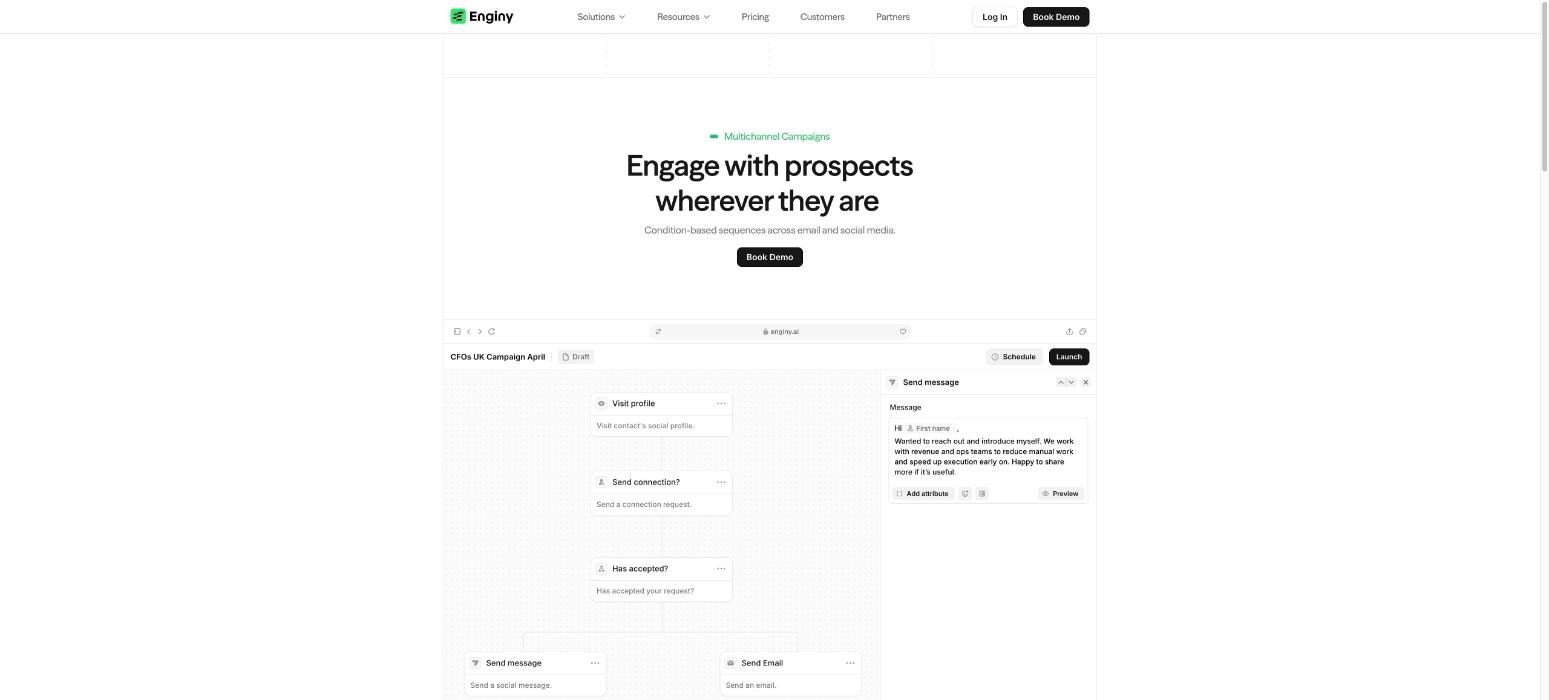
Best for: sales teams that want list building, enrichment and outreach in one workflow.
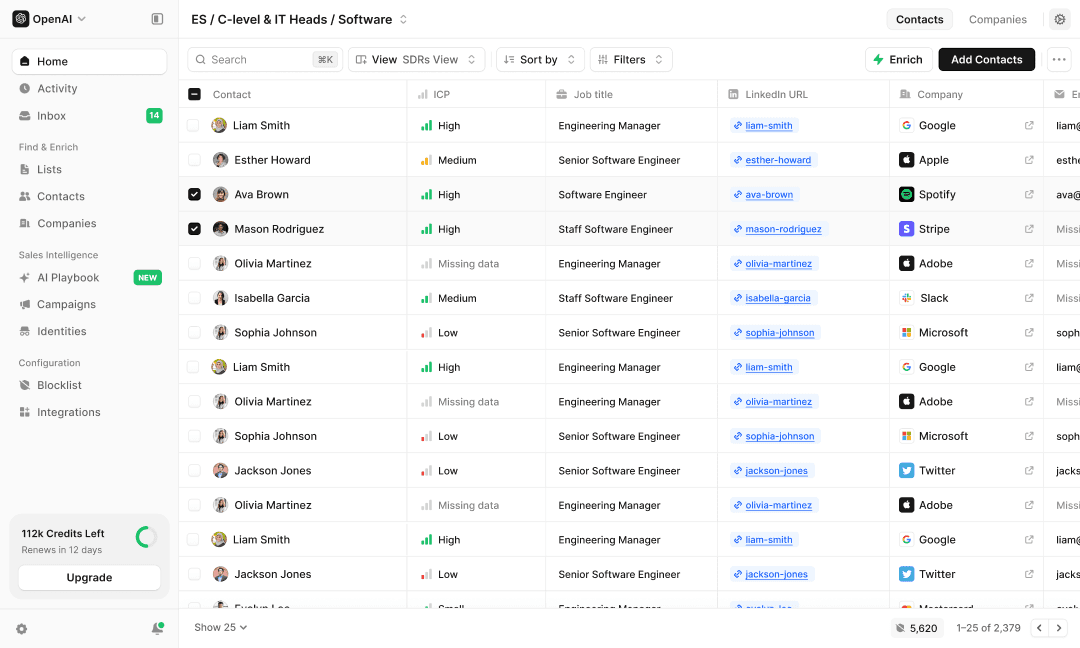
Enginy is an end-to-end GTM platform built for B2B sales teams, combining prospect discovery with multi-source enrichment and AI-personalised outreach in a single workspace.
A rep can build a list, clean it, enrich it and launch a sequence without ever leaving that workspace.
Behind the search, Enginy draws on more than 30 contact enrichment providers in real time. Waterfall logic raises coverage across the board, and a built-in cleaning step removes invalid records before they ever reach the CRM.
None of this requires a dedicated GTM engineer to configure; any sales rep can run it directly.
Key features
AI Finder turns a plain-language request into a filtered search
Layered intent signals such as job changes, hiring and funding
Waterfall enrichment across 30+ providers
Automated cleaning before and after enrichment
CRM sync with HubSpot, Salesforce, Pipedrive, Microsoft Dynamics 365, Zoho, Attio and TribeCRM
Multichannel sequences with conditional branching
AI agents that manage replies and a unified inbox
A Blocklist that excludes customers and partners from outreach
Pros
Search, enrichment and outreach share one workflow
Designed for sales reps rather than technical operators
Multi-stakeholder campaigns reach several decision-makers per account
Venair reported two to three times more monthly leads across most delegations
Cons
Built for teams running active outbound rather than occasional lookups
A one-off export of a single list only uses a small part of the workflow
2. Wiza
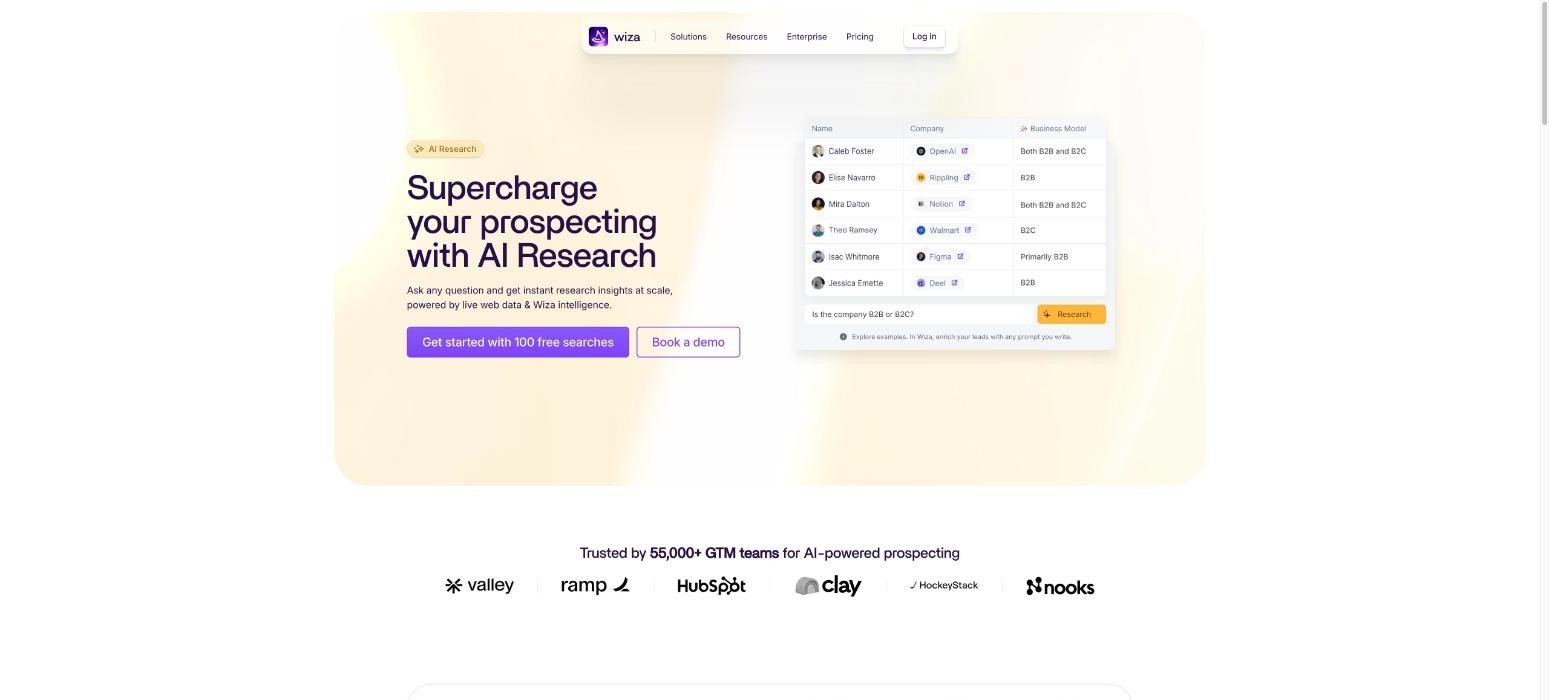
Best for: teams that want real-time verified contact details from a searchable database.
Where Enginy covers the whole workflow end to end, Wiza concentrates specifically on verified contact details, pairing a searchable database with real-time verification.
The company advertises 850M+ contacts and says each email is checked at the moment it is requested.
A rep filters by title, location and company details, then reveals work emails or phone numbers and sends the resulting list to a CRM or a CSV file.
A Chrome extension adds single-profile enrichment from Sales Navigator and similar pages. Wiza changed its list-building flow in 2026, so it is worth checking exactly which features a given plan includes before committing.
Key features
Searchable database with 40+ data points per record
Real-time email verification at the moment of request
Work emails and direct phone numbers
CRM sync to HubSpot and Salesforce
Chrome extension for single profiles
Pros
Verification happens at the moment a contact is requested
Phone data available on the higher plans
Simple, per-user pricing structure
Cons
Per-user pricing adds up quickly for larger teams
Monthly credits do not roll over
Annual plans cap exports at about 2,500 a month
The Sales Navigator workflow depends on a separate subscription
3. ZoomInfo
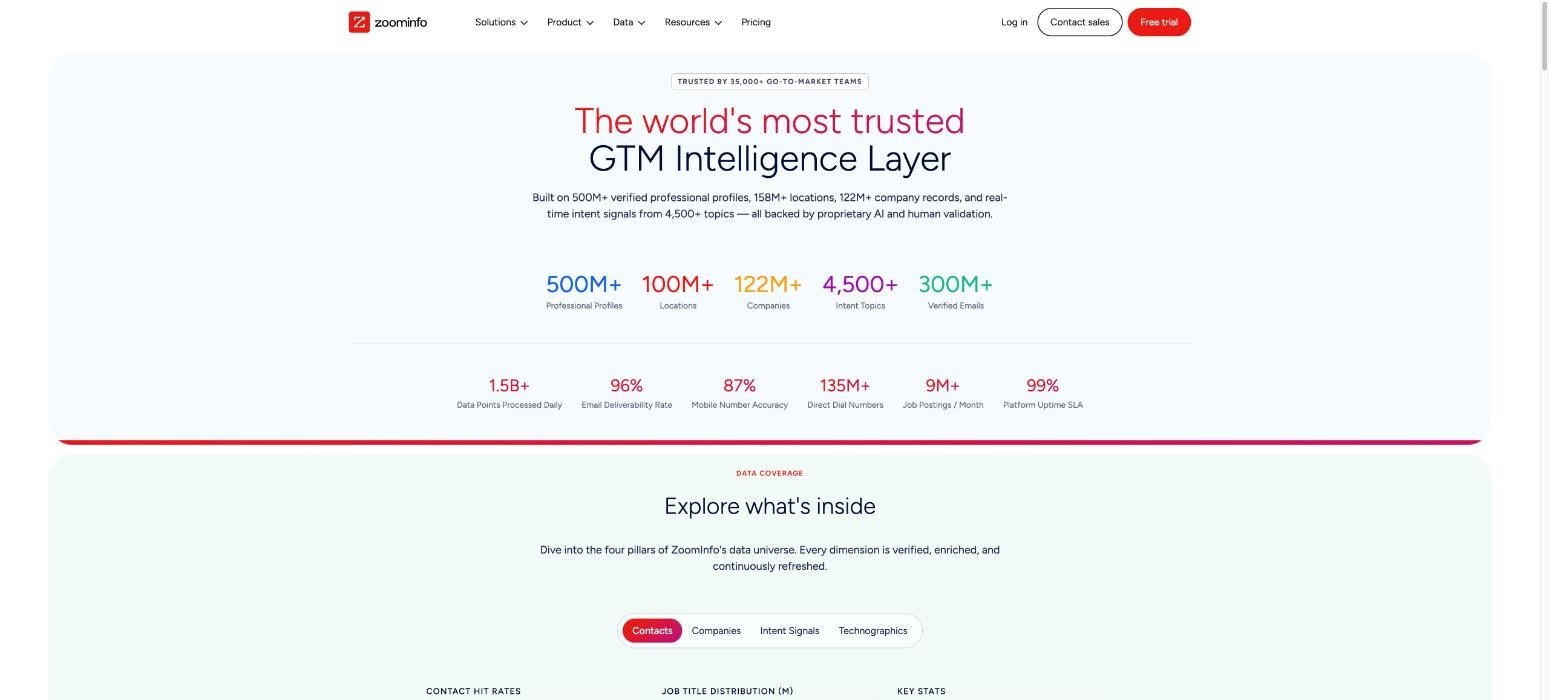
Best for: large teams that need deep North American coverage and extra tools beyond prospecting.
At the larger end of the market sits ZoomInfo, one of the best-known commercial databases in the category.
Its published figures run to more than 100 million company profiles and hundreds of millions of professional contacts, and the company pairs that data with a broader set of tools for sales, marketing and hiring.
Breadth is the clear strength: a large revenue team can run prospecting and planning from one account without switching tools. User reviews note weaker coverage outside North America, worth weighing against that depth.
Key features
Company and contact data with direct dials
Buying intent and job change signals
Website visitor identification
CRM integrations and workflow tools
Compliance features for GDPR and CCPA
Pros
Large database with genuinely deep North American coverage
Wide set of integrations across the sales and marketing stack
Tools that extend well beyond prospecting alone
Cons
Pricing is not published anywhere on the site
Contracts tend to run annually by default
Cost can be prohibitive for small and mid-sized teams
4. Prospeo
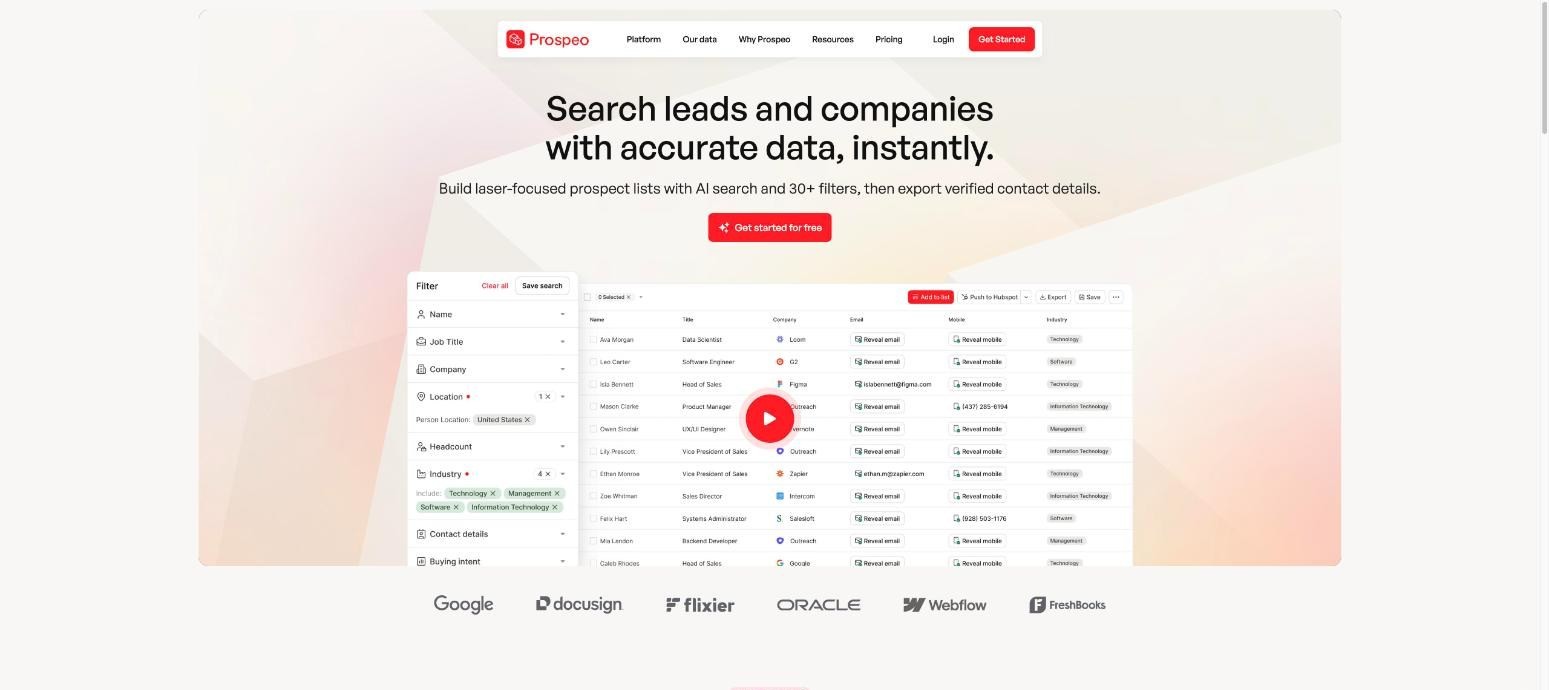
Best for: teams that want a self-serve database with a strong focus on email accuracy.
Prospeo takes a more self-serve approach, reporting 300M+ verified professional profiles across 30M+ companies, alongside 143M+ verified emails and 125M+ mobile numbers.
The company claims 98% email accuracy on top of a seven-day refresh cycle, which it leans on as a key differentiator.
Credits are charged only for results that are actually verified, which limits wasted spend compared with tools that charge regardless of outcome.
A free plan lets a team test the data directly, and a Chrome extension finds emails on both individual profiles and company websites.
Key features
Email finder and domain search
Mobile finder
Bulk email verification
Filters by title, company size, funding stage and technology
Integrations with common automation and outreach tools
Pros
Credits are only consumed on verified results
Free plan with a usable monthly credit allowance
Fully self-serve with no contract required
Cons
Unused credits do not carry over on monthly plans
A single mobile number costs 10 credits
No built-in outreach functionality
5. Datagma
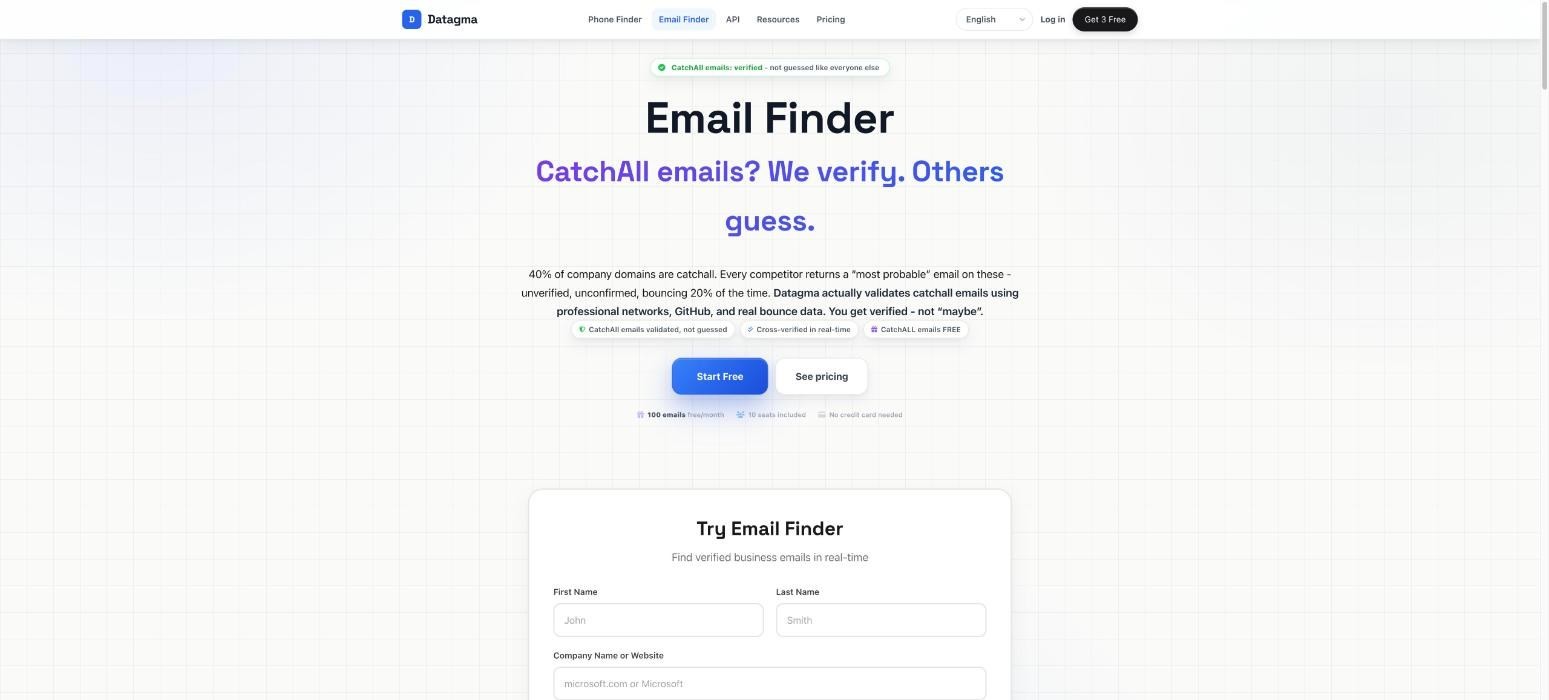
Best for: teams that need real-time enrichment and mobile numbers on a tight budget.
Datagma narrows the focus even further, concentrating almost entirely on real-time enrichment.
It retrieves details at the moment a request is made and verifies emails along the way, and its job-change alerts help a team act quickly when a known contact moves on.
Low-cost mobile numbers are the clearest strength here. The trade-off is a noticeably smaller footprint than the larger, broader databases on this list offer.
Key features
Real-time email and mobile lookups
Job change detection
Company enrichment
Chrome extension and API access
CSV enrichment on higher plans
Pros
Low cost per mobile number compared with larger providers
Job change alerts built into the core product
Credit rollover on paid plans
Cons
Mobile numbers consume 30 credits each
Filtering is limited compared with larger databases
Coverage thins noticeably outside major markets
How to Pick From These Tools (Based on How Your Team Works)?
The right pick comes down to how a given team actually works:
Enginy suits teams that want search, enrichment and outreach in one workflow
Wiza suits teams whose process already runs through Sales Navigator
ZoomInfo suits large teams with the budget to match
Prospeo suits teams that want a self-serve database with a genuine free tier
Datagma suits teams that care most about low-cost mobile numbers
None of these 5 tools wins on size alone. The right one is whichever fits the job you defined at the start of this process, not the one with the biggest database behind it.
Everything You Need to Know About B2B Lead Databases
Finding | What the data shows |
|---|---|
Annual decay rate | HubSpot's simulation puts marketing database decay at about 22.5% a year, roughly 2.1% a month; a separate report puts email decay at 23% or higher |
Published accuracy claims | Vendors commonly advertise 95% to 98% email accuracy, which a sample test on your own list will confirm or disprove |
UK and EU compliance | GDPR requires a lawful basis to process business contact details, and UK electronic marketing rules add limits around contacting sole traders |
Credit pricing pattern | Phone numbers often cost several times more credits than emails, and unused credits typically expire at the end of the month |
The 100-contact test | Pull 100 contacts from your ICP, verify the emails, call 20 numbers and check job titles against company websites, measuring match rate and accuracy separately |
The cost metric that matters | Cost per usable prospect, not price per seat, since a cheaper plan with weaker data can cost more per meeting booked |
Database sizes in this guide | Enginy aggregates 30+ providers; Wiza claims 850M+ contacts; ZoomInfo claims 100M+ companies and hundreds of millions of contacts; Prospeo claims 300M+ profiles; Datagma focuses on real-time lookups rather than a fixed size |
Turn Your B2B Lead Database Into Booked Meetings With Enginy
The most useful B2B lead database gives sales teams accurate people and company information. An even bigger gain comes from removing the work that normally happens around that information.
At Enginy, we connect prospect discovery with more than 30 enrichment sources, contextual account signals and CRM workflows.
Once a contact is ready, the same record can move into multichannel outreach without requiring the rep to rebuild the list in another system.
That makes us a good fit for B2B teams with active outbound motions, particularly when SDRs or sales operations teams are already spending too much time moving data between prospecting, enrichment and engagement tools.
The objective is straightforward: give reps a cleaner path from ICP to relevant prospect to sales conversation.
Book a demo with our sales team to see how Enginy can connect your prospect data, enrichment and outbound workflow.
FAQs About B2B Lead Databases
What is a B2B lead database?
A B2B lead database is a searchable collection of company, professional and contact information used to identify potential business buyers. It can include job titles, work emails, phone numbers, company size, industry and other account information. More developed databases also include enrichment and contextual signals that help sales teams prioritise prospects.
What information is included in a B2B sales leads database?
A B2B sales leads database usually includes contact names, job titles, company names, work emails and business phone numbers. Company fields can include employee count, industry, location, revenue range and technology information. Some databases also include job changes, funding activity, hiring information and other sales signals.
How do B2B databases help with lead generation?
B2B databases help with lead generation by turning ICP criteria into searchable lists of companies and decision-makers. They reduce the manual work required to identify prospects and find contact information. The strongest workflows also verify and enrich those records before they move into the CRM or outbound process.
What is the difference between B2B lead databases and business databases?
The difference between B2B lead databases and business databases comes down to purpose. Business databases can contain financial, legal, registration, ownership or market information for many research use cases. A sales-focused database is built specifically to help teams identify potential accounts and contact the people inside them.
How accurate are B2B lead databases?
The accuracy of B2B lead databases varies by provider, field, market and the age of the record. Job changes and company moves mean that even previously accurate information can become outdated. Sales teams should test a representative sample of their ICP and look at verified usable records rather than relying only on a vendor's total database size.
How often should B2B sales data be updated?
B2B sales data should be refreshed regularly because professional information changes continuously. High-priority outbound lists should ideally be checked close to the point of use, especially for job title, employer, email and phone information. CRM records also benefit from recurring enrichment so old data does not remain untouched for years.
Can a B2B lead database replace a CRM?
A B2B lead database cannot replace the core role of a CRM. The database helps teams find and enrich potential buyers, while the CRM manages account ownership, sales activity, opportunities and customer history. The two work best when prospect data can move into the CRM without manual rebuilding or duplicate creation.
Is buying a B2B lead database worth it for a small sales team?
Buying a B2B lead database can be worthwhile for a small sales team when manual prospect research is taking time away from actual selling. The team should still test coverage before paying for large volumes. A smaller database that consistently returns relevant, verified contacts can be more useful than a larger one with weak coverage in the team's specific market.