Voltar ao blog
A Melhor Geração de Leads para Agências de Recrutamento em 2026

Andrea López
Partilhar
As agências de recrutamento costumam ser melhores a preencher vagas do que a conquistá-las. Os seus consultores são formados para a execução, e o novo negócio acaba por depender de quem estiver livre para pegar no telefone nessa semana.
A geração de leads para agências de recrutamento é a forma de deixar de depender disso.
Este guia analisa dez opções, separa o software dos serviços de gestão integral e mostra quais os sinais que indicam um briefing real em vez de uma chamada perdida.
Principais conclusões (TL;DR)
A melhor solução global de geração de leads para agências de recrutamento: O Enginy encontra as empresas que estão a contratar, obtém o e-mail verificado e o número de telefone direto do responsável de contratação a partir de mais de 30 fornecedores de enriquecimento e, em seguida, executa o contacto a partir desse mesmo registo. Uma consultora de recrutamento, a Talent Match, obtém agora cerca de 30% das suas novas leads através dele.
Porque precisa disto: O desenvolvimento de negócio no recrutamento assenta no capital de relacionamento, que demora anos a construir e deixa de produzir no momento em que os seus consultores ficam ocupados com as colocações.
A quem se destina: Proprietários de agências, gestores de desenvolvimento de negócio e consultores de executive search individuais que precisam de uma forma repetível de alcançar decisores de contratação, quer faturem colocações permanentes, temporárias ou executive search.
Como escolher a opção certa: Avalie as ferramentas com base na sua capacidade de detetar uma necessidade real de contratação em vez de um mero anúncio de emprego, na cobertura dos países onde fatura e na possibilidade de utilizar os dados de imediato sem comprar uma segunda ferramenta de envio.
Gama de preços: O Enginy tem orçamento por conta num modelo de créditos em quatro níveis, de Basic a Enterprise. No restante da lista, o software com preços públicos vai desde planos verdadeiramente gratuitos a níveis de entrada de aproximadamente 49 $ a 167 $ por mês, subindo com ferramentas pré-pagas por consumo, enquanto as empresas de geração de leads totalmente gerida para agências de recrutamento começam em cerca de 3.000 £ por mês.
Visão geral das melhores ferramentas de geração de leads para agências de recrutamento
Empresa | Mais indicado para | Principais pontos fortes | Preços |
Enginy | Agências que querem sinais de contratação e envio de contactos num só registo | Enriquecimento waterfall em mais de 30 fornecedores, sinais de contratação e mudanças de emprego, campanhas multicanal, sincronização com CRM | Orçamento personalizado, baseado em créditos em quatro níveis |
eGrabber JobGrabber | Equipas que fazem prospeção diretamente a partir de anúncios de emprego | Filtra anúncios de agências concorrentes, sinaliza ofertas-fantasma e republicadas, 8 portais de emprego, contactos de decisores | Sob consulta, 350 créditos gratuitos para teste |
Agency Leads | Empresas de trabalho temporário que pretendem uma lista de contas pronta a usar | Mais de 225.000 leads de empresas que utilizam agências de recrutamento, atualizadas diariamente, contactos de responsáveis de contratação | A partir de 486 $ por mês num plano anual |
Cognism | Equipas no Reino Unido e na Europa que apostam no contacto telefónico | Números de telemóvel verificados por chamada, alertas de contratação, financiamento e M&A, dados tecnográficos, intenção da Bombora | Apenas sob consulta, cinco utilizadores incluídos por nível |
Apollo.io | Pequenas agências com um orçamento de software reduzido | Grande base de dados self-service, sequências integradas, marcador telefónico, plano gratuito | Plano gratuito, depois 49 $ por utilizador/mês com faturação anual |
Sopro | Proprietários que preferem que a prospeção seja feita por terceiros | Campanhas multicanal geridas, equipa de dados interna, recrutamento listado como setor abrangido | A partir de cerca de 3.000 £ por mês, sem contrato mínimo |
Clay | Agências com um responsável dedicado ao fluxo de dados | Waterfalls multifornecedor, monitorização de mudanças de emprego, colunas de pesquisa por IA | Plano gratuito, depois 167 $ por mês |
Lemlist | Equipas que já têm dados e só precisam de fazer envios | Sequências multicanal, ferramentas de entregabilidade, alertas de contratação pré-pagos por sinal | A partir de 55 $ por mês com faturação anual |
Leadfeeder | Agências com tráfego que atualmente não conseguem identificar | Identificação de empresas visitantes do website, filtros de intenção, envio direto para o CRM | Plano gratuito, depois a partir de 79 € por mês com faturação anual |
Lusha | Equipas que precisam de uma camada de dados e sinais sob a sua própria ferramenta de envio | Extensão de browser, preços de créditos por ação, sinais de contratação e financiamento, acesso MCP | Plano gratuito, depois planos anuais com preço por volume de créditos |
O que é a geração de leads para agências de recrutamento?
A geração de leads para agências de recrutamento é o trabalho de encontrar empresas que precisam de contratar, identificar a pessoa responsável pela aprovação dos custos de recrutamento externo e iniciar uma conversa antes da concorrência.
O resultado final é um briefing, uma negociação de termos comerciais ou uma entrada numa lista de fornecedores preferenciais (PSL) — nunca um candidato.
Esta distinção perde-se frequentemente, porque as ferramentas de recrutamento falam de "leads" para ambos os lados do negócio. As ferramentas de sourcing ajudam a encontrar pessoas para colocar, enquanto a geração de leads de clientes ajuda a encontrar empresas onde colocá-las — e os dois processos exigem dados diferentes, mensagens diferentes e, habitualmente, software diferente.
Se o termo em si for novo para si, o nosso guia sobre o que é a geração de leads aborda a definição mais ampla. Se procura a vertente do sourcing de candidatos, o nosso resumo de ferramentas para leads de recrutamento trata o assunto em separado.
Ferramentas de software vs. empresas de geração de leads
Há dois tipos de soluções vendidas sob o mesmo rótulo, e a escolha entre elas é a primeira grande decisão que terá de tomar.
Software: compra o acesso a dados, sinais e ferramentas de envio, e a sua própria equipa gere as campanhas. Fica mais barato por lead, mas exige alguém na empresa que assuma o processo todas as semanas.
Serviços geridos: as empresas de geração de leads para agências de recrutamento planeiam a segmentação, redigem os textos e realizam os contactos como uma função de desenvolvimento de negócio subcontratada, entregando-lhe as respostas prontas para dar seguimento.
O software compensa quando tem recursos de desenvolvimento de negócio e pretende controlo total sobre a lista. Um serviço gerido compensa quando os seus consultores estão a faturar e ninguém tem uma hora livre por dia — exatamente o mesmo raciocínio que detalhamos para a geração de leads para agências em geral.
Muitas agências acabam por utilizar ambos, recorrendo ao serviço externo para explorar um novo setor enquanto a equipa interna trabalha o mercado principal.
De onde vêm realmente as leads
Quatro fontes geram quase todas as leads de clientes com que uma agência de recrutamento trabalha, e uma boa estratégia combina-as em camadas em vez de escolher apenas uma.
Anúncios de emprego: o sinal mais visível disponível, e também o que tem mais ruído, porque um anúncio revela que uma vaga existe, mas não indica se a empresa está disposta a pagar honorários a uma agência para a preencher.
Dados firmográficos: setor, número de colaboradores, intervalo de faturação e localização, que determinam se uma conta tem capacidade financeira para os seus honorários e se encaixa nas áreas que a sua agência trabalha.
Sinais de crescimento: rondas de financiamento, novas contratações seniores, abertura de escritórios e crescimento do número de funcionários, que indiciam uma onda de contratações antes de qualquer anúncio ser publicado.
O seu próprio tráfego web e rede de contactos: empresas a pesquisar páginas do seu setor, para além de clientes inativos e antigos candidatos que entretanto assumiram cargos com poder de contratação — um dos métodos de prospeção B2B mais fiáveis à disposição de uma agência.
O erro da maioria das agências é tratar a primeira fonte como se fosse todo o processo. Um anúncio é o momento em que o mercado fica a saber da vaga, o que significa que todos os concorrentes também já a viram.
Combinar as outras três fontes é o que lhe permite chegar ao responsável de contratação antes de o briefing ser enviado a cinco agências. O centro de ajuda do Enginy documenta como cada um destes campos é armazenado e filtrado numa lista ativa.
Porque precisa de geração de leads para agências de recrutamento?
Porque o capital relacional não é escalável e não sobrevive a um trimestre intenso de colocações. Quando a equipa está cheia de trabalho, a prospeção para, e o pipeline de que precisava daqui a oito semanas devia ter sido construído hoje.
O mercado tornou esse ciclo ainda mais dispendioso. A atividade de recrutamento no Reino Unido caiu 5,3% em termos reais em 2025 e prevê-se que cresça 4,4% em 2026, de acordo com o relatório setorial da REC, que avalia a contribuição do setor em 40,6 mil milhões de libras. Um mercado que retrai e depois recupera recompensa quem tiver conversas ativas em curso quando os orçamentos são desbloqueados, e não quem começa a ligar só depois de a recuperação ser evidente.
O segundo problema é que o sinal a partir do qual a maioria das agências faz prospeção não é fiável. O relatório de procura de emprego da Greenhouse revelou que, em qualquer trimestre, entre 18% e 22% das vagas publicadas na Greenhouse são vagas-fantasma, isto é, posições anunciadas sem qualquer intenção real de contratação. Se estruturar a sua semana em torno do volume bruto dos portais de emprego, cerca de um quinto das suas chamadas serão feitas para funções que ninguém tem autorização para preencher.
Depois, há o fator timing. O estudo de resposta a leads do MIT concluiu que as probabilidades de qualificar uma lead caem 21 vezes se for contactada em 30 minutos em vez de 5 minutos. Um sinal de contratação perde força da mesma forma, só que ao longo de dias em vez de minutos, já que um briefing apresentado na segunda-feira costuma estar entregue na quinta-feira.
Há também a questão do próprio envio. A prospeção no recrutamento é feita em grande volume com modelos genéricos, e um domínio que comece a ter rejeições silenciosas (bounces) prejudica todas as campanhas seguintes; por isso, a entregabilidade de e-mail torna-se um problema de dados antes de ser um problema de texto.
O último custo é aquele que ninguém orçamenta. O relatório State of Sales da Salesforce indica que os comerciais passam 60% da semana de trabalho sem vender, com 42% a sentirem-se sobrecarregados pelo excesso de ferramentas. Numa agência, esse tempo é subtraído diretamente à faturação, porque a pessoa que está a construir a lista é a mesma que poderia estar ao telefone a fechar negócios.
Acerte nos dados de entrada e a matemática muda por completo. A Talent Match, uma consultora de talento e recrutamento, transferiu a sua prospeção para o Enginy e agora atribui-lhe entre 25% e 30% de todas as novas leads, com um retorno de quatro a cinco vezes o investimento. Isto não exigiu mais horas de trabalho: exigiu melhor segmentação e um caminho mais curto entre o sinal e a primeira chamada.
Quem precisa de geração de leads para agências de recrutamento?
Todas as agências precisam de leads de clientes, mas o que cada uma procura varia. Os cinco perfis abaixo são os que sentem o problema de forma mais evidente.
Proprietários e fundadores de agências de recrutamento
Os proprietários de pequenas e médias agências acumulam o desenvolvimento de negócio com a gestão da empresa, sendo esta a primeira área a ser sacrificada quando uma colocação corre mal. Normalmente cresceram à base de referências e da sua rede pessoal de contactos, mas sentem que esse motor está a perder força.
O que precisam é de um sistema que gere reuniões sem depender da sua disponibilidade direta na agenda, e que possa ser operado por um consultor sem exigir um especialista em dados. A rapidez para conseguir uma primeira reunião é mais importante para eles do que a complexidade dos filtros, razão pela qual a maioria dos proprietários começa por uma seleção de estratégias de geração de leads B2B em vez de uma comparação minuciosa de funcionalidades.
Gestores de desenvolvimento de negócio em empresas de recrutamento
Um gestor de desenvolvimento de negócio dedicado depende de volume e consistência, trabalhando um território ou setor definido com metas semanais de contas a contactar. A sua frustração raramente é encontrar empresas: é encontrar o contacto certo, conseguir falar com ele e saber quais as contas que justificam uma quarta tentativa.
Avaliam as ferramentas pela precisão dos contactos, pela existência de filtros nativos de atividade de contratação e pelo facto de a sequência, a tarefa de chamada e as notas estarem integradas no mesmo local. Os relatórios também são fundamentais, pois o seu desempenho é medido pela atividade e pelos resultados obtidos.
Recrutadores independentes e consultores de executive search boutique
Um consultor a solo ou uma agência de executive search de duas pessoas não pode suportar uma despesa mensal de 400 £ em software para fazer apenas um punhado de colocações por ano, nem precisa de 200.000 contas. Precisa de trinta empresas certas e de um número de telemóvel que atenda.
O seu cálculo baseia-se no custo por pesquisa face ao valor dos honorários; por isso, ferramentas baseadas em créditos, planos gratuitos e ferramentas de pesquisa de e-mail autónomas funcionam muito bem neste contexto. O que não podem pagar é uma ferramenta que exija tempo de configuração que prefeririam investir na procura de candidatos.
Equipas de trabalho temporário e colocações contratuais
As equipas focadas em trabalho temporário e colocações contratuais vivem da recorrência e do volume em vez de contratações pontuais, o que torna a penetração numa conta muito mais valiosa do que conquistar novos logótipos.
Um único cliente com necessidades contínuas pode gerar colocações todos os meses durante anos, pelo que o objetivo de uma primeira conversa é firmar uma parceria duradoura.
Precisam de deteção fiável de padrões de contratação recorrentes, de múltiplos contactos dentro da mesma conta e de regras de supressão rigorosas para manter o contacto comercial com clientes separado do contacto com candidatos. Uma ferramenta única que suporte ambos os lados desta separação é mais valiosa do que duas que funcionem de forma isolada.
Agências a entrar num novo setor ou país
Abrir uma nova área de negócio é a versão mais complexa deste desafio, porque não há rede de contactos, notoriedade nem fluxo de referências onde se apoiar. Tudo tem de ser construído a partir de uma lista fria, com rapidez suficiente para que a nova equipa comece a faturar antes de o investimento deixar de fazer sentido.
Aqui, a cobertura geográfica nesse mercado específico decide tudo, e uma ferramenta que funciona bem nos Estados Unidos pode ser muito fraca no Sul da Europa — algo que convém verificar em qualquer seleção de fornecedores de dados B2B antes de avançar.
Ter a capacidade de testar um segmento em duas semanas e abandoná-lo com poucos custos tem mais valor do que qualquer funcionalidade isolada.
As melhores soluções de geração de leads para agências de recrutamento: Análise detalhada
As dez opções abaixo desempenham funções distintas, pelo que encará-las como uma classificação linear seria enganador.
Algumas identificam empresas a contratar, outras fornecem os dados de contacto, outras tratam do envio das mensagens e uma assume a gestão de todo o processo por si. Começamos com a solução concebida para executar as quatro tarefas a partir de um único registo.
1. Enginy
Visão geral
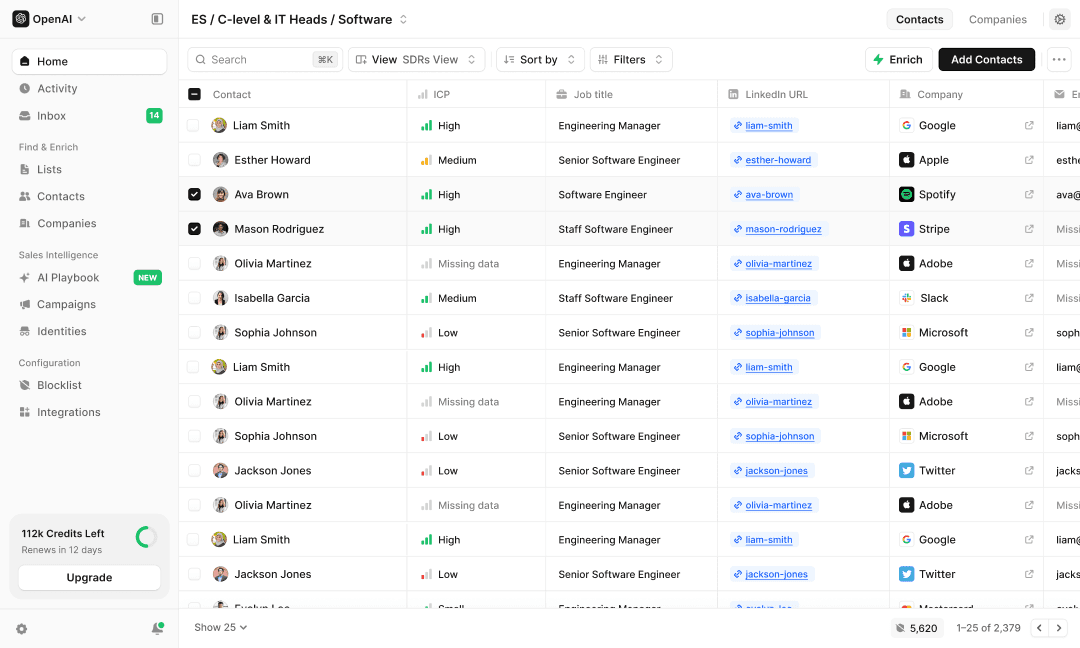
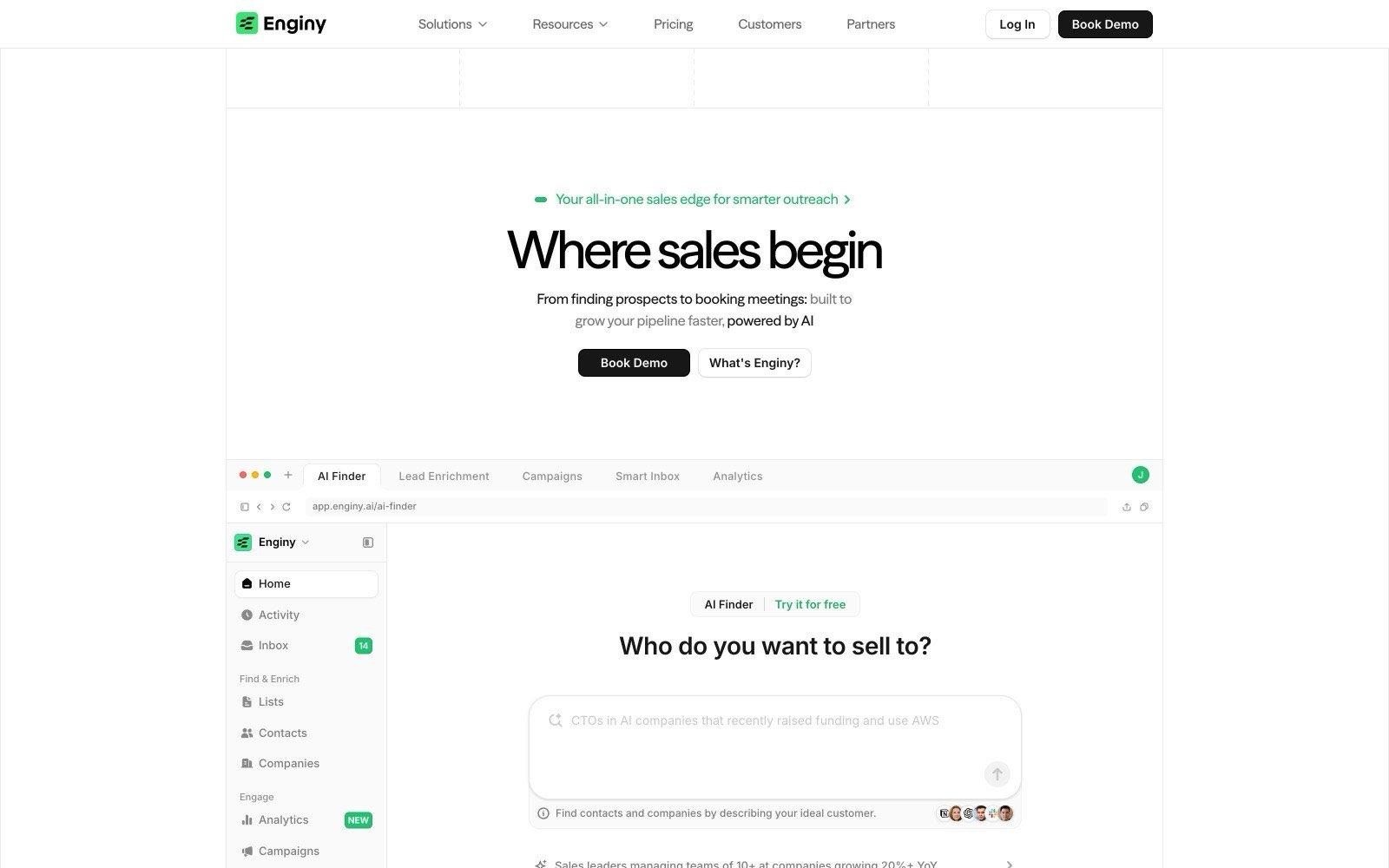
O Enginy é uma ferramenta de vendas B2B assente em IA que reúne a identificação de prospetos, o enriquecimento de dados e a comunicação multicanal num único local. Para uma agência de recrutamento, isto significa criar uma lista de empresas com intenção de contratação, obter o e-mail verificado e o contacto telefónico direto do decisor e executar a sequência de acompanhamento sem ter de exportar ficheiros.
Em vez de revender uma única base de dados estática, obtém dados de contacto de mais de 30 fornecedores de enriquecimento em tempo real e aplica uma lógica waterfall, garantindo que cada campo é preenchido pela fonte que efetivamente tem essa informação.
As listas podem ser criadas com base na atividade de contratação, novas contratações seniores, mudanças de emprego, eventos de financiamento, tecnologias utilizadas, presença em eventos ou interação com publicações específicas nas redes sociais, sendo depois atualizadas periodicamente para evitar que fiquem desatualizadas.
Tudo é sincronizado com o HubSpot, Salesforce, Pipedrive, Dynamics 365, Zoho ou um CRM personalizado, o que é fundamental quando o seu software de recrutamento (ATS) guarda os candidatos e o seu pipeline comercial precisa de viver noutro sítio.
Ideal para
Agências de recrutamento e trabalho temporário que gerem a sua própria prospeção comercial
Proprietários de agências que precisam de pipeline sem ter de contratar um especialista em dados
Gestores de desenvolvimento de negócio a trabalhar um setor ou território definido
Equipas de trabalho temporário que necessitam de múltiplos contactos dentro da mesma conta
Agências a abrir um novo setor ou país a partir do zero
Porque nos destacamos?
Dois fatores diferenciam o Enginy das ferramentas pontuais apresentadas mais à frente nesta lista.
Sinais e envios num único registo: o ponto crítico onde a maior parte da prospeção de recrutamento falha situa-se entre a folha de cálculo e a primeira chamada. O Enginy utiliza o mesmo contacto enriquecido em tarefas de e-mail, redes sociais e chamadas telefónicas; assim, um sinal de contratação detetado na terça-feira de manhã transforma-se numa sequência ativa nessa mesma tarde, em vez de ser um ficheiro CSV que alguém só irá limpar na sexta-feira.
Completo sem exigir um operador técnico: as ferramentas que combinam profundidade de dados com fluxos de trabalho flexíveis normalmente pressupõem a existência de uma pessoa dedicada a operações. O Enginy foi concebido para que qualquer consultor possa criar, enriquecer e lançar uma lista sem precisar de fórmulas, tornando a cobertura verdadeiramente utilizável numa agência onde cada hora conta para a faturação.
A abordagem a múltiplos interlocutores é o primeiro elemento que as agências costumam valorizar. Uma decisão de contratação raramente depende de uma só pessoa, pelo que as campanhas podem alcançar em paralelo o responsável pela contratação, o diretor de RH e o responsável financeiro ou de compras — facilitando a entrada numa lista de fornecedores preferenciais em vez de tentar contorná-la. Uma abordagem institucional sénior pode preparar a conta antes de o consultor fazer a primeira chamada.
Vantagens
Enriquecimento waterfall em mais de 30 fornecedores, que descobre e-mails e números de telefone diretos que uma única base de dados deixaria em branco
Atividade de contratação, contratações seniores, mudanças de emprego e rondas de financiamento disponíveis como filtros nativos e não como extras pagos
Campanhas multicanal por e-mail, redes sociais e tarefas de chamada, com IA a gerir as respostas
Listas recorrentes que se atualizam automaticamente, permitindo que a equipa inicie cada semana com novas contas
Sincronização nativa com CRM, para que as leads entrem já atribuídas a um consultor em vez de ficarem perdidas numa exportação
Desvantagens
Os preços são apresentados após uma chamada de qualificação e não estão publicados no site, o que dificulta uma avaliação 100% autónoma
As agências que pretendem apenas uma lista bruta de contactos para os seus próprios sistemas acabam por pagar por funcionalidades de envio que não vão utilizar
Gere o desenvolvimento de negócio do lado do cliente, pelo que continuará a precisar do seu software de recrutamento (ATS) em paralelo
Preços
O Enginy utiliza um modelo baseado em créditos em quatro planos: Basic, Smart, Business e Enterprise. Os créditos são consumidos na extração de empresas e contactos, enriquecimento e validação de e-mails e telefones, dados de tecnologias e anúncios de emprego, e campos de pesquisa com IA. Os planos variam nos créditos mensais, volume de contactos, identidades de envio e apoio de integração incluído.
Todos os planos têm orçamento personalizado após uma breve chamada de qualificação, garantindo que o número de utilizadores, créditos e dados telefónicos se ajustam às necessidades reais da sua operação.
Veredito final
O Enginy é indicado para agências de recrutamento cuja verdadeira limitação não é encontrar empresas, mas sim converter sinais de contratação em reuniões agendadas sem retirar os consultores da faturação ativa.
Combina a cobertura multifonte que normalmente exigiria dois ou três fornecedores com a camada de campanhas que costuma ser adquirida em separado, tendo sido desenhado para ser operado diretamente pela pessoa responsável pelas vendas.
2. eGrabber JobGrabber
Visão geral
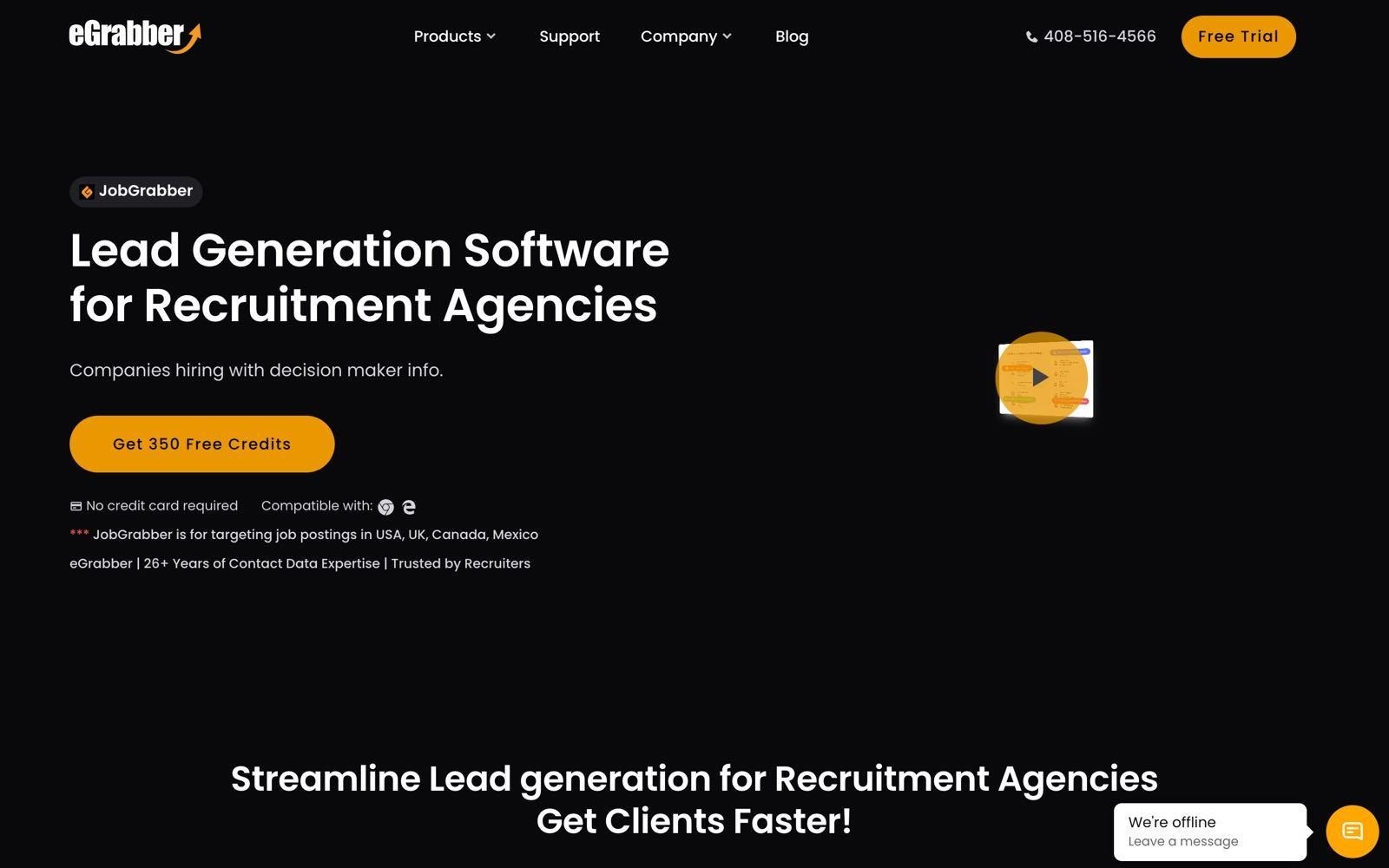
O JobGrabber é o produto da eGrabber desenvolvido especificamente para converter anúncios de emprego em leads de clientes para agências de recrutamento e trabalho temporário. Analisa oito portais de emprego, agrupa os anúncios por empresa contratante e adiciona os contactos dos decisores para que o consultor possa avançar de imediato para a abordagem.
A sua função mais útil é a filtragem por exclusão. Os portais de emprego contêm ofertas tanto de empregadores diretos como de agências concorrentes, e o JobGrabber elimina os anúncios destas agências, deixando apenas as empresas que estão a recrutar internamente.
Além disso, assinala vagas republicadas — o que geralmente revela dificuldades em preencher a posição — e identifica possíveis anúncios-fantasma, evitando que a equipa perca tempo com vagas que ninguém tenciona realmente preencher.
A eGrabber posiciona a ferramenta para recrutadores a 360° e agências de trabalho temporário nos Estados Unidos, Reino Unido, Canadá e México, destacando os seus 26 anos de experiência em tratamento de dados de contactos.
Ideal para
Recrutadores a 360° que fazem prospeção diretamente a partir de vagas em aberto
Agências de recrutamento com foco nos mercados dos Estados Unidos, Reino Unido, Canadá ou México
Equipas de serviços de TI, consultoria e outsourcing
Pequenas equipas que pretendem uma conta partilhada para até cinco utilizadores
Porque se destacam?
O JobGrabber é das poucas ferramentas que trata as vagas publicadas por agências concorrentes como ruído a eliminar e não como volume a contabilizar. Para uma equipa de recrutamento, isto aumenta a taxa de conversão de uma lista mais do que qualquer percentagem teórica de precisão.
A deteção de anúncios-fantasma e de vagas republicadas segue o mesmo princípio, filtrando os anúncios para confirmar se existe uma intenção real de contratação.
Outro recurso prático é o cruzamento de dados. Consegue reconciliar até 100.000 empresas a partir do seu software de recrutamento (ATS), CRM ou folha de cálculo, permitindo distinguir as contas já conhecidas daquelas que são verdadeiramente novas antes de começar a fazer chamadas.
Vantagens
Filtra anúncios de emprego de outras agências, mantendo apenas empregadores diretos
Sinaliza anúncios-fantasma e funções republicadas como alertas distintos
Acesso a oito portais de emprego com transferências ilimitadas de empresas contratantes por mês
10.000 créditos de enriquecimento incluídos para dados de decisores
Acesso multiutilizador para até cinco pessoas numa única conta
Desvantagens
A cobertura limita-se a ofertas de emprego nos Estados Unidos, Reino Unido, Canadá e México, ficando fora do alcance de equipas que operam noutros mercados
Os preços não são públicos e exigem pedido de orçamento
A localização de e-mails e telefones é comercializada como um extra e não está incluída de base
Funciona exclusivamente a partir de vagas publicadas, pelo que não identifica empresas que estejam a planear contratar mas ainda não anunciaram
A criação de sequências e a gestão de respostas estão fora da plataforma, exigindo a integração com uma ferramenta de envio
Preços
A eGrabber não publica a tabela de preços do JobGrabber, sendo o custo fornecido mediante pedido de proposta comercial.
O pacote anunciado inclui oito portais de emprego com extrações ilimitadas, 10.000 créditos de enriquecimento, transferências ilimitadas de empresas contratantes por mês, cruzamento de dados com até 100.000 empresas de sistemas existentes e acesso multiutilizador, sendo a pesquisa de e-mails e telefones disponibilizada como extra. É disponibilizada uma versão de teste com 350 créditos gratuitos sem necessidade de cartão bancário.
Veredito final
O JobGrabber merece consideração por parte de consultores a 360° nos quatro países abrangidos que já façam prospeção através de anúncios e queiram eliminar o ruído de agências, anúncios-fantasma e republicações logo à partida. Trata-se de uma peça direcionada para uma estrutura comercial e não de uma solução integral.
Como depende daquilo que já foi publicitado, não consegue antecipar empresas a planear contratações futuras, e continuará a precisar de uma ferramenta complementar para os envios.
3. Agency Leads
Visão geral
O Agency Leads disponibiliza uma lista selecionada de contas em vez de um motor de pesquisa tradicional, baseando toda a sua proposta no histórico de comportamento: as empresas incluídas na base de dados já recorreram a agências de recrutamento e trabalho temporário no passado. Trata-se de um filtro mais rigoroso e vantajoso do que um simples "está a contratar", visto que descarta empresas que nunca aceitariam pagar honorários a intermediários.
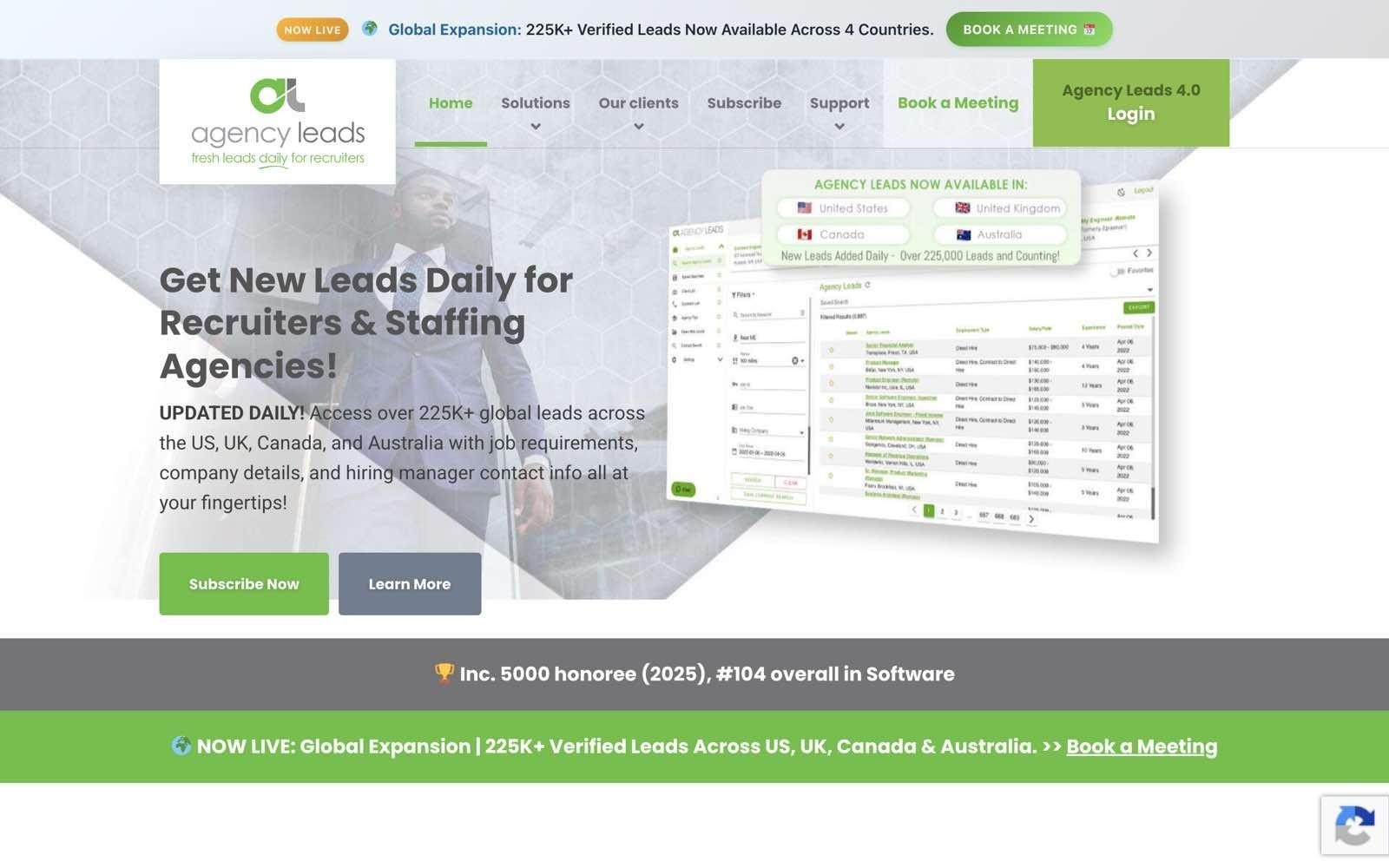
A oferta principal reúne mais de 225.000 leads nos Estados Unidos, Reino Unido, Canadá e Austrália, atualizadas diariamente, com contactos dos responsáveis de contratação e um registo básico de prospeção para que a equipa possa assinalar quem já foi abordado.
Existe ainda um produto complementar mais acessível, o Open Web Leads, que reúne mais de dois milhões de anúncios de emprego com detalhes de empresas e contactos, mas que não permite a exportação de dados.
Foi concebido expressamente para a área comercial de agências de recrutamento, o que se nota no vocabulário e em funcionalidades como alertas de novas leads por e-mail e registo integrado de contactos efetuados.
Ideal para
Agências de trabalho temporário e recrutamento que preferem uma lista pronta de contas em vez de criar consultas complexas
Comerciais que trabalham com quotas semanais de prospeção
Agências com foco em empresas com um histórico consolidado de recurso a fornecedores externos
Equipas que procuram leads renovadas diariamente sem terem de gerir processos de dados
Porque se destacam?
O critério de qualificação é o próprio produto. Filtrar por empresas que já têm por hábito contratar serviços de recrutamento poupa a fase mais demorada do ciclo de vendas de uma agência: demonstrar a uma empresa que vale a pena pagar por recrutamento externo. A atualização diária e as notificações por e-mail garantem que a lista se mantém dinâmica em vez de envelhecer.
Os preços são também apresentados de forma totalmente transparente, o que é raro neste segmento e facilita o cálculo do custo real por lead exportada antes de assumir qualquer compromisso.
Vantagens
Mais de 225.000 leads de empresas com histórico de contratação através de agências
Leads renovadas diariamente com contactos de responsáveis de contratação incluídos
Preços públicos disponíveis em planos trimestrais, semestrais e anuais
Registo de contactos e alertas de novas leads integrados
Opção de produto mais económica baseada em anúncios para equipas que ainda não precisam da lista principal
Desvantagens
A cobertura foca-se nos Estados Unidos, Reino Unido, Canadá e Austrália, sendo menos interessante para equipas a operar na Europa continental
Todos os planos limitam as exportações a 500 por mês, independentemente da duração do contrato
A versão mais económica, Open Web Leads, não permite qualquer tipo de exportação
O custo de entrada é mais elevado do que a maioria das ferramentas de dados self-service desta lista
O contacto propriamente dito tem de ser feito noutra plataforma, exigindo uma ferramenta de envio adicional
Preços
O Agency Leads apresenta três períodos de subscrição para o seu acesso integrado, todos limitados a 500 exportações por mês: 625 $ por mês num plano trimestral pré-pago, 590 $ por mês no plano semestral e 486 $ por mês no plano anual. O Open Web Leads é comercializado em separado por 997 $ por seis meses ou 1.697 $ por doze meses (o que equivale a cerca de 167 $ e 142 $ mensais), sem direito a exportação de dados.
Veredito final
O Agency Leads adequa-se a empresas de trabalho temporário e recrutamento nos Estados Unidos, Reino Unido, Canadá ou Austrália que procuram uma lista de contas pré-qualificada e preferem pagar por essa triagem do que fazê-la internamente. O critério comportamental é o grande motivo de escolha, e o limite de exportação é a razão para calcular previamente o volume pretendido.
Com 500 exportações por mês, ajusta-se melhor a uma equipa focada do que a um departamento comercial de grande dimensão que trabalhe milhares de contas por trimestre.
4. Cognism
Visão geral
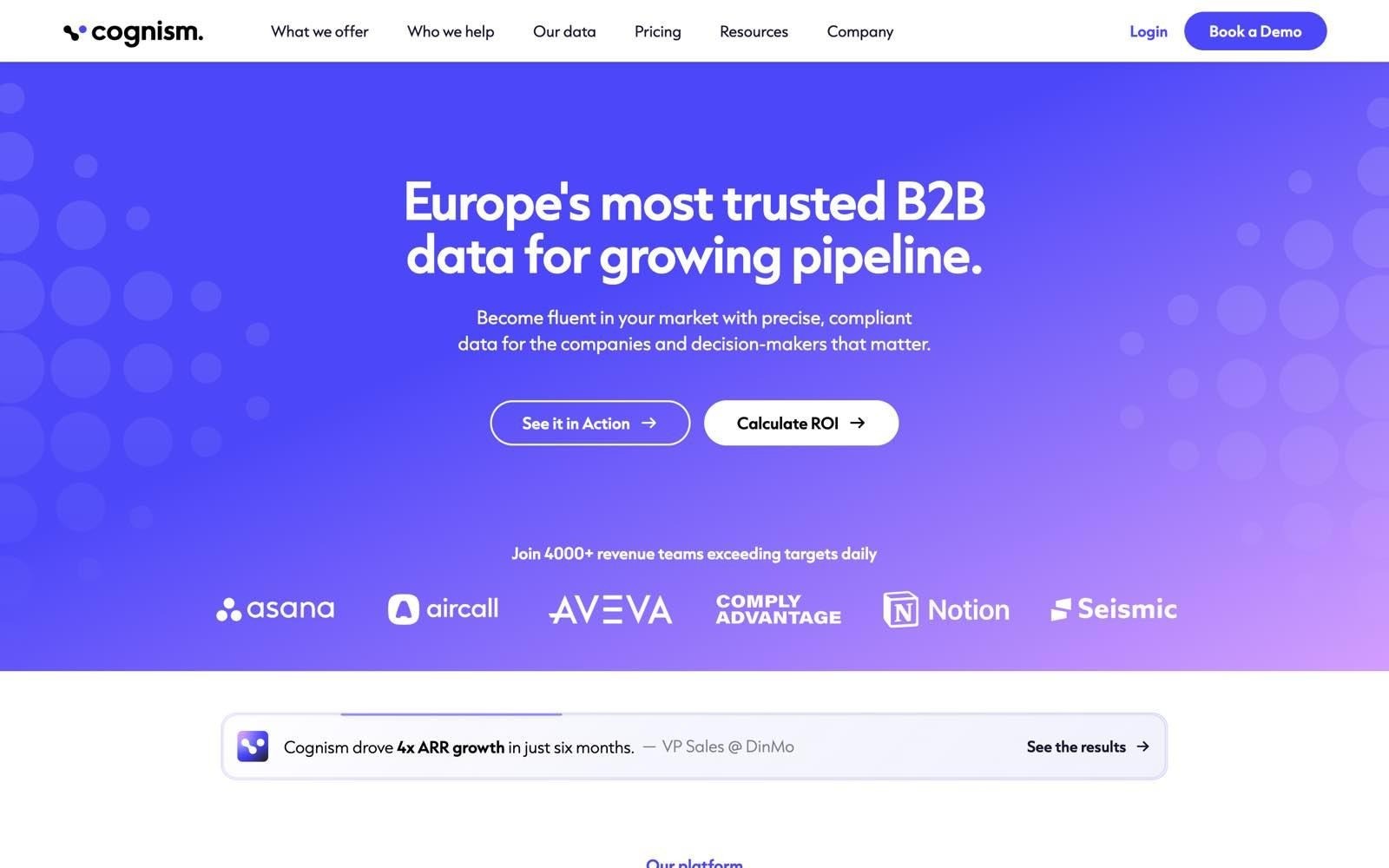
O Cognism é um fornecedor europeu de dados B2B focado no contacto direto por telefone. Posiciona-se pela sua cobertura europeia, disponibilizando telemóveis verificados por chamada como registo premium, a par de e-mails validados e dados de faturação e número de colaboradores, publicando métricas de cobertura para contactos de nível de direção e superior na Europa e nos Estados Unidos.
Disponibiliza igualmente dados de contexto com tendências de contratação, alertas de financiamento, dados tecnográficos e avisos de fusões e aquisições (M&A), além de dados de intenção via Company Surge da Bombora — aspeto em que se torna altamente relevante para prospeção de clientes em recrutamento.
Os contactos são validados através de processos manuais e automáticos, segundo a própria empresa, e os registos de telefone passam por verificações adicionais.
A subscrição é normalmente feita para equipas e não a nível individual, incluindo cinco utilizadores em cada nível de prospeção.
Ideal para
Equipas de recrutamento no Reino Unido e Europa que dão prioridade ao telefone
Agências focadas em contas de média e grande dimensão (mid-market e enterprise)
Equipas que pretendem sinais de contratação e financiamento combinados com dados de contacto
Departamentos comerciais compostos por cinco ou mais colaboradores
Porque se destacam?
A cobertura de dados telefónicos é a grande mais-valia para uma agência de recrutamento, visto que um responsável de contratação que ignora e-mails atende com frequência uma chamada para resolver uma vaga difícil de preencher. O Cognism disponibiliza números de telemóvel verificados por chamada como um registo premium que, de acordo com a própria empresa, é submetido a níveis adicionais de validação para lá dos processos manuais e automatizados aplicados a todos os contactos.
A camada de sinais contextuais é o outro motivo de escolha das agências. As tendências de contratação e os alertas de investimento permitem definir uma lista pelo timing e não apenas pelo perfil, e a sua base tecnográfica monitoriza mais de 20.000 tecnologias para equipas focadas em ecossistemas de software específicos.
Vantagens
Números de telemóvel validados por chamada vendidos como registos premium, além dos contactos verificados normais
Contactos a partir do nível de direção atualizados num ciclo de 30 dias, segundo dados do próprio fornecedor
Sinais de contratação, financiamento, ferramentas técnicas e dados de intenção de terceiros reunidos num só produto
Enriquecimento de CRM e fornecimento direto de dados (Data-as-a-Service) disponíveis como módulos adicionais
Cinco utilizadores incluídos de base em cada nível de prospeção
Desvantagens
A tabela de preços não é pública, obrigando a que qualquer comparação comece com uma reunião comercial
Os pacotes incluem obrigatoriamente cinco utilizadores, sendo menos adequados para consultores a solo ou agências de duas pessoas
Fornece os dados mas não a infraestrutura de envio, obrigando ao uso paralelo de uma ferramenta de sequenciação
A sua documentação destaca uma cobertura focada na Europa e Estados Unidos; agências que operem noutros mercados devem testar a base previamente
Os sinais de intenção são ao nível da empresa, pelo que a identificação do decisor específico continua a depender de si
Preços
O Cognism não divulga valores no site. O produto de prospeção comercial divide-se nos níveis Standard e Pro, cada um incluindo cinco utilizadores, estando o enriquecimento de CRM e o Data-as-a-Service disponíveis como módulos extra. O preço é orçamentado caso a caso com base no volume e nos acessos pretendidos, sem indicação pública sobre períodos mínimos de contrato, o que torna mais difícil estruturar um projeto-piloto curto em comparação com as soluções self-service da lista.
Veredito final
O Cognism é uma escolha sólida para equipas de recrutamento no Reino Unido e Europa cujo método de prospeção assenta no telefone e que procuram um fornecedor com uma base desenhada de raiz para o mercado europeu. A sua vertente de sinais justifica-se para equipas que procuram o timing ideal em vez de percorrer uma lista alfabética.
A exigência mínima de cinco utilizadores e o modelo de orçamento fechado tornam-no desajustado para agências boutique; além disso, a solução foca-se nos dados, cabendo à sua agência garantir as ferramentas de campanha.
5. Apollo.io
Visão geral
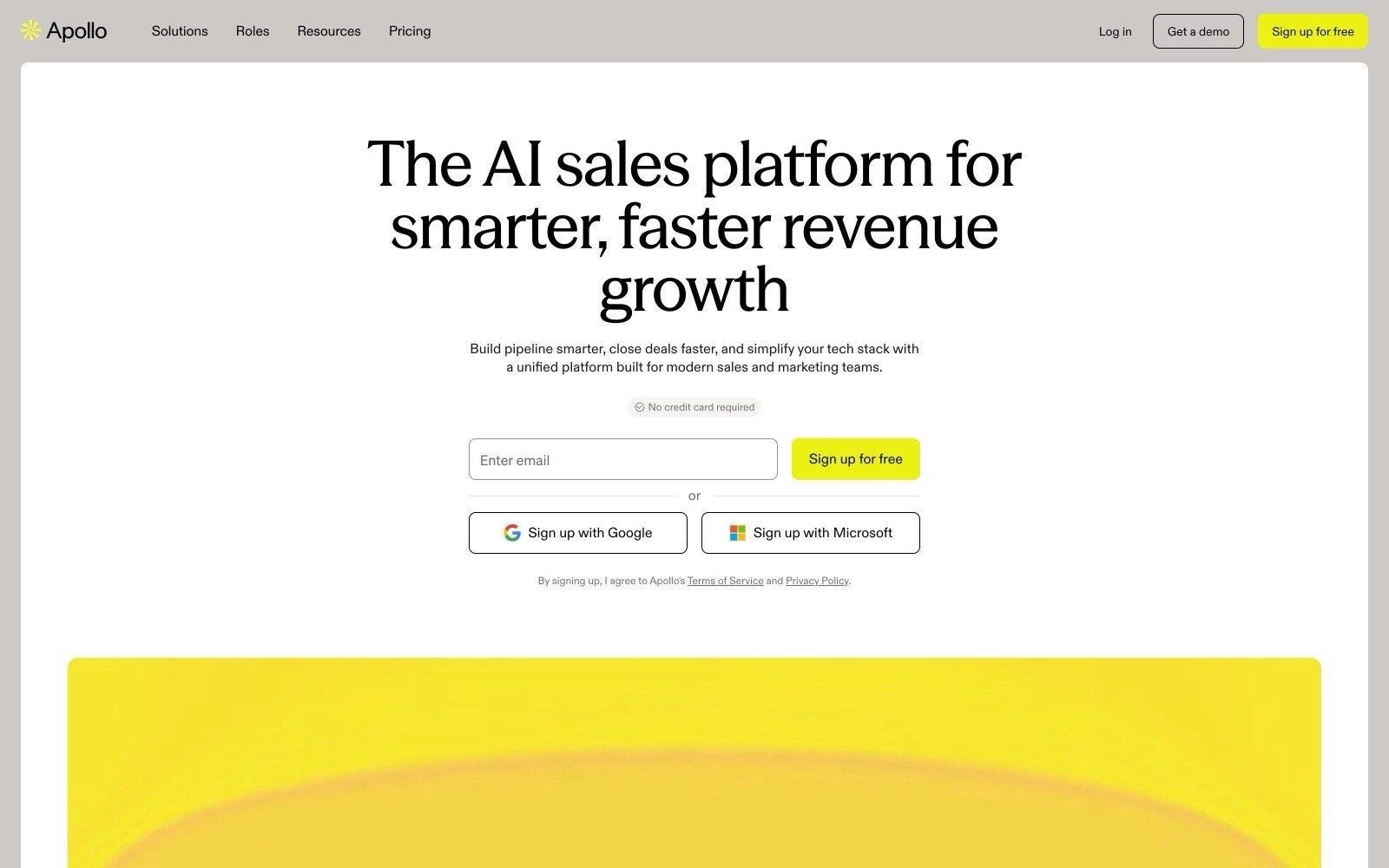
O Apollo.io é uma plataforma de vendas self-service que integra uma base de dados extensa com sequências de comunicação, marcador telefónico e funcionalidades simples de CRM. Para uma agência de recrutamento, representa uma via acessível para obter contactos e efetuar envios no mesmo ambiente, sem processos burocráticos de contratação.
Destina-se a equipas pequenas e consultores individuais que pretendem arrancar no próprio dia, servindo frequentemente como o preço de referência face ao qual todas as outras propostas são avaliadas. Os limites do plano gratuito estão descritos detalhadamente: 900 créditos por utilizador/ano, duas sequências, vinte empresas visitantes do site identificadas por mês e enriquecimento de CRM limitado a 100 registos.
Há dois limites indicados na página de preços que são particularmente relevantes para quem opera fora dos EUA: o marcador telefónico incluído com a licença é apenas para os Estados Unidos (as chamadas internacionais exigem um extra pago) e a identificação de visitantes do site a nível individual está assinalada como exclusiva para os EUA.
Ideal para
Pequenas agências de recrutamento a adquirir software comercial pela primeira vez
Consultores comerciais independentes que precisam de dados e envio numa só ferramenta
Equipas focadas na prospeção de clientes nos Estados Unidos
Equipas que pretendem testar prospeção ativa (outbound) antes de comprometer grandes orçamentos
Porque se destacam?
O baixo valor de entrada e a facilidade do modelo self-service são os grandes atrativos. Uma agência pode estar a disparar sequências no mesmo dia por um valor inferior ao de um anúncio num portal de emprego, e a atribuição de créditos para cada plano é pública, permitindo prever com clareza o custo por contacto.
Ao reunir sequências, chamadas e enriquecimento de dados numa única subscrição, poupa todo o trabalho de integração técnica que um fornecedor exclusivo de dados costuma exigir, sendo por isso muito procurado por agências sem equipa técnica ou de operações.
Vantagens
Plano gratuito com 900 créditos anuais por utilizador para testar a qualidade dos dados
Plano Basic a 49 $ por utilizador/mês (faturação anual) com 30.000 créditos
Sequências de e-mail, chamadas e enriquecimento de CRM integrados sem necessidade de compras adicionais
Identificação de empresas visitantes do website disponível a partir do plano gratuito
Limites de créditos descritos de forma transparente em todos os planos
Desvantagens
A identificação de visitantes individuais no website está assinalada como restrita aos Estados Unidos
As chamadas internacionais exigem o extra Advanced Dialer por 119 $ mensais por equipa
O plano Organization exige a contratação mínima de três utilizadores
Os valores anunciados pressupõem pagamento anual; a faturação mensal fica mais cara
Os créditos abrangem múltiplos tipos de ações, pelo que um uso intenso de telefone esgota a quota muito depressa
Preços
O Apollo apresenta quatro níveis de faturação anual: Free (0 $ e 900 créditos anuais por utilizador), Basic (49 $ por utilizador/mês com 30.000 créditos), Professional (79 $ com 48.000 créditos) e Organization (119 $ com 72.000 créditos e mínimo de três utilizadores). A faturação mensal tem valores superiores, anunciando-se uma poupança de 24% na opção anual. As chamadas telefónicas consomem créditos em separado.
Veredito final
O Apollo.io faz todo o sentido para pequenas agências de recrutamento e consultores comerciais que pretendem juntar dados e prospeção ativa numa única ferramenta, a um custo fácil de aprovar sem reuniões de administração. É a forma mais prática de testar a viabilidade de prospeção fria.
O sistema de créditos requer atenção antes de avançar, uma vez que o mesmo saldo é consumido por pesquisas, enriquecimento e chamadas; além disso, recursos fundamentais fora dos EUA — como chamadas internacionais — não estão incluídos no valor base por utilizador.
6. Sopro
Visão geral
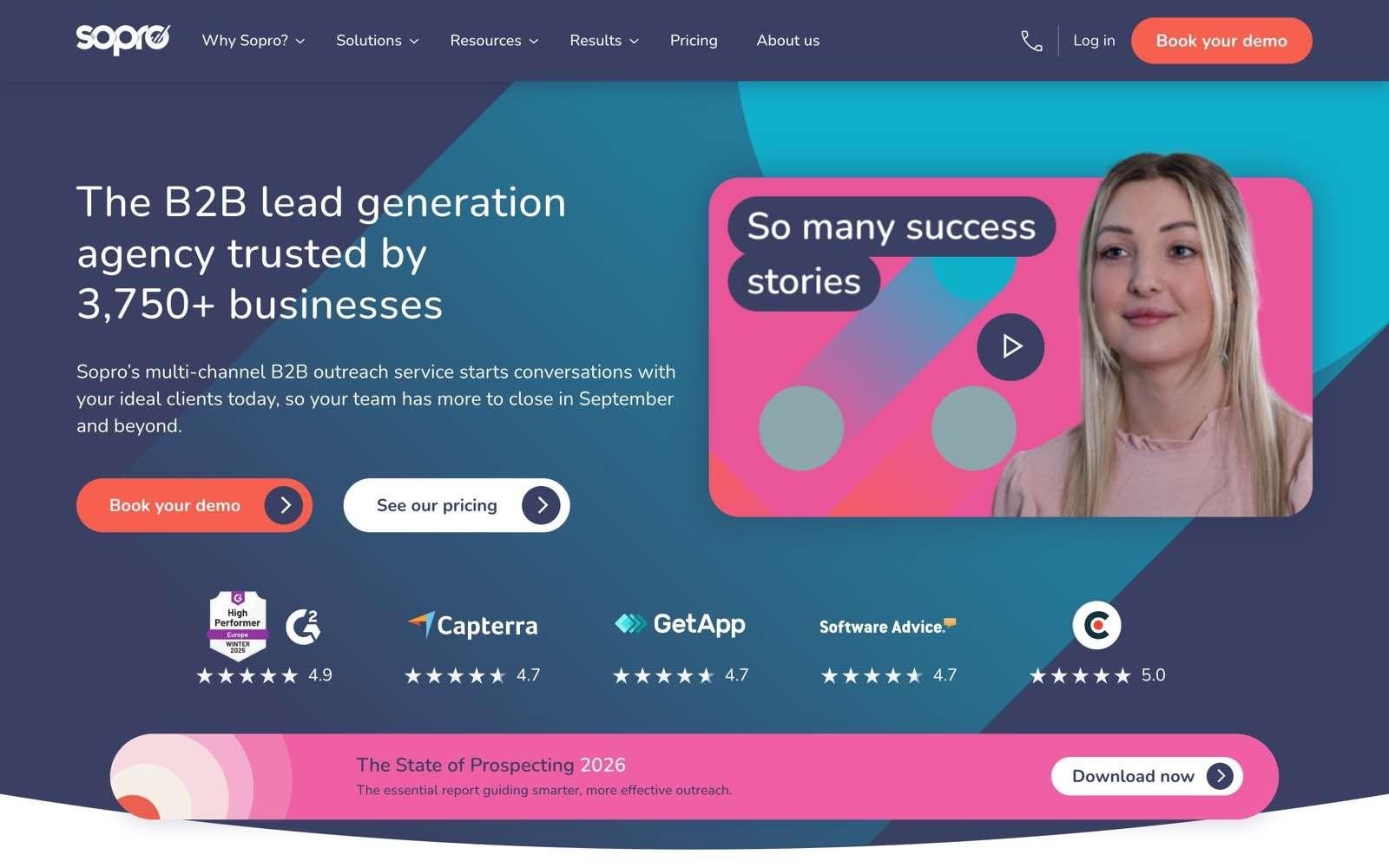
A Sopro posiciona-se como um serviço gerido de prospeção comercial e não como um software, tendo o recrutamento e trabalho temporário como um dos setores em que foca a sua atuação direta. A agência transmite o briefing e a equipa da Sopro trata da pesquisa de público-alvo, criação de textos e execução de campanhas multicanal, atuando como um departamento comercial subcontratado.
O método anunciado para o setor de recrutamento passa por abordar diretores de RH, responsáveis de aquisição de talento e diretores-gerais com mensagens desenhadas para a tomada de decisão em contratações, reencaminhando as respostas positivas para a agência avançar. Uma equipa própria de dados constrói cada lista de raiz em vez de usar bases estáticas, sendo os dados cedidos à agência para manter e transferir, garantindo a empresa a supervisão do processo pelo seu encarregado de proteção de dados (DPO).
A dimensão da operação é pública: a Sopro afirma trabalhar com mais de 3.750 empresas, reportando mais de 91 milhões de contactos enviados e mais de 630.000 reuniões e conversas comerciais iniciadas.
Ideal para
Proprietários de agências sem qualquer elemento dedicado a novas vendas na equipa
Empresas onde todos os consultores estão 100% ocupados com entregas e colocações
Agências que pretendem avaliar a entrada num novo setor sem contratar pessoal fixo
Equipas que preferem entregar a redação e segmentação de campanhas a especialistas
Porque se destacam?
Entre as empresas de prestação de serviços de geração de leads para recrutamento, a Sopro distingue-se por apresentar abertamente valores de partida e métricas de campanhas, o que é raro neste modelo de serviços e permite validar a proposta antes de agendar uma reunião comercial. A ausência de um período contratual mínimo reduz o risco da experiência inicial.
Outro ponto favorável é substituir a contratação interna de uma função em vez de acrescentar mais uma ferramenta. A pesquisa de mercado, a redação das abordagens, o envio e as otimizações semanais ficam a cargo da sua equipa, sendo padrão a abordagem a múltiplos decisores por empresa, o que se enquadra na dinâmica de decisão colegial das contratações.
Vantagens
Serviço com gestão integral, dispensando recursos internos dedicados à prospeção
Listas criadas de raiz para cada campanha pela equipa interna de dados, ficando na posse da agência
Abordagem padrão a vários interlocutores por cada empresa-alvo
Valor de partida transparente e sem obrigatoriedade de fidelização mínima
Recrutamento listado formalmente como área de especialidade, com estudos de caso do setor
Desvantagens
Com um custo na ordem das 3.000 £ mensais, o investimento é muito superior a qualquer ferramenta de software da lista
Está a pagar por um serviço de gestão e não por uma licença de software; quando deixar de pagar, a entrada de leads é interrompida
As respostas têm de ser tratadas internamente, exigindo disponibilidade na agência para conduzir as reuniões
As opções de texto e segmentação dependem de uma equipa exterior, o que pode não agradar a todos os gestores
A proposta financeira final varia com o volume da base e os canais pretendidos, dependendo sempre de reunião
Preços
A Sopro indica valores a partir de cerca de 3.000 £ por mês, sem permanência mínima, apresentando proposta formal após análise do público-alvo e dos canais a envolver. A mensalidade cobre a gestão de serviço, calibração periódica da campanha, gestor de conta dedicado e elaboração das bases de dados. O custo final por oportunidade varia consoante a dimensão e a acessibilidade do mercado definido.
Veredito final
A Sopro é uma opção válida para os líderes de agências que reconhecem a necessidade de fazer desenvolvimento de negócio, mas sabem que não haverá tempo nem capacidade para o executar internamente. Delegar a função em vez de comprar ferramentas é a decisão lógica quando toda a equipa está concentrada a faturar.
O valor mensal afasta empresas de menor dimensão e, tratando-se da contratação de um serviço e não da compra de uma licença de software, as novas oportunidades de negócio cessam no momento em que a campanha é dada por terminada.
7. Clay
Visão geral
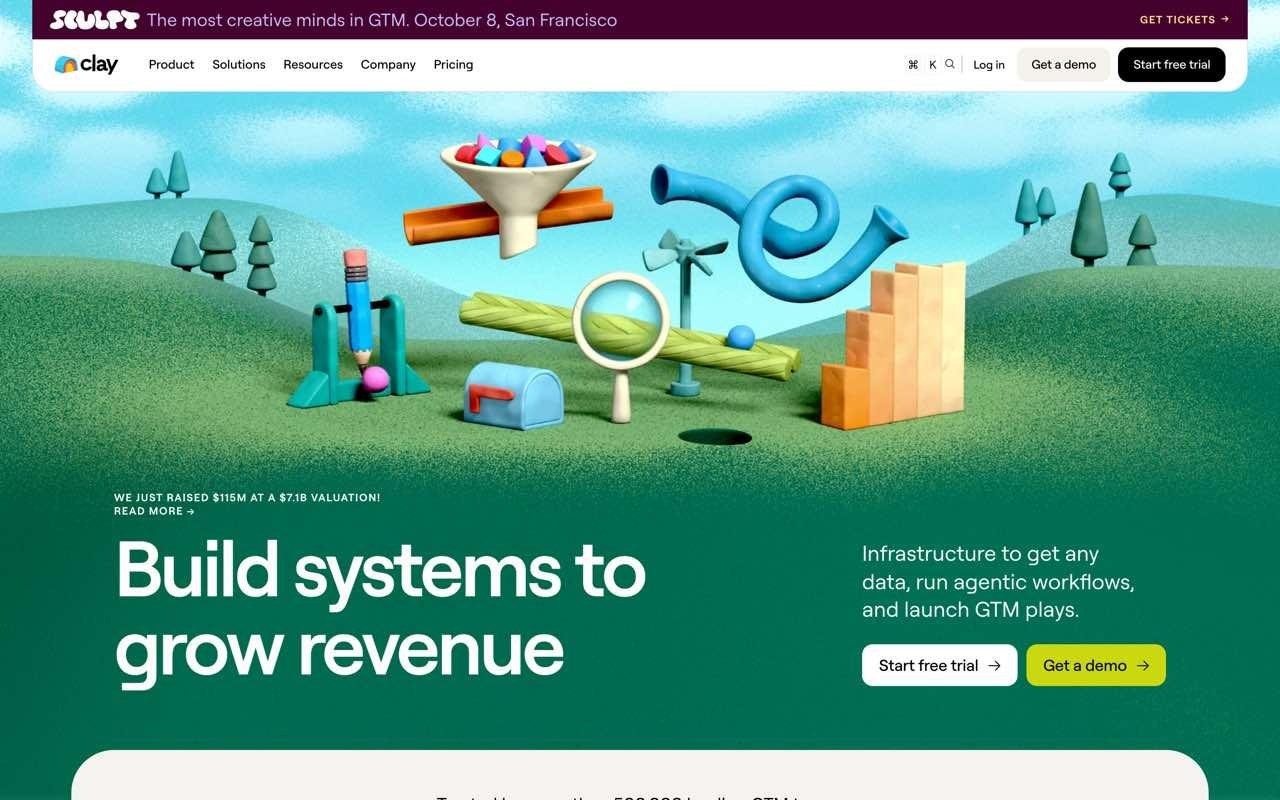
O Clay funciona como uma plataforma flexível de enriquecimento de dados e fluxos de trabalho, e não como uma simples base de pesquisa. A equipa estrutura tabelas de empresas, submete cada registo a múltiplos fornecedores de informação de forma sequencial até obter os dados em falta e aplica comandos de inteligência artificial para obter respostas que nenhuma base de dados disponibiliza de forma direta.
Para uma agência de recrutamento, isto permite realizar tarefas invulgares num software empacotado: analisar páginas de carreiras para perceber se uma empresa recruta diretamente ou recorre a parceiros, ou pontuar empresas pelo número de vagas divulgadas no último trimestre.
Permite também seguir movimentos de profissionais e novas contratações como sinais de abordagem — muito útil para restabelecer contacto com antigos clientes que mudaram de empresa.
A flexibilidade reflete-se na sua vertente técnica: a par da interface em tabela, disponibiliza interface de linha de comandos (CLI), API HTTP, utilização de chaves de API próprias e webhooks para eventos, um conjunto concebido para quem quer gerir esta camada ao detalhe.
Ideal para
Agências com um elemento de marketing ou operações responsável pelo fluxo de dados
Empresas com critérios de seleção complexos que não cabem em filtros convencionais
Equipas que procuram cruzar pesquisa com IA com dados de contacto
Consultores que querem retomar ligação com decisores que mudaram de empresa
Porque se destacam?
O método waterfall é a razão principal de adesão ao Clay. Em vez de ficar dependente da cobertura de uma única empresa, cada linha pode consultar vários fornecedores por ordem de preferência, aumentando drasticamente a percentagem de telemóveis e e-mails obtidos em geografias onde as bases individuais apresentam lacunas.
As colunas de pesquisa assistidas por IA são outro forte atrativo, transformando critérios subjetivos em colunas estruturadas. Saber se um negócio tem por hábito recorrer a consultoras ou faz apenas contratação direta não existe como campo numa base de dados; o Clay lê os websites e formula uma classificação à escala da lista, servindo como pesquisa de vendas com IA aplicada à prospeção de clientes.
Vantagens
Sistemas waterfall com múltiplos fornecedores para preencher campos que bases únicas deixam em branco
Colunas de pesquisa com IA para critérios que os filtros tradicionais não conseguem detetar
Sinais de mudanças de emprego, novas contratações e notícias de empresas disponíveis a partir do plano Launch
Plano gratuito com 500 ações por mês e utilizadores ilimitados
Preços detalhados com transparência no volume de créditos em cada fase
Desvantagens
Pensado para perfis que gostam de montar automatismos e fluxos técnicos, exigindo destreza operacional
O acesso a números de telefone e alertas de contratação só está disponível no plano Launch, a partir de 167 $ mensais
Ações e créditos de dados são faturados de forma autónoma, tornando mais difícil prever a despesa mensal
A versão gratuita está limitada a 200 linhas por tabela, servindo para testes e não para produção regular
O Clay posiciona a sua ferramenta de envio e integrações com sequenciadores externos de forma idêntica, pelo que muitas equipas mantêm a ferramenta de envio que já utilizavam
Preços
O Clay inclui um nível Free com 500 ações e 100 créditos de dados mensais, tabelas e utilizadores sem limite e um teto de 200 linhas por tabela. O plano Launch tem início nos 167 $ por mês para 15.000 ações, acrescentando telefones, monitorização de sinais e ferramentas de envio. O plano Growth arranca nos 446 $ para 40.000 ações e integração avançada com CRM e armazéns de dados (data warehouses). O volume de ações e créditos cresce em patamares fixos.
Veredito final
O Clay é a ferramenta ideal para a agência que tenha uma pessoa focada em arquitetura de dados e pretenda segmentar o mercado com regras demasiado refinadas para as opções normais. Nesse cenário, produz bases de trabalho que a concorrência não consegue replicar.
Sem essa competência interna, a licença é frequentemente subaproveitada; além disso, o sistema de dois tipos de créditos distintos obriga a maior controlo orçamental face a uma mensalidade tradicional por utilizador.
8. Lemlist
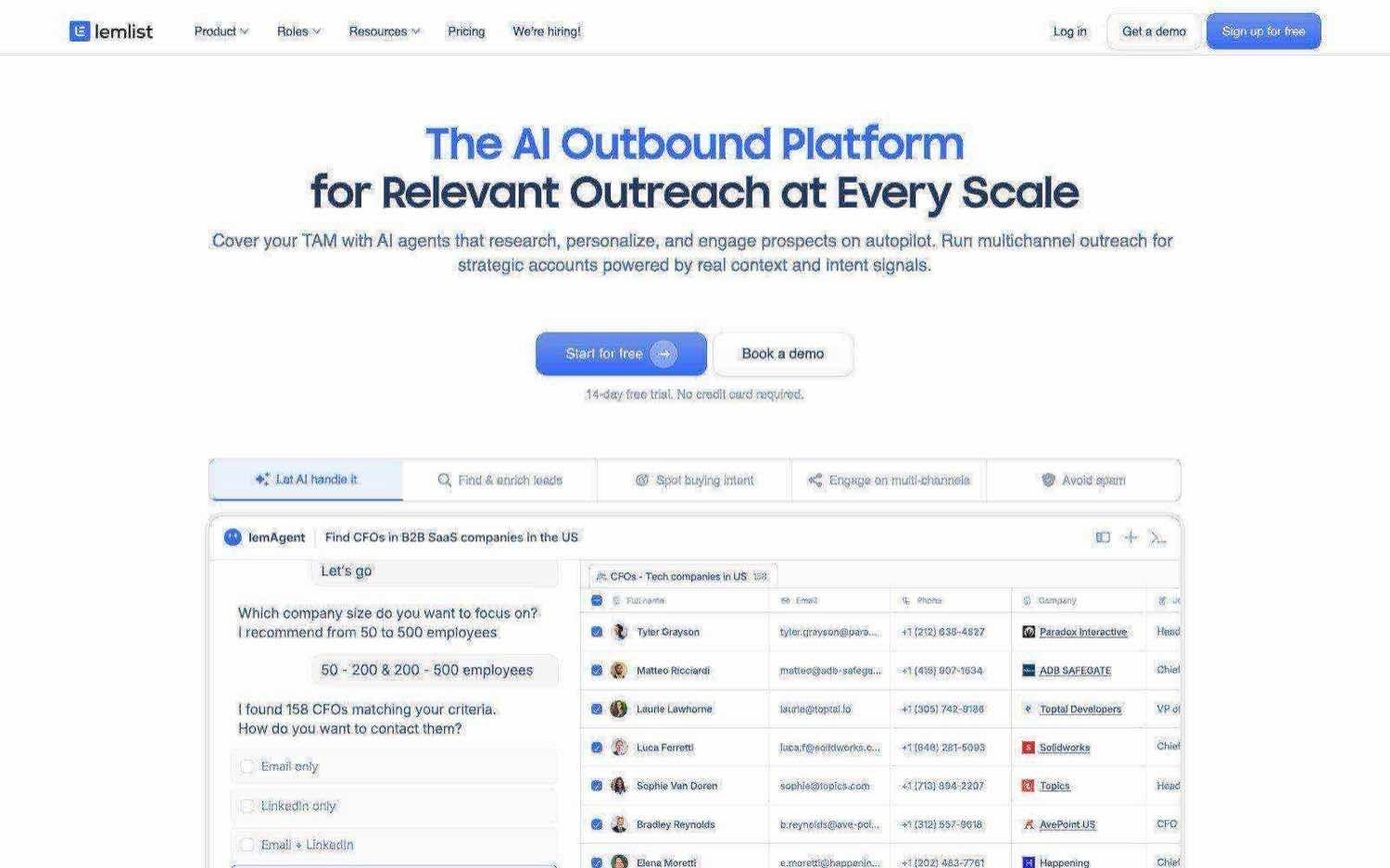
Visão geral
O Lemlist é uma solução de prospeção multicanal que integra uma base de contactos. A sua especialidade são os disparos e a comunicação: abrange sequências de correio eletrónico, interações em redes sociais, SMS, WhatsApp, chamadas telefónicas, aquecimento de domínios (warm-up) para proteção de entregabilidade e uma caixa de entrada unificada para gerir respostas.
A sua vertente de pesquisa de contactos e sinais de contratação assenta num formato pré-pago em vez de créditos pré-atribuídos, um aspeto relevante para a atividade de recrutamento.
Os alertas de recrutamento ativo e alterações de cargos são cobrados por cada sinal verificado, o que permite pagar apenas quando se decide utilizar a intenção de contratação, evitando subscrições mensais pesadas.
A base de dados conta com mais de 650 milhões de contactos, sendo a validação de endereços e a localização de telefones feitas a partir do mesmo saldo de créditos.
Ideal para
Equipas de recrutamento que já dispõem de fontes de dados e necessitam de uma plataforma de envio fiável
Agências que pretendem articular e-mail, redes sociais e chamadas na mesma sequência
Equipas que preferem pagar sinais de contratação pelo uso real em vez de uma taxa mensal fixa
Empresas com problemas de reputação de e-mail decorrentes de campanhas anteriores
Porque se destacam?
O modelo de pagamento por sinal é pouco habitual e encaixa perfeitamente em equipas com volumes de trabalho irregulares: os dados de vagas abertas e movimentações profissionais começam em 100 créditos (sendo que cada crédito equivale a um cêntimo). Uma agência pode avaliar o impacto de abordar empresas com vagas ativas investindo cerca de um dólar por sinal verificado, em vez de assinar um contrato dispendioso para esse fim.
O foco técnico na entregabilidade de mensagens é outro motivo de preferência. As ações comerciais em recrutamento envolvem grande volume com recurso a modelos pré-feitos, e as funcionalidades de aquecimento de caixas de correio e diagnóstico evitam o desgaste do domínio, que representa a principal causa de insucesso em projetos com software de cold email.
Vantagens
Utilizadores ilimitados no plano Email, muito conveniente para pequenas equipas que partilham ferramentas
Sequências multicanal que combinam e-mail, redes sociais, SMS, WhatsApp e telefone
Sinais de vaga e mudança de funções pagos à unidade e não em mensalidades fechadas
Mecanismos integrados para validação de reputação e aquecimento de contas de e-mail
Preços por crédito transparentes para e-mails, contactos telefónicos e sinais de prospeção
Desvantagens
O plano Multichannel é cobrado por cada conta de utilizador, aumentando a fatura à medida que a equipa cresce
As informações de contactos e sinais não estão incluídas na mensalidade base, exigindo somar o consumo de créditos ao valor do plano
A obtenção de um contacto telefónico gasta 20 créditos face a 5 créditos por um e-mail, acelerando o consumo em equipas focadas em chamadas
A consulta de contactos e eventos funciona exclusivamente em regime pay-per-success fora da subscrição de software, não existindo um pacote mensal incluído de raiz
O canal WhatsApp implica custos adicionais e não faz parte do pacote base
Preços
O Lemlist disponibiliza o plano Email por 69 $ mensais (55 $ se faturado anualmente), incluindo utilizadores ilimitados e o envio de 50.000 mensagens de e-mail por mês. O nível Multichannel fica por 109 $ por utilizador/mês (87 $ na opção anual), trazendo os canais de redes sociais, SMS e integração telefónica. O escalão Enterprise destina-se a operações com cinco ou mais lugares sob proposta técnica. O consumo de informação baseia-se em créditos de um cêntimo: validação de e-mails consome 5 créditos, contactos telefónicos 20 créditos e eventos de contratação ou alteração de funções têm início nos 100 créditos.
Veredito final
O Lemlist adapta-se a agências de recrutamento que já resolveram a obtenção de dados e procuram um mecanismo seguro e multicanal para abordar o mercado sem penalizar os seus domínios de correio eletrónico. A cobrança à peça nos sinais torna muito barato validar se a abordagem a vagas ativas melhora as conversões.
No entanto, dado que a informação de contactos e os alertas de mercado representam custos à parte do software, a fatura final reflete o consumo real, pelo que agências que precisem de grandes volumes de empresas a recrutar utilizarão o Lemlist a par de uma base de dados especializada, e não em sua substituição.
9. Leadfeeder (anteriormente Dealfront)
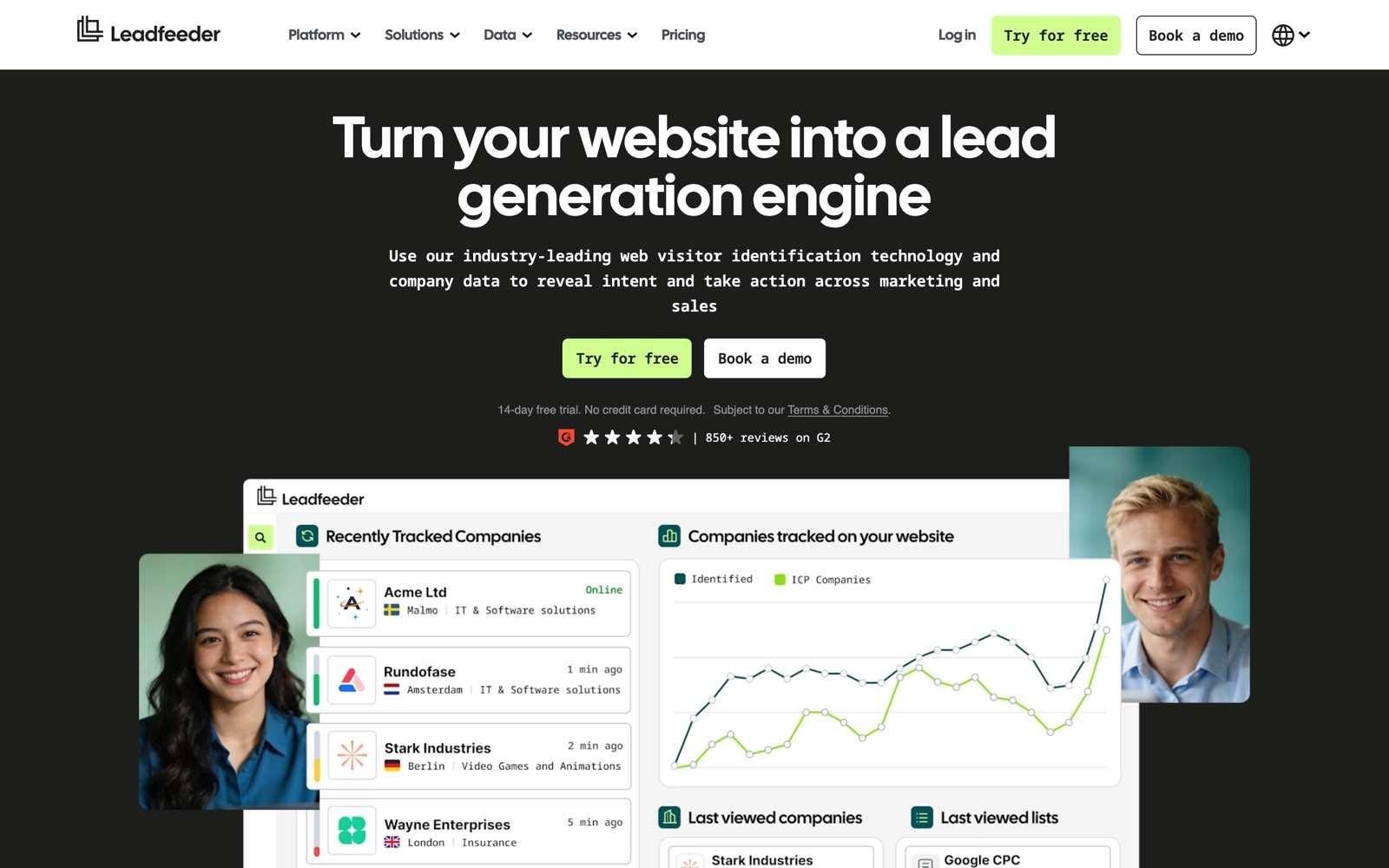
Visão geral
O Leadfeeder identifica as entidades empresariais que visitam o website da sua agência, solucionando um problema que a maior parte dos recrutadores desconhece. Os decisores de contratação analisam agências antes de solicitar contactos, saindo a esmagadora maioria sem preencher qualquer formulário comercial.
A ferramenta revela as empresas a nível organizacional, filtra os acessos com base em critérios de interesse e envia automaticamente para o CRM as empresas que cumprem o perfil pretendido, possibilitando um contacto oportuno enquanto o interesse está ativo.
Os planos superiores fornecem detalhes de contactos verificados e listas de decisores, convertendo visitas anónimas em nomes concretos para abordagem.
Um pormenor a ter em conta: o serviço operava como Dealfront até há pouco tempo, estando o endereço dealfront.com a reencaminhar para leadfeeder.com, o que faz com que várias análises e comparativos externos ainda utilizem a designação anterior.
Ideal para
Agências com visitas regulares nas suas páginas de setores ou serviços
Empresas com campanhas de anúncios pagas que querem saber que organizações estão a responder
Consultores que procuram abordar empresas que já conhecem e visitam a agência
Agências com forte presença de conteúdos orientados para diretores e responsáveis de recursos humanos
Porque se destacam?
Opera pelo lado da procura em vez do lado da oferta. Enquanto todas as outras alternativas partem de parâmetros e listas frias definidas por si, o Leadfeeder foca-se em comportamentos que já aconteceram, gerando leads substancialmente mais recetivas do que as obtidas por abordagens totalmente a frio.
O patamar de utilização gratuita é funcional para estruturas pequenas, permitindo até 100 empresas identificadas por mês com utilizadores ilimitados — o suficiente para uma agência de menor dimensão avaliar se o tráfego que recebe tem relevância comercial.
Vantagens
Identifica as organizações que visitam o website em vez de as manter anónimas
Nível gratuito com 100 empresas identificadas por mês e utilizadores sem restrições
Filtros por nível de interesse e reencaminhamento para CRM nas subscrições pagas
Contactos telefónicos e e-mails verificados disponíveis a partir do plano Activate
Período de teste completo de 14 dias sem necessidade de introduzir dados bancários
Desvantagens
O reconhecimento é feito ao nível da empresa, pelo que a pessoa concreta que visitou as páginas permanece desconhecida nos níveis mais baixos
O retorno depende inteiramente do tráfego existente: websites com poucas visitas retiram escasso proveito
A obtenção de contactos diretos verificados só se inicia no nível Activate, a 369 € por mês
O plano Scale apenas prevê pagamentos em regime anual
A alteração da marca Dealfront faz com que várias análises e dados de preços ainda se encontrem sob a marca antiga
Preços
O Leadfeeder mantém um plano Lite totalmente gratuito que contempla 100 empresas identificadas por mês, acesso multiutilizador e sete dias de histórico de visitantes. O plano Discover custa a partir de 79 € mensais (faturados anualmente) para reconhecimento de tráfego e integração com CRM. O patamar Activate passa para 369 € e acrescenta e-mails, números de telefone validados, filtros avançados de intenção e geração de listas. O nível Scale sobe para 599 €, somando exportações de dados ilimitadas e um gestor de conta dedicado (apenas em regime anual). Todas as versões comerciais contam com um período de demonstração gratuita de 14 dias com acesso a todas as funcionalidades.
Veredito final
O Leadfeeder é um excelente complemento para as agências de recrutamento que já geram visitas nas suas páginas de especialidade e campanhas, mas que atualmente não conseguem dar nome a esse tráfego. Abordar organizações que já manifestaram interesse pelo vosso trabalho é o canal mais rentável para uma empresa com trabalho feito em marketing.
Ainda assim, deve ser encarado como um recurso complementar e não como uma fonte isolada de prospeção, já que sem um volume mínimo de tráfego a ferramenta perde utilidade; além disso, a versão que identifica pessoas individuais tem um valor superior à maioria dos programas de outbound desta lista.
10. Lusha
Visão geral
O Lusha funciona como uma camada de enriquecimento e deteção de sinais comerciais concebida para integrar as ferramentas que a sua equipa já utiliza diariamente. A sua extensão de browser identifica o e-mail validado ou número de telefone direto do responsável de contratação enquanto o consultor pesquisa perfis, ficando as listas, históricos de dados e métricas organizados no seu ambiente de Workspace.
O aspeto que os recrutadores tendem a desvalorizar é o seu sistema de sinais de mercado. O Lusha monitoriza quando uma empresa inicia processos de recrutamento, recebe investimento, lança produtos ou altera a sua equipa de direção, a par de promoções e transferências profissionais; os níveis avançados incluem temas de intenção de compra. Ou seja, indica quem deve contactar e, cada vez mais, em que altura.
Importa sublinhar que não faz envios. A recolha e o acompanhamento de dados foram desenhados para abastecer o Lusha, o seu CRM, plataformas de automatização ou ferramentas de inteligência artificial através de servidor MCP, cabendo a execução da abordagem a sistemas externos.
Ideal para
Equipas de recrutamento que já utilizam um software de disparo e precisam de uma fonte sólida de dados subjacente
Consultores que fazem prospeção caso a caso e pretendem obter contactos diretamente no browser
Agências que pretendem avaliar a precisão de dados de forma acessível antes de grandes contratos
Equipas que alimentam o CRM com contactos e dados de intenção enriquecidos
Consultores onde a obtenção de um único número de telemóvel certo justifique a despesa do mês
Porque se destacam?
O sistema de consumo de créditos é invulgarmente claro. O Lusha apresenta detalhadamente o valor de cada ação: 1 crédito para desbloquear um e-mail verificado e 5 créditos para obter um número de telefone, permitindo a uma equipa focada em chamadas saber com exatidão o alcance prático do plano antes de avançar com o pagamento.
Outro argumento é a facilidade de articulação com outros sistemas. Graças à extensão, à API e ao servidor MCP compatível com plataformas de IA, o Lusha foi desenvolvido para potenciar a rotina de trabalho existente, sem exigir uma mudança de ambiente operacional.
Vantagens
Plano gratuito com até 40 créditos por mês, um utilizador e sem pedir cartão bancário
Custo por ação explícito: 1 crédito por endereço de e-mail e 5 por contacto telefónico
Sinais de intenção de compra que cobrem contratações, rondas de investimento, mudanças de emprego, promoções e notícias de empresas
Extensão de browser perfeitamente adaptada aos hábitos diários de pesquisa dos consultores
Os planos pagos integram utilizadores adicionais sem custo extra: 2 no plano Pro e 5 no plano Premium
Desvantagens
Não inclui ferramentas de sequências, gestão de campanhas ou respostas, cobrindo apenas uma parte da operação
As subscrições pagas exigem faturação anual com concessão prévia dos créditos, limitando testes mensais
O preço ajusta-se através de um cursor de volume de créditos em vez de montantes estáticos, complicando a comparação entre alternativas
Com um custo de 5 créditos por telemóvel, uma equipa focada no telefone consome o plafond cinco vezes mais depressa do que uma assente em e-mail
O acesso aos tópicos de intenção de compra é limitado consoante o plano, com o volume ilimitado reservado ao patamar mais elevado
Preços
O Lusha organiza-se em cinco patamares: Free, Starter, Pro, Premium e Scale. O Free confere até 40 créditos mensais para uma conta sem recurso a cartão de crédito. As modalidades pagas assentam em faturamentos anuais com pacotes globais de créditos, ajustados por um cursor que calcula pacotes de créditos anuais com 25% de desconto face à opção mensal.
A obtenção de um e-mail verificado desconta 1 crédito e cada telefone direto desconta 5 créditos, transitando os créditos mensais não utilizados até ao dobro do limite mensal. O nível Scale é desenhado para estruturas de maior dimensão, englobando 25 tópicos de intenção com resultados sem restrições.
Veredito final
O Lusha dá resposta a agências de recrutamento que já definiram onde vão executar os seus contactos e pretendem um fornecedor credível de dados e sinais comerciais para alimentar essas ferramentas, servindo perfeitamente equipas habituadas a trabalhar no browser e no CRM em vez de plataformas dedicadas de campanhas.
A transparência do custo por ação ajuda a dimensionar com rigor uma semana focada em chamadas telefónicas. Como não faz disparos e baseia a faturação em seletores anuais de créditos, o encargo global torna-se apenas percetível quando define com precisão o volume de consumo pretendido.
Como escolher uma solução de geração de leads para agências de recrutamento
A maioria das agências decide com base na dimensão anunciada da base de dados e arrepende-se no trimestre seguinte. As sete verificações que se seguem indicam com fiabilidade se uma solução continuará a justificar o seu investimento após seis meses — e vale a pena fazê-las antes de assistir a qualquer demonstração comercial.
1. Teste como são filtrados os sinais de contratação
Um sistema que lista todos os anúncios publicados no seu setor está apenas a dar-lhe o panorama do mercado, não uma oportunidade de negócio. O que precisa de confirmar é se a empresa em causa tem abertura para pagar honorários a um prestador externo, sendo o indicador mais seguro o seu comportamento anterior: já recorreram a intermediários no passado? Estão a republicar posições que não conseguem preencher? Trata-se de uma vaga que exige pesquisa especializada?
Questione o fornecedor sobre como separa as publicações de empresas finais dos anúncios de agências suas concorrentes, bem como o tratamento dado a ofertas ativas há vários meses. Se a ferramenta não fizer essa distinção de forma automática, estará a adquirir apenas volume bruto e a pagar a triagem com as horas de trabalho dos seus consultores.
2. Avalie a precisão dos contactos nos países onde fatura
As promessas genéricas de fiabilidade de contactos escondem discrepâncias geográficas muito acentuadas: um fornecedor de referência nos Estados Unidos pode apresentar dados muito fracos no Sul da Europa. O mesmo se aplica ao nível hierárquico, onde diretores de RH em empresas com 5.000 empregados têm quase sempre contactos mais fiáveis do que gestores operacionais em organizações de 40 colaboradores.
Faça um teste com dados reais antes de assinar contrato. Extraia 100 perfis com as características exatas que procura, valide os e-mails através de um verificador externo e tente ligar pessoalmente para 20 dos números móveis fornecidos. Esse teste prático de uma tarde ensina mais sobre a plataforma do que qualquer percentagem apresentada em sites de vendas, sendo este o método recomendado para qualquer processo de enriquecimento de dados.
3. Calcule que ferramentas adicionais ainda terá de comprar
Esta é a verificação que a maior parte das empresas negligencia. Assinar o acesso a uma base de dados não significa ter um pipeline comercial em funcionamento: a distância entre exportar ficheiros e sentar-se numa reunião implica etapas de validação de dados, desduplicação, importação para CRM, definição de responsáveis, sequenciação de mensagens e recursos humanos para gerir cada passo.
Some os encargos com ferramentas secundárias antes de tomar decisões: uma base de dados de 49 $ combinada com software de disparo, validador de e-mails e quatro horas semanais de tempo de um consultor deixa rapidamente de ser uma alternativa barata. Quando o registo de contactos e a ferramenta de campanha partilham o mesmo ambiente, esses custos intermédios deixam de existir, mudando por completo a comparação financeira entre duas propostas.
4. Compare o investimento com o valor de uma colocação e não com outro software
As empresas de recrutamento beneficiam de uma vantagem orçamental clara face a outros setores: o valor médio cobrado por processo é substancial e perfeitamente conhecido pela gerência. Uma colocação permanente a 20% sobre um ordenado de 55.000 £ representa 11.000 £ em honorários; um sistema de 500 £ mensais tem um custo de 6.000 £ por ano, pelo que uma única colocação extra paga o investimento anual e deixa 5.000 £ de margem líquida.
Isto altera o tipo de análise que deve ser feita. Em vez de procurar exclusivamente a mensalidade mais baixa, calcule quantos briefings adicionais a ferramenta precisa de gerar para atingir o ponto de equilíbrio e peça ao fornecedor provas de que a sua tecnologia alcança esses números no seu setor. Para acompanhar essa rentabilidade, certifique-se de que define claramente como vai medir o desempenho de vendas logo no arranque dos testes, e não à posteriori.
5. Confirme se consegue chegar a todo o comité de decisão
A contratação de serviços de recrutamento quase nunca é aprovada por uma única pessoa. O responsável da vaga sente a falta do profissional, a equipa de RH ou aquisição de talento coordena o processo de seleção, o departamento de compras regula a lista de parceiros preferenciais (PSL) e a administração financeira valida as condições comerciais. Limitar-se a contactar o primeiro destes elementos é o caminho mais rápido para ver a conversa bloqueada com um simples "já temos fornecedores homologados".
Por isso, verifique se a solução permite identificar e integrar em sequências paralelas vários responsáveis dentro da mesma empresa, viabilizando contactos institucionais feitos pela sua gerência a par das abordagens operacionais do consultor. Cobrir os vários pontos de decisão é a melhor forma de conseguir entrar numa lista de fornecedores em vez de ficar à margem; além disso, entender a que sinais de compra B2B cada função reage ajuda a tornar essas mensagens simultâneas muito mais eficazes.
6. Assegure que as regras de conformidade legal e supressão se ajustam à sua operação
Existem duas fronteiras críticas na atividade de recrutamento, e ambas são da responsabilidade da sua agência e não do fornecedor de software. A primeira é a dimensão legal: no contexto europeu e do Reino Unido (como as orientações PECR do ICO e o RGPD), é permitido enviar abordagens comerciais eletrónicas a empresas, mas existem limites rígidos quanto ao envio para pessoas singulares sem autorização prévia — sendo empresários em nome individual e certas parcerias equiparados a indivíduos particulares. Muitas bases de dados para pequenos negócios estão repletas deste tipo de contactos.
A segunda fronteira é estritamente comercial: a prospeção de novas empresas clientes e as abordagens a candidatos nunca se podem misturar por engano. Isso exige que colaboradores de empresas clientes sejam excluídos preventivamente de campanhas de recrutamento de candidatos e que a lista de exclusão (blocklist) não se desfaça ao atualizar dados. Confirme como funcionam os filtros de supressão, como são geridos os pedidos de cancelamento (opt-out) e se a ferramenta inclui bloqueio automático de números inscritos em listas de oposição a chamadas nos países para onde liga. Considere estes pontos como boas práticas e não como aconselhamento jurídico formal, devendo validar o seu enquadramento legal próprio.
7. Defina com clareza quem vai operar a plataforma
As soluções mais potentes desta categoria pressupõem alguém dedicado à sua gestão técnica, e uma ferramenta que ninguém utiliza com rigor gera retorno zero. Numa agência de recrutamento, essa tarefa recai habitualmente num consultor cujo foco principal é fechar processos, o que explica por que razão tantas ferramentas são contratadas com entusiasmo em janeiro e abandonadas em março.
Responda com honestidade a esta questão antes de assumir custos: se ninguém tiver tempo todas as semanas para criar e refinar regras de enriquecimento, dê prioridade a ferramentas que um consultor possa usar de forma simples e direta, ou a um serviço gerido que elimine totalmente a necessidade de trabalho operacional. Se tiver uma pessoa vocacionada para operações, as plataformas avançadas de automação tornam-se altamente vantajosas, conseguindo extrair delas um valor que o utilizador médio não atinge.
Tudo o que precisa de saber sobre geração de leads em recrutamento
Categoria | Aspetos fundamentais |
As 3 melhores ferramentas | Enginy para sinais de contratação e abordagem comercial num só registo; eGrabber JobGrabber para prospeção focada em anúncios de emprego; Agency Leads para listas pré-qualificadas de empresas utilizadoras de trabalho temporário e recrutamento |
A quem se destina | Proprietários de agências, gestores comerciais, consultores de executive search individuais, equipas de trabalho temporário/contratos e empresas em expansão para novos setores ou regiões |
Finalidade principal | Identificar empresas com vagas imediatas, chegar a diretores de departamento e de RH, aceder a listas de fornecedores homologados (PSL), retomar ligação com contactos que mudaram de empresa e rentabilizar visitas ao website |
Como escolher | Verifique a filtragem de sinais de vagas, faça testes reais de contactos nos seus mercados, calcule custos com software complementar, meça o custo face ao valor de uma colocação, confirme o acesso a todo o comité de decisão, valide regras de exclusão/RGPD e defina o responsável pela ferramenta |
Erros a evitar | Decidir com base no tamanho aparente da base de dados, fazer prospeção em portais de emprego sem filtros de exclusão, abordar empresários em nome individual sem consentimento, abordar apenas um interlocutor por empresa e misturar contactos de clientes e candidatos nas mesmas bases |
Intervalo de preços | Níveis gratuitos na Apollo, Clay, Leadfeeder e Lusha; planos pagos a partir de 49 $ mensais por utilizador, subindo consoante o consumo de créditos; serviços geridos a partir de cerca de 3.000 £ mensais; Enginy orçamentado à medida por conta em modelo de créditos |
Conquiste mais clientes de recrutamento com o Enginy
A prospeção comercial de novas empresas é a primeira atividade que as agências deixam cair quando o trabalho aperta. Os consultores ficam sobrecarregados com processos de seleção, a prospeção para por completo e, dois meses mais tarde, a equipa depara-se com falta de faturação. Entretanto, o sinal que procurava — uma empresa a abrir vagas na área exata em que a sua agência é especialista — foi aproveitado pelo concorrente que ligou primeiro.
O Enginy resolve esse desfasamento. Movimentos de vagas, nomeações de cargos de direção, alterações de funções e rondas de financiamento surgem como filtros nativos; a informação de contactos é consolidada através de mais de 30 fornecedores em modelo waterfall; e o mesmo registo permite disparar sequências de e-mail, redes sociais e tarefas de chamada telefónica diretamente para o seu CRM, sem exigir apoio técnico especializado.
A consultora de talento e recrutamento Talent Match garante atualmente cerca de 30% das suas novas oportunidades de negócio através deste fluxo, com um retorno de investimento de quatro a cinco vezes o valor subscrito. Teste a ferramenta no seu setor mais exigente para ver a qualidade dos dados de recrutamento, ou descubra como estes registos servem para gerar leads B2B do início ao fim do processo comercial.
As novas contas incluem ainda 100 leads B2B gratuitas. Agende uma Demonstração
Perguntas frequentes sobre geração de leads para agências de recrutamento
Qual é a melhor solução de geração de leads para agências de recrutamento em 2026?
A melhor opção global de geração de leads para agências de recrutamento em 2026 é o Enginy, especialmente para empresas que pretendem combinar sinais de contratação, contactos verificados e ferramentas de abordagem num registo único, ao agregar dados de mais de 30 parceiros e executar campanhas a partir da mesma interface. O eGrabber JobGrabber é mais adequado para quem prospecta diretamente a partir de anúncios nos EUA, Reino Unido, Canadá ou México; já o Agency Leads é ideal para agências que procuram uma base pré-qualificada com mais de 225.000 organizações que recorrem habitualmente a serviços de recrutamento. Não existe uma solução única perfeita para todas as geografias, dado que os contactos móveis e os alertas de contratação variam de país para país. Opte em função dos mercados e setores onde a sua agência fatura com maior regularidade.
O que devo avaliar ao escolher uma ferramenta de geração de leads para recrutamento?
Ao analisar soluções de geração de leads para a sua agência, priorize a fiabilidade dos sinais de contratação face à quantidade bruta de registos, valide o rigor dos contactos nos seus mercados de trabalho, contabilize os softwares extra que terá de subscrever para o envio e assegure-se de que a plataforma permite abordar em paralelo os vários decisores da empresa. Teste previamente uma amostra de 100 perfis do seu público-alvo e tente ligar para 20 números móveis antes de assinar contratos, uma vez que as percentagens de precisão divulgadas pelos fornecedores raramente se confirmam a nível local. Compare sempre a despesa face aos seus honorários médios de colocação e não contra outras faturas de software, dado que um processo ganho cobre normalmente o custo de um ano inteiro de subscrição. Por fim, confirme se as funcionalidades de exclusão e conformidade legal se enquadram nas rotinas da sua agência.
Em que se distingue o Enginy das restantes alternativas do mercado?
O Enginy diferencia-se da maioria das soluções deste segmento por integrar pesquisa, enriquecimento de informação e contacto multicanal na mesma ferramenta, em vez de comercializar apenas uma das etapas da prospeção. Enquanto os fornecedores habituais de dados fornecem ficheiros para exportação e os sistemas de envio exigem que já tenha bases preparadas, o Enginy processa o enriquecimento waterfall com mais de 30 fontes e mobiliza esse mesmo contacto para sequências de e-mail, redes sociais e tarefas de chamada telefónica. O acompanhamento de vagas, novos quadros seniores, mudanças de emprego e investimentos são critérios incluídos no sistema e não opções pagas à parte, tendo sido desenvolvido para que qualquer consultor o consiga operar sem ajuda de um técnico de sistemas.
Como posso começar a trabalhar com o Enginy?
O arranque com o Enginy tem início com uma breve conversa de qualificação, seguida de uma demonstração prática desenhada com dados reais dos seus setores-alvo e não com exemplos abstratos, tendo as novas contas direito a 100 leads B2B sem custos. O valor da proposta é formulado com base nessa avaliação inicial, ajustando-se utilizadores, créditos e cobertura telefónica ao seu volume operacional nos níveis Basic, Smart, Business ou Enterprise. O programa de integração contempla cinco sessões estruturadas de apoio, abrangendo integração com CRM, parametrização da inteligência artificial, elaboração das primeiras listas e ativação de campanhas. A generalidade das agências inicia os primeiros contactos enriquecidos no decorrer dessas sessões de arranque.
É fácil fazer a transição dos meus processos atuais para o Enginy?
A migração para o Enginy foi planeada para funcionar em simultâneo com os seus sistemas habituais, sem interrupções abruptas da atividade diária, estando a passagem de dados coberta pelas cinco sessões de integração incluídas. É possível carregar os contactos existentes no seu CRM para enriquecimento e atualização de detalhes, sendo este o caminho mais rápido para constatar ganhos imediatos, uma vez que fichas incompletas ganham novos dados de contacto sem necessidade de trabalho manual. As ligações nativas a sistemas como HubSpot, Salesforce, Pipedrive, Dynamics 365 e Zoho asseguram que o CRM continua a ser o repositório central da informação e que o software de recrutamento (ATS) não é afetado. A maioria das consultoras mantém as ferramentas anteriores durante um primeiro ciclo de teste para comparar os resultados de resposta de forma direta.
Compensa contratar uma empresa de serviços de geração de leads de recrutamento?
A contratação de uma empresa de serviços geridos para angariação de clientes de recrutamento faz sentido quando a estrutura interna não tem disponibilidade para fazer prospeção todas as semanas; por outro lado, o investimento em software justifica-se sempre que existir alguém na equipa com capacidade para assumir a ferramenta. Um serviço gerido como o da Sopro começa por volta das 3.000 £ mensais e substitui a contratação de uma função comercial dedicada (assumindo a pesquisa, textos e disparos), ao passo que os softwares desta lista implicam mensalidades entre 49 $ e 167 $ e exigem acompanhamento interno regular. O fator mais importante é a titularidade do processo: com software mantém o histórico, os créditos e o know-how comercial dentro da agência, enquanto na prestação de serviços adquire apenas o resultado temporário da ação. Muitas agências recorrem a ambos, utilizando serviços externos para testar novos mercados enquanto a equipa interna assegura os clientes habituais.
Como é que as agências de recrutamento encontram empresas com processos abertos de contratação?
As agências de recrutamento encontram empresas com necessidades de contratação combinando quatro origens complementares: anúncios de emprego em portais, filtros firmográficos, sinais de expansão (como rondas de capital e contratações de diretores) e o tráfego do seu próprio website aliado à reativação de contactos antigos. Os anúncios de emprego são os mais fáceis de identificar, mas também os mais disputados; além disso, a Greenhouse indica que 18% a 22% dos anúncios divulgados na sua plataforma em qualquer trimestre são vagas-fantasma sem intenção real de preenchimento, tornando obrigatória a filtragem desse volume. Os sinais de crescimento surgem com maior antecedência, razão pela qual o anúncio de investimentos, a entrada de novos diretores de área e as vagas para perfis estruturantes costumam gerar conversas comerciais muito mais produtivas do que responder a um anúncio público que toda a concorrência já viu. Na prática, o segredo consiste em fazer a abordagem inicial com base nestes sinais precoces e recorrer aos anúncios apenas como elemento de validação.
Sobre o autor
Andrea López é redactora de estratégias comerciais B2B e go-to-market no Enginy, cobrindo metodologias de prospeção ativa (outbound), dados comerciais e automação de vendas para equipas no Reino Unido e Europa. O seu trabalho apoia-se nos fluxos que a equipa de vendas do próprio Enginy executa no seu dia a dia, desde a segmentação de listas e enriquecimento waterfall até à gestão de campanhas multicanal e higienização de CRM. Acompanhe as novidades do Enginy no Instagram.