10 Best Lead Generation Chrome Extension Tools in 2026

Andrea López
Teilen
A lead generation chrome extension puts contact data one click away from wherever you already research prospects, so you stop copying names into a spreadsheet and start writing to people. That convenience is why most sales teams end up with three or four of them installed at once.
This article reviews 10 tools, compares what each one actually costs per revealed contact, and separates the browser buttons that capture a record from the system that works the list afterwards.
Every price, credit cost, and install figure below was checked against the vendor's own pages and the Chrome Web Store listing on the date above.
Key Takeaways (TL;DR)
The Best Overall Pick: Enginy suits teams who want the capture, the enrichment, and the outreach running as one workflow rather than as four subscriptions. It has no browser button of its own, and it leads this list on what happens to a record after the capture, which is where most of the buying decisions here are actually made.
Why Do You Need It: Reps lose hours moving a contact from the page where they found it into a list, a verifier, a CRM, and a sequencer. A prospecting chrome extension removes the first hop of that chain and leaves the rest of it intact.
Who It's For: SDRs, account executives, founders selling their own product, and recruiters doing client-side business development. Sales operations teams also buy these tools, usually to stop reps buying them individually on expenses.
How to Choose the Right One: Work out whether you're buying capture or a whole motion, then check the real cost of a mobile number rather than the headline seat price, then read the permissions the extension asks for before your IT team reads them for you.
Expected Price: Enginy prices by credit against a custom quote after a qualification call, with four tiers from Basic through Enterprise. Across this list the range runs from genuinely free tiers at Hunter, Snov.io, Skrapp.io, and Wiza, through roughly $29 to $89 per user a month in the mid market, up to Clay's Growth plan at $446 a month and enterprise data contracts that publish no figure at all.
Table of Contents
What Is a Lead Generation Chrome Extension?
Why Do You Need a Lead Generation Chrome Extension?
Who Needs a Sales Chrome Extension?
Best Lead Generation Chrome Extension Tools: In-Depth Reviews
How to Choose the Best Lead Generation Chrome Extension
Everything You Need to Know About Prospecting Chrome Extensions
Build the Motion, Not Just the List
FAQs About Lead Generation Chrome Extension Tools
Top Lead Generation Chrome Extension Tools in 2026 at a Glance
Company | Best For | Key Features | Pricing |
Enginy | Running the whole motion the extension starts | Waterfall enrichment across 30+ data sources, intent signals from job changes and hiring, multichannel sequences, unified inbox | Custom quote, credit based, four tiers |
Apollo.io | The broadest single extension | Email and mobile reveal, sequence enrolment, CRM push, dialler, company employee lists | Free, then $49 to $119 per seat a month billed annually |
Surfe | Getting the record into the CRM cleanly | Bidirectional CRM sync, 1-click add, waterfall enrichment, Salesloft and Outreach handoff | Free, then $49 or $89 per user a month billed monthly |
Hunter | Domain-level email discovery | Domain search, email finder, verifier at half a credit, campaigns from the same account | Free, then $34 to $209 a month billed yearly |
Lusha | Fast single-contact reveals | Verified emails and phones, buying signals, bulk enrichment, lookalikes | Free, then $37.45 to $299.95 a month billed yearly |
Cognism | UK and European phone data | Mobile verification on demand, hiring and funding signals, published DNC and TPS screening | No published pricing, Standard and Pro, 5 seats included |
Clay | Turning a captured list into a researched one | 100+ enrichment providers in sequence, AI research columns, conditional logic | Free, then $167 or $446 a month billed annually |
Snov.io | A free lead generation chrome extension | Email finder, verifier, drip campaigns, warm-up, unlimited monthly emails on paid tiers | Renewable free Trial, then $39 to $738 a month |
Skrapp.io | The cheapest paid entry point | Email finder and verifier, credits roll over, deliverable-only charging, 2 users on the entry tier | Free, then $29 or $262 a month billed annually |
Wiza | Exporting a whole search result | Unlimited email reveals on paid tiers, 2,500 exports a month, AI research, CRM integrations | Free, then $83 or $166 per user a month billed annually |
What Is a Lead Generation Chrome Extension?
A lead generation chrome extension is a browser add-on that reads the page you're on, works out which person or company you're looking at, and returns contact data for them without you leaving the tab.
It's the most-installed shortcut in sales prospecting, and the one most teams adopt before they adopt anything else. Most of them sit on a professional social network, a company website, or a CRM record, and surface a panel with a verified email address, a direct dial, and a button that files the record somewhere.
The category grew out of a simple mismatch. Sales databases hold the data, but reps do their research on the open web, and the gap between the two used to be a manual copy-paste into a spreadsheet. An extension closes that gap by bringing the database to the page.
Underneath, these tools split into three jobs. Some find the contact, some handle data enrichment on a record you already hold, and some start the conversation by pushing the person into a sequence or a dialler. A few try all three. The ones that only do the first are cheaper and easier to adopt, and they leave you holding a CSV at the end of the day.
There's a technical floor worth knowing before you shortlist. Chrome finished retiring its old extension architecture this year, and on 31 August 2026 Google removed all remaining Manifest V2 extensions from the store, according to Chrome's deprecation timeline. Every tool in this article ships on the current architecture, but an older prospecting add-on you still have pinned may have quietly stopped working.
Why Do You Need a Lead Generation Chrome Extension?
The problem an extension solves is small and constant. A rep finds someone worth contacting, and then spends the next few minutes not contacting them, because the contact details live somewhere else and the CRM record doesn't exist yet.
Multiply that by a day of prospecting and it stops being small. Salesforce's seventh State of Sales report, based on responses from 4,050 sales professionals, puts the split at 60% not selling against 40% selling in an average workweek, with prospecting and manual data entry both inside the non-selling share. An extension takes a bite out of the data-entry portion, which is why adoption is so wide.
But the same report explains why adding one more button has limits. Only a third of sales teams run an all-in-one system, and the rest average eight standalone tools each, with 42% of reps saying they're overwhelmed by the number. Extensions are the cheapest sales productivity tools on the market to buy and the easiest to accumulate, so they're one of the main ways that number climbs.
The second reason is data freshness. A contact you captured in March is not the contact you have in September, because people change jobs and mailboxes close. ZeroBounce's list-decay research puts the rate at 23% a year at minimum, which means a captured list is a depreciating asset from the moment you export it. Tools that re-verify on demand hold their value longer than tools that hand you a static file.
The third reason is timing rather than data. Knowing an email address tells you how to reach someone, and buying signals such as a newly funded role or a fresh round tell you whether to bother this week. Several of the tools below now surface that layer alongside the contact record, and it's the part that changes reply rates rather than list size.
Who Needs a Sales Chrome Extension?
The same extension gets bought for different reasons depending on who's holding the card, and the right shortlist changes with it.
These five groups cover most of the market, and they map onto the segments Enginy sells into. If you're still working out how lead generation works end to end, the layer question in the buyer's guide below matters more than any feature grid.
SDRs and BDRs Building Lists Daily
This is the highest-volume use, and the one where per-credit cost matters most. An SDR working a named-account patch reveals dozens of contacts a day, so a tool that charges five credits for a mobile number will exhaust a mid-tier plan faster than the seat price suggests.
They also need the captured record to land somewhere that runs sequences, because a list that stops at export doesn't become a meeting. It's also the group whose sales performance is measured on meetings booked rather than contacts found.
Account Executives Working Live Deals
AEs reveal fewer contacts but need better ones. The job is usually multi-threading, finding the finance approver or the second stakeholder inside an account already in play, and the value sits in mobile accuracy and in the record syncing to the opportunity rather than to a standalone list. For this group, CRM write-back is worth more than credit volume.
Founders Selling Their Own Product
A founder doing their own outbound wants the shortest path from a shortlist to a sent message, and has no operations person to configure anything. Free tiers matter here, and so does whether the tool can run the follow-ups without a second subscription. This is where a lead generation extension for chrome usually gets adopted first and where consolidation happens later.
Recruitment and Staffing Agencies
Recruiters use these tools on both sides of the business, and the client-side use is the one that behaves like B2B sales. They're building lists of hiring managers at companies that use agencies, which means hiring signals and job-posting data matter as much as the email address. Volume is high and the list churns fast, so export limits bite sooner than credit limits.
Sales Operations and RevOps Teams
Operations are different. The question they're answering is how many extensions are installed across the team, what each one is licensed for, and what permissions they hold on company machines. This group is also the one that notices when four reps have four different tools and the CRM has four different versions of the same contact.
Best Lead Generation Chrome Extension Tools: In-Depth Reviews
The reviews below cover 10 tools in the order we'd shortlist them, starting with the system layer and then working through the extensions themselves. Several also appear in our wider comparison of email finder tools, where the databases behind them are assessed rather than the browser panels.
1. Enginy
Overview
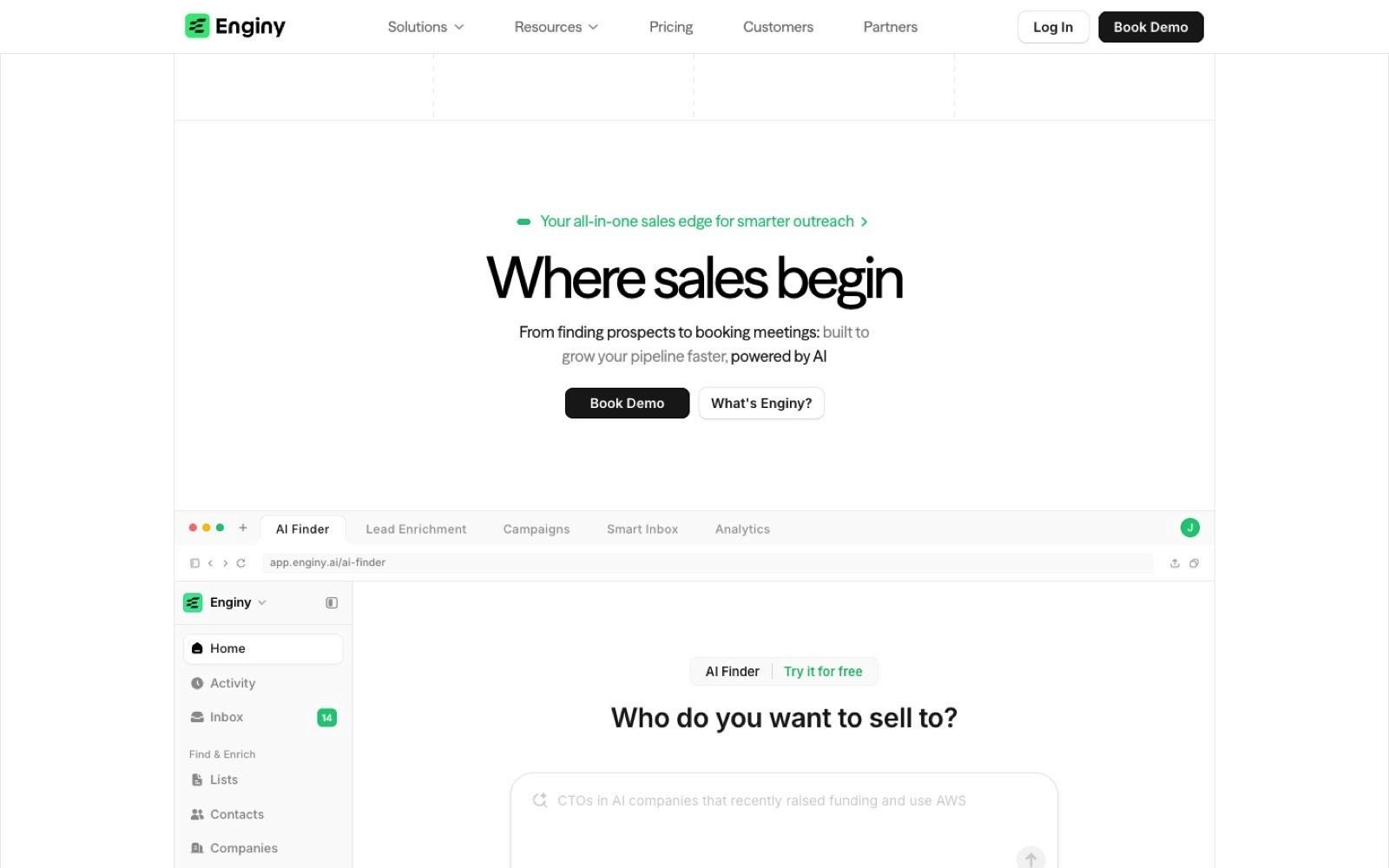
Enginy is an AI-native B2B sales tool that combines prospect discovery, multi-source enrichment, and multichannel outreach in one place. It's worth saying plainly that Enginy isn't a browser extension, and it sits at the top of this list because of what happens after the capture rather than during it.
The company sells to SaaS companies, recruitment agencies, IT consultancies, cybersecurity firms, and agencies running outbound for clients.
The problem it addresses is the one every tool below creates a version of, which is a captured list sitting outside the system that's meant to work it. Its people and company search pulls contact and company data in a waterfall across 30+ trusted providers, researches the account, and runs the sequences from the same workspace.
Ideal For
Sales teams running structured outbound with SDR and AE functions
Recruitment and staffing agencies doing high-volume client-side business development
Founders and small teams who want a complete motion without hiring an operations specialist
Agencies prospecting on behalf of multiple clients
Operations leads consolidating a stack of single-purpose subscriptions
Top Features
Waterfall enrichment across 30+ sources: Rather than querying one database and accepting the gap, Enginy runs providers in sequence until a verified email or phone comes back, which lifts fill rates on the records a single-source extension returns empty.
Intent signals tied to timing: Job changes, hiring activity, funding, and technology-stack updates surface against accounts already in your lists, so reps work the accounts that moved this week instead of the whole patch evenly.
Multichannel sequences with deliverability built in: Email and social steps run from the same workspace as the data, with domain warm-up and a unified inbox, so the list doesn't need a separate outreach subscription to become pipeline.
Why We Stand Out?
Enginy's position is that each tool layer belongs together, and the argument for that is arithmetic rather than philosophy. A stack of a data extension, a verifier, a sequencer, and a warm-up tool costs four subscriptions, four integrations, and the rep time to move records between them.
The second advantage is that it runs without a dedicated operator. Complete tools in this category usually assume someone owns the configuration full time, and Enginy is built so a rep can run it.
Take Factorial's team for example, who took reply rates from 10% to 45% and conversion from 4% to 8% after moving onto it, and their CEO Jordi Romero describes the result as having doubled meetings booked while SDRs saved four hours a day.
Pros
Capture, enrichment, research, and outreach run in one workspace rather than across four tools
Waterfall enrichment across 30+ providers fills records a single-source lookup returns empty
Intent signals arrive against existing lists, so timing improves without extra list building
Five structured onboarding sessions on the Basic, Smart, and Business tiers
CRM sync keeps records updated with real-time, verified data across HubSpot, Salesforce, Pipedrive, and Dynamics 365
Cons
There's no browser extension, so the in-page capture step still belongs to another tool or to an import
Pricing isn't published, and a qualification call comes before the demo
Real-time inbound routing and on-page meeting booking aren't part of the workflow, so teams whose primary need is speed-to-lead on web forms will pair it with something else
Pricing
Enginy doesn't publish figures on its pricing page. Plans are credit based across four tiers, Basic, Smart, Business, and Enterprise, with credits consumed by actions such as contact extraction, email and phone enrichment, verification, and AI-generated fields.
Credit volume, seats, and phone data are set per account after a qualification conversation, and the first three tiers include five onboarding sessions while Enterprise is customised.
Final Verdict
Enginy suits teams whose bottleneck is everything that happens after a contact is found, which is most teams past the first few months of outbound.
The waterfall enrichment and the intent layer do work that no single extension on this list does alone, and the onboarding sessions matter because a complete workflow has more to configure than a reveal button does.
2. Apollo.io

Overview
Apollo sells a sales intelligence and engagement tool built on a large contact database, and its extension is the widest-scoped one in this comparison. It reveals emails and phone numbers on professional social profiles and company websites, then lets you enrol the person in a sequence, log a call, or push them to a CRM without opening the main app.
It's aimed at SDR teams and small sales organisations who want one subscription to cover data and outreach. The pain it addresses is the tab-switching between a database, a sequencer, and a CRM.
Ideal For
SDR teams wanting data and sequencing under one subscription
Small sales teams without a separate outreach tool
Reps who work inside Gmail and want prospecting in the same window
Users of Salesforce or HubSpot who want records pushed from the browser
Teams testing outbound before committing to a larger data contract
Top Features
Reveal and enrol in the same panel: Finding the contact and adding them to a sequence happen in one interaction, which removes the export step that most capture-only extensions leave behind.
Gmail and calendar surfaces: Email tracking, meeting links, and follow-up reminders appear inside the tools reps already have open, so the extension earns its space beyond prospecting sessions.
Company employee lists from any site: From a company page you can pull the wider team rather than one profile, which speeds up multi-threading an account.
Why They Stand Out?
Apollo's extension carries by far the largest install base in this comparison, listed at 1,000,000 users with a 4.7 rating across 2.2K ratings on the Chrome Web Store, and it holds Google's Featured badge. Breadth is the differentiator, since it's the only tool here where data, sequencing, dialling, and CRM write-back all sit behind the same button.
Pros
Largest install base and Featured status on the Chrome Web Store of any tool reviewed here
Free tier includes 900 credits per seat per year, granted monthly
Sequencing and dialling are included rather than sold as a separate product
Works across Gmail, Google Calendar, Salesforce, HubSpot, and company websites
Annual billing carries a published 24% saving against monthly
Cons
Credits are granted per seat per year upfront on paid tiers, so a heavy month early in the term can leave a rep short later
The Organization tier requires a minimum of 3 seats, which shapes the entry cost for small teams
Website visitor identification is capped at 20 companies a month on the free tier and 100 on paid tiers
CRM enrichment on the free tier is limited to 100 records a month
The breadth means reps meet more configuration than a single-purpose reveal tool asks for
Pricing
Apollo publishes four tiers on annual billing. Free is $0 with 900 credits per seat per year granted monthly, Basic is $49 per seat a month with 30,000 credits per seat per year, Professional is $79 with 48,000 credits, and Organization is $119 with 72,000 credits and a 3-seat minimum. Annual billing is the page default and carries a stated 24% saving.
Final Verdict
Apollo suits teams who want one tool to cover data and outreach and are comfortable trading some depth for that coverage. It's the strongest fit where the alternative is buying a database and a sequencer separately, and where the free tier can carry early testing.
It's a weaker fit for teams whose credit use is spiky, because the upfront annual credit grant rewards steady consumption rather than a burst of list building in month one.
3. Surfe
Overview
Surfe is built around one job, which is getting a verified contact out of the browser and into the CRM without a manual step. The extension finds emails and mobile numbers through a waterfall across multiple providers, then syncs the record with Salesforce, HubSpot, or Pipedrive in both directions.
Its buyers are usually revenue operations teams who've watched reps create duplicate records by hand. The positioning is narrow on purpose, since it does the enrichment and the filing rather than the sequencing.
Ideal For
Revenue operations teams enforcing CRM data hygiene
Account executives who need contacts attached to live opportunities
Teams already running Salesloft, Outreach, or lemlist for sequencing
Sales managers trying to stop duplicate record creation
Small teams who want CRM sync without a data engineering project
Top Features
Bidirectional CRM sync: Records move both ways, so a contact enriched in the browser updates the CRM and a CRM change is visible in the panel, which keeps one version of the truth.
Waterfall enrichment before filing: The email or mobile is resolved across providers first, so what lands in the CRM is a verified value rather than a guess that a rep later has to clean.
Handoff to existing sequencers: Salesloft, Outreach, and lemlist integrations on the Pro tier mean it slots into a stack rather than asking you to replace the outreach layer.
Why They Stand Out?
Surfe is the most focused tool in this comparison, and the CRM connector is sold as a separate module at $29 per month, which tells you where the product's centre of gravity sits. Its Chrome Web Store listing shows 40,000 users at a 4.4 rating across 58 ratings, with Google's Featured badge and the recommended-practices marker.
Pros
Bidirectional CRM sync is the core product rather than an add-on feature
Free tier includes 20 email credits and 5 mobile credits a month with no card required
Pro tier carries 1,000 email credits and 100 mobile credits a month per user
Company and people search reaches 10,000 results a day on Pro
Annual billing carries a published saving of up to 20%
Cons
The free tier limits 1-click CRM adds to one contact a day, which makes it a trial rather than a working tier
The CRM connector is a separate $29 a month module rather than being bundled
Sequencing isn't included, so an outreach subscription sits alongside it
Integrations with Salesloft, Outreach, and lemlist are held back to the Pro tier
The rating sample is small at 58 ratings, so the score carries less weight than a tool with thousands
Pricing
On monthly billing Surfe lists Free at $0 with 20 email and 5 mobile credits a month, Essential at $49 per user a month with 150 email and 50 mobile credits, and Pro at $89 per user a month with 1,000 email and 100 mobile credits. Annual billing brings Essential to $39 and Pro to $79 per user a month, with credits expressed per year at 1,800 and 12,000 email credits respectively. Enterprise is quoted.
Final Verdict
Surfe is recommended where CRM hygiene is the actual problem and the outreach layer already exists. It does one job thoroughly, and the two-way sync is the mechanism that keeps a single version of each record rather than a copy in each system.
It's not the right fit for most solo buyers though, because the free tier's one-contact-a-day CRM limit makes it hard to evaluate properly, and the total cost climbs once the $29 connector and a separate sequencer are added.
4. Hunter

Overview
Hunter approaches lead generation from the domain rather than the person. Give it a company website and it returns the email addresses it holds for that domain along with a confidence score, and its extension surfaces the same data while you browse.
It sells to founders, marketers, and small sales teams who need reachable addresses without a full sales intelligence contract. The problem it solves is the one where you know the company you want and not the person.
Ideal For
Founders doing outbound without a data subscription
Marketers building outreach lists for partnerships or PR
Recruiters sourcing contacts at target employers
Small teams who need verification and finding from one balance
Anyone testing a market before committing to per-seat pricing
Top Features
Domain search with confidence scoring: You get the addresses held for a company plus a confidence indicator per address, which lets you decide what to send to rather than guessing at a pattern.
Verification at half a credit: Email verification costs 0.5 credit against 1 credit for a search, so cleaning a list you already own is materially cheaper than building a new one.
Campaigns from the same account: Sequences and connected mailboxes are included from the free tier, so a small team can send without a second tool.
Why They Stand Out?
Hunter's extension carries the deepest review history in this comparison, with 12.5K ratings at a 4.7 average and 600,000 users on the Chrome Web Store. Domain-first discovery is the distinguishing mechanism, since most tools on this list start from a person and work outwards.
Pros
The most-rated extension reviewed here, with 12.5K ratings behind its 4.7 score
Free tier includes 50 credits a month, one connected mailbox, and 500 recipients per sequence
Verification costs half a credit, so list cleaning is cheaper than list building
Annual billing reduces the Starter tier from $49 to $34 a month
Campaigns are included rather than sold separately
Cons
Mobile numbers aren't part of the core product, so phone-led teams need a second source
Discover filters are described as basic on the free tier, with advanced filters held to paid plans
Connected mailboxes are capped at 1 on Free and 3 on Starter, which limits multi-rep sending
Domain-first discovery is a weaker fit when you have a named person and no company
Credit allowances are stated per month, so a quiet month doesn't build a bigger balance for a busy one
Pricing
Hunter publishes Free at $0 with 50 credits a month, Starter at $34 a month billed yearly or $49 monthly with 2,000 credits, Growth at $104 yearly or $149 monthly with 10,000 credits, and Scale at $209 yearly or $299 monthly with 25,000 credits. Enterprise is custom. A search costs 1 credit per email found and a verification costs 0.5 credit.
Final Verdict
Hunter is recommended for domain-led prospecting and for teams whose main recurring job is cleaning lists they already hold, where the half-credit verification changes the maths. The free tier is usable rather than decorative, which is rarer than it should be.
It won't suit teams who sell by phone, because mobile numbers aren't the product, and the mailbox caps make it awkward once more than three people are sending.
5. Lusha
Overview
Lusha is a contact data provider whose extension reveals verified emails and phone numbers on professional profiles and company sites. It has moved beyond straight reveals into buying signals and lookalike prospecting, but the reveal is still the job most people buy it for.
Its buyers are sales and recruitment teams who want a fast, low-friction way to get a direct dial. The problem it addresses is reaching decision-makers whose details aren't published anywhere.
Ideal For
Sales teams whose motion depends on direct dials
Recruiters contacting passive candidates and hiring managers
Account executives multi-threading named accounts
Teams wanting buying signals attached to existing contacts
Operations teams running bulk enrichment on a CRM segment
Top Features
Single-click reveal on profiles: The panel returns verified emails and phones without a search step, which is why it fits reps who work one profile at a time rather than in batches.
Buying signals against your contacts: Signal data flags changes at accounts you already hold, so the enrichment layer doubles as a prioritisation layer.
Bulk enrichment and lookalikes: From a set of known-good accounts the tool builds similar ones, which shortens list building for teams with a proven ICP.
Why They Stand Out?
Lusha's extension shows 400,000 users at a 4.6 rating across 1.9K ratings, so the score rests on a substantial sample. Its distinguishing choice is transparency on credit mechanics, since the pricing page publishes what each action costs rather than leaving the rate to a sales call.
Pros
Free tier gives 40 credits a month with no credit card required
Credit costs per action are published, including 5 credits for a phone number
Pro and Premium tiers include free seats beyond the licensed one
Buying signals and intent topics are part of the paid tiers rather than a separate product
Rolling over monthly credits is supported up to twice the monthly cap
Cons
A phone number costs 5 credits against 1 for an email, so dial-heavy use drains a plan quickly
The published prices move with a credit-volume slider, so a quoted tier price only holds at that volume
API access sits on the Pro tier and above rather than on entry plans
Advanced compliance features and SSO are reserved for the custom Scale tier
The gap between Pro at $52.45 and Premium at $299.95 a month is wide with little between them
Pricing
On yearly billing, which the page presents as 25% off, Lusha lists Free at $0 with 40 credits a month and 1 seat, Starter at $37.45 a month with 4,800 credits a year, Pro at $52.45 with 7,200 credits and 2 free seats, and Premium at $299.95 with 40,800 credits and 5 free seats. Scale is custom. Credit costs are published per action, with a phone number at 5 credits and signals and premium data enrichment at 2.
Final Verdict
Lusha is recommended for teams whose outbound runs on the phone and who value a fast reveal over a configurable workflow. The published credit mechanics make it easy to model a monthly cost before buying, which not every vendor here allows.
It's a weaker fit at high volume, since 5 credits per phone number means a dial-heavy SDR will move up tiers faster than the headline prices suggest.
6. Cognism
Overview
Cognism sells B2B contact data with a European centre of gravity, and its extension surfaces that data on profiles and company pages. The product is built around mobile accuracy and around data-sourcing practices it publishes in detail, which is why it appears on more UK and EU shortlists than its install base would imply.
It sells to mid-market and enterprise sales teams, usually where a procurement or compliance review is part of the purchase, and it appears on most shortlists of B2B data providers for the region. The problem it addresses is reaching European decision-makers with numbers that connect.
Ideal For
UK and European sales teams prospecting across multiple countries
Mid-market and enterprise teams whose purchase includes a data review
Sales teams whose motion depends on mobile connect rates
Operations teams wanting CRM enrichment against the same credit pool
Account-based teams using hiring and funding signals to time outreach
Top Features
Mobile verification on demand: Rather than trusting a stored value, the Pro tier lets you request verification at the point of use, which matters when a bad number costs a dial slot.
Published DNC and TPS screening: Cognism states that it scrubs its data against 15 major lists, including the UK's TPS and CTPS, which is a useful input for UK teams building call lists.
Contextual signals alongside the record: Hiring, funding, M&A, and job-change data sit next to the contact, so the reveal and the reason to call arrive together.
Why They Stand Out?
Cognism includes 5 seats on both of its published packages, with each seat carrying its own allocation of credits. Its credit model is also unusually clear for an enterprise vendor, with 1 credit equal to 1 revealed contact and no charge for viewing contacts you've already revealed.
Pros
Both Standard and Pro include 5 seats, each with its own credit allocation
One credit equals one revealed contact, with no repeat charge for previously revealed records
The same credit pool works across the main app, enrichment, and the API
Published screening against 15 Do Not Call and TPS lists supports UK call-list building
Hiring, funding, and job-change signals are included on the paid packages
Cons
No pricing figure is published anywhere, so budgeting requires a sales conversation
CRM Enrichment and Data-as-a-Service are add-ons on both packages rather than included
The extension has the smallest install base reviewed here at 4,000 users
Its 4.3 rating rests on 11 ratings, which is too small a sample to read much into
Intent data and on-demand verification sit on the Pro package rather than Standard
Pricing
Cognism publishes no prices. It lists two prospecting packages, Standard and Pro, each with 5 seats included and an allocation of credits per seat, with additional credits purchasable at any point. CRM Enrichment and Data-as-a-Service are sold as add-ons to either package.
Final Verdict
Cognism is recommended for UK and European teams whose connect rate on mobiles is the metric that matters, and where a documented data-sourcing position helps the purchase through review. The 5 included seats change the per-user maths meaningfully against tools that charge for every licence.
It's a weaker fit for small teams and self-serve buyers, since there's no published price, no free tier, and the add-on structure means the quoted figure isn't the whole figure.
7. Clay

Overview
Clay works mainly as a place to run a captured list through many enrichment providers in sequence and add research on top, with capture as a secondary job. Its Chrome extension brings companies and people into that workspace from the browser, and the work happens in the table afterwards.
It sells to growth and operations teams who want to build their own enrichment logic rather than accept one vendor's coverage. The problem it addresses is the gap between a raw list and a list worth sending to.
Ideal For
Growth and operations teams building custom enrichment sequences
Agencies running different data logic for different clients
Teams whose ICP needs fields no single provider supplies
Operations people comfortable with conditional logic and tables
Companies who want AI research columns attached to each account
Top Features
Provider waterfalls you configure: Rather than one source per field, you set the order in which providers are tried, so coverage improves on the fields you actually care about.
AI research columns: Each row can run a research prompt against the account, which is AI sales research applied per row, turning a contact list into something with a reason to reach out attached.
Conditional logic per row: Enrichment only runs when a row meets your criteria, which keeps credit consumption tied to records worth spending on.
Why They Stand Out?
Clay separates its pricing into two meters, actions and data credits, and publishes the ladder for both, which is rare in this category. Its Chrome extension is a narrow entry point at 10,000 users and a 4.4 rating across 9 ratings, because the extension is the door rather than the product.
Pros
Two published meters mean you can size actions and data credits independently
Free tier includes 6,000 actions and 1,200 data credits a year
The action ladder is published up to 2.4 million actions a year rather than ending in a quote
Conditional logic keeps credit spend on rows that qualify
Annual billing carries a published 10% saving
Cons
The plan price is the sum of two sliders, so the headline figure only applies at the default volumes
Entry pricing at $167 a month is the highest starting paid tier on this list
It expects someone comfortable with tables and logic, which is a real setup cost
The extension itself is minimal, so capture-led buyers get little from it alone
Sequencing isn't included, so an outreach tool sits alongside it
Pricing
On annual billing Clay lists Free with 6,000 actions and 1,200 data credits a year, Launch at $167 a month starting at 180,000 actions a year, and Growth at $446 a month starting at 480,000 actions a year. Those figures are the sum of two meters, so Launch breaks down as $54 a month of actions plus $113 a month of data credits, and Growth as $185 plus $261. Enterprise is quoted.
Final Verdict
Clay is recommended for teams with a real operations function who want to own their enrichment logic rather than inherit a vendor's. The two published ladders make it one of the easier tools here to model at scale, once you understand that the plan name is a starting point rather than a price.
It isn't the right first purchase for most reps though, because the setup expects table and logic work, and $167 a month is a high floor for a tool that still needs a sequencer next to it.
8. Snov.io
Overview
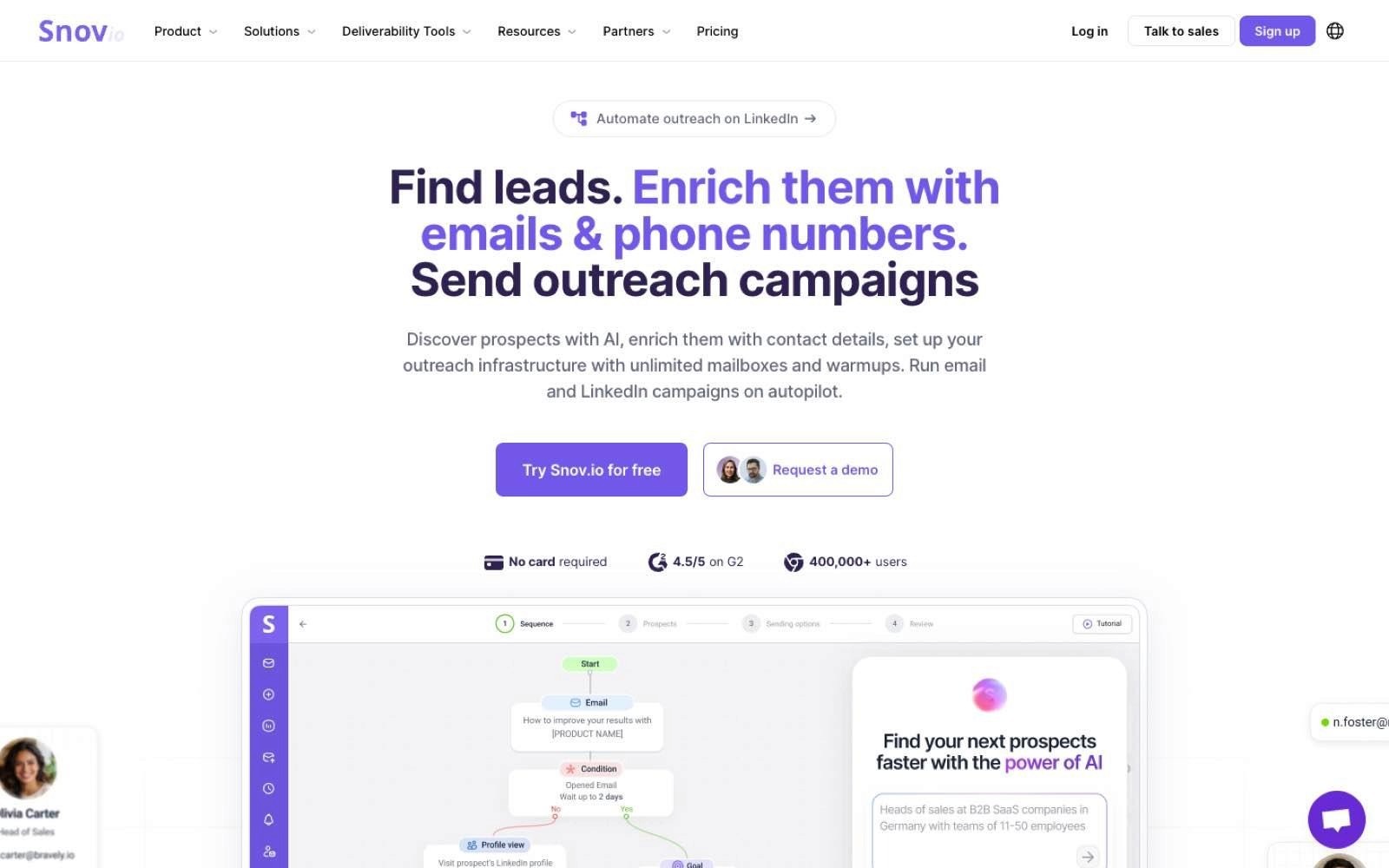
Snov.io bundles an email finder, a verifier, drip campaigns, and mailbox warm-up into one subscription, and its extension is the finding front end for that. It sits on professional profiles and company pages and returns addresses that can go straight into a campaign in the same account.
It sells mostly to small teams and solo operators who want the whole email motion under one line item. The problem it addresses is paying for finding, verifying, and sending separately.
Ideal For
Solo founders and small teams running email-led outbound
Agencies sending on behalf of several clients
Teams who need warm-up and sending in the same subscription
Anyone trialling outbound who wants a free lead generation chrome extension to start with
Users who value unlimited monthly sends over large credit balances
Top Features
Finder and verifier in one balance: Addresses are found and checked from the same credit pool, which removes the second subscription most capture tools imply.
Drip campaigns with warm-up included: Sequences and mailbox warm-up sit in the same account, so email deliverability work doesn't need a separate vendor.
Unlimited monthly emails on paid tiers: Sending volume isn't the constraint on paid plans, which suits teams whose list is small and whose follow-up sequences are long.
Why They Stand Out?
Snov.io's extension holds the highest rating in this comparison at 4.9, across 6K ratings and 400,000 users, with Google's Featured badge and the recommended-practices marker. Bundling warm-up with finding is the unusual choice, since most tools here treat deliverability as somebody else's product.
Pros
The highest-rated extension reviewed here, at 4.9 across 6K ratings
Unlimited monthly emails on every paid tier
Mailbox warm-up is included rather than sold separately
Paid tiers start at $39 a month with 1,000 credits
Unlimited team seats even on the trial
Cons
The Trial plan is capped at 50 credits and 100 recipients, which is a look rather than a working allowance
Integrations, bulk search, bulk verification, API access, and data export are excluded from the Trial
Phone data isn't the focus, so dial-led teams need another source
Recipient caps scale with the tier, at 5,000 on Starter, which limits large single sends
The jump from Starter at $39 to Pro S at $99 is steep for teams just above the credit line
Pricing
Snov.io describes its Trial as a renewable plan with 50 credits, 100 recipients, and 1 warm-up slot, and states that you can use it for as long as you like with credits renewing every 30 days. Paid tiers run Starter at $39 a month with 1,000 credits and 5,000 recipients, Pro S at $99 with 5,000 credits, Pro M at $189 with 20,000 credits, Pro L at $369 with 50,000 credits, and Ultra at $738 with 100,000 credits. Annual subscriptions carry a published 25% saving, and Custom Ultra starts from 200,000 credits.
Final Verdict
Snov.io is recommended for email-led teams who want finding, verifying, warming, and sending on one invoice, and the 4.9 rating across 6K ratings suggests the extension itself does its job well. Unlimited monthly sends on every paid tier is a genuine differentiator for long follow-up sequences.
It's a weaker fit for teams who dial, and the Trial plan excludes export and API access, so a proper evaluation of the data still needs a paid month.
9. Skrapp.io
Overview
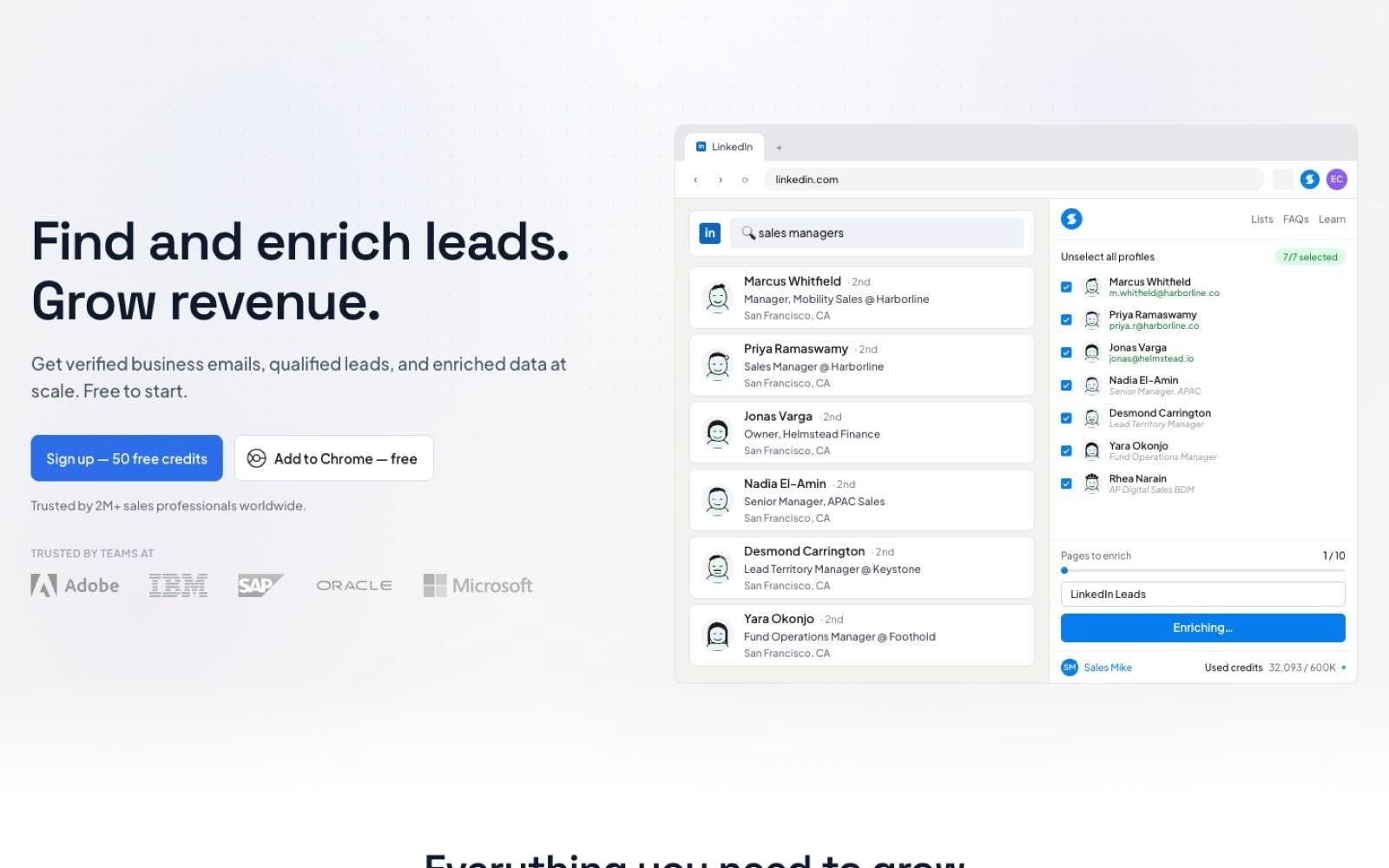
Skrapp.io is a focused email finder and verifier with a browser extension that works on professional profiles, recruiter views, and company websites. The product stays deliberately narrow, and the pricing reflects that with the lowest paid entry point on this list.
It sells to small teams and individual prospectors who want reliable addresses without paying for an engagement suite. The problem it addresses is cost per usable address rather than workflow breadth.
Ideal For
Individual prospectors and two-person teams
Recruiters working from profile and recruiter views
Teams whose credit use varies month to month
Buyers who want deliverable-only charging
Anyone needing a cheap second source alongside a primary database
Top Features
Charging for deliverable emails only: The pricing page states you only pay for deliverable emails, which changes the effective cost per usable address rather than per lookup.
Credits that roll over: On the paid tiers unused credits carry forward under a stated Fair Credit Policy, which suits prospecting that runs in bursts rather than evenly.
Two users on the entry paid tier: The Professional plan includes 2 users, so a founder and a first rep can share one subscription.
Why They Stand Out?
Skrapp.io holds a 4.8 rating across 549 ratings with 200,000 users, and it carries Google's Featured badge and recommended-practices marker. The roll-over policy is the practical differentiator, since most tools on this list reset the balance monthly.
Pros
Lowest paid entry point reviewed here at $29 a month billed annually
Credits roll over on the paid tiers under a stated Fair Credit Policy
The Professional tier includes 2 users at that price
Free tier provides 50 credits and one user
Yearly billing carries a published 25% saving
Cons
Scope is limited to finding and verifying, so sequencing needs another tool
Phone numbers aren't part of the product
Lead search is described as limited on the free tier
Daily caps apply to people, company, and AI searches on the Professional tier
The gap from Professional at $29 to Enterprise at $262 a month leaves nothing in between
Pricing
Skrapp.io lists Free at $0 with 50 credits and 1 user, Professional at $29 a month billed annually or $39 monthly with 2,000 credits a month and 2 users, and Enterprise at $262 billed annually or $349 monthly with 50,000 credits a month and 15 users. Credit volumes adjust on a slider, and yearly billing is presented as 25% off.
Final Verdict
Skrapp.io is recommended as a low-cost email source, either as a primary tool for a very small team or as a second opinion alongside a larger database. The roll-over policy and deliverable-only charging both favour irregular usage, which is how most small teams actually prospect.
It won't work as a single tool for a growing team, since there's no phone data, no sequencing, and a long gap between the $29 tier and the next one.
10. Wiza
Overview
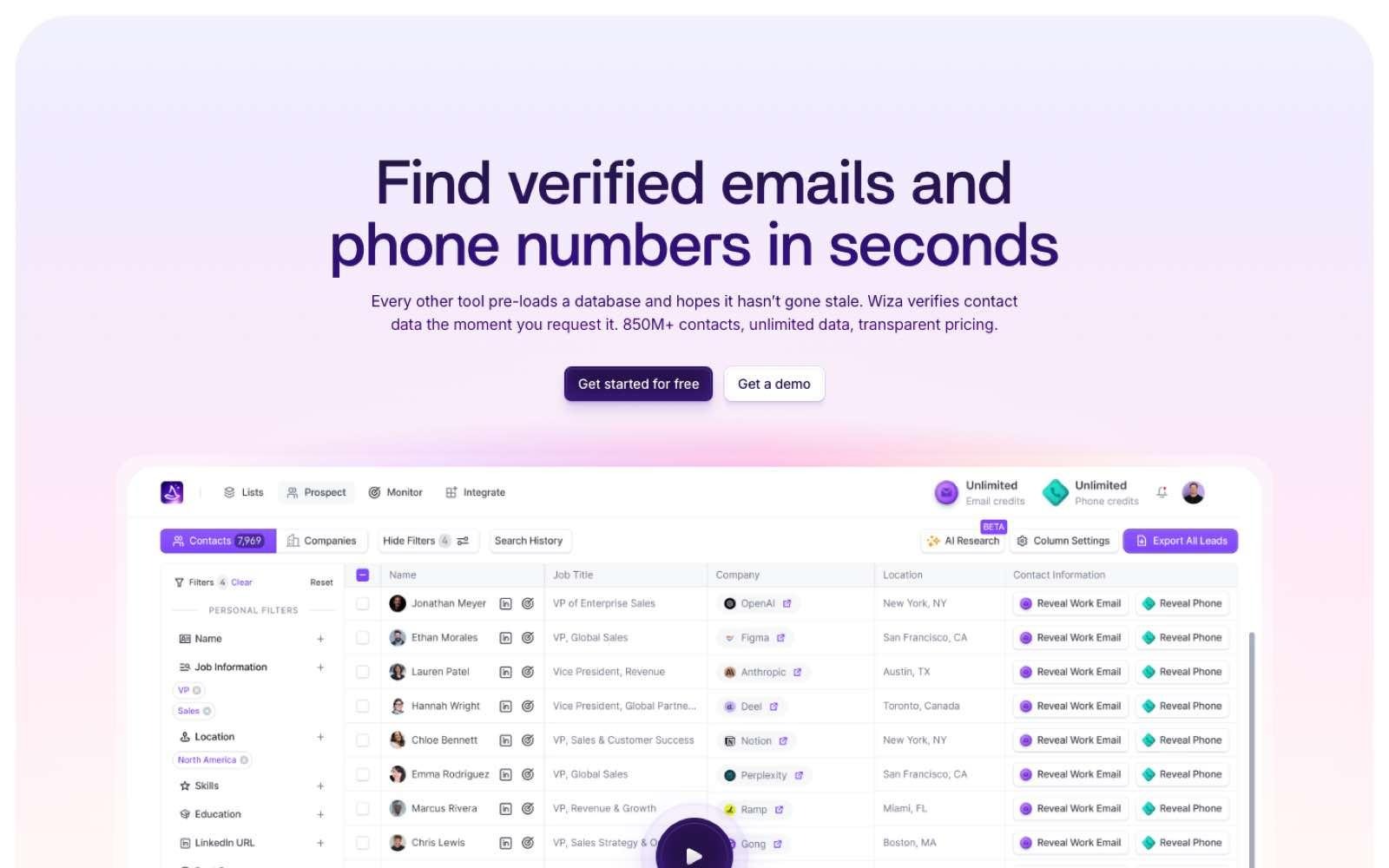
Wiza is built around exporting a whole search result rather than revealing one contact at a time. Its extension runs against professional network searches and recruiter views, and returns a validated list with emails and phone numbers attached.
It sells to sales and recruitment teams who work in lists rather than in individual profiles. The problem it addresses is the tedium of revealing 200 people one click at a time.
Ideal For
Recruiters exporting candidate or hiring-manager searches
SDRs building territory lists from saved searches
Marketers assembling audiences for campaigns
Teams who want unlimited reveals rather than a credit balance
Anyone whose bottleneck is export volume rather than lookup volume
Top Features
Whole-search export: A saved search becomes a validated list in one operation, which is a different unit of work from a per-profile reveal and much faster at volume.
Unlimited email reveals on paid tiers: The annual plans remove the credit ceiling on emails entirely, so list size stops being the budgeting question.
AI research alongside the export: Live web research runs against the exported records, so the list arrives with context rather than as bare fields.
Why They Stand Out?
Wiza is the only tool here that sells unlimited email reveals on its annual plans rather than metering them. Its extension shows 100,000 users at a 4.2 rating across 141 ratings, with the Featured badge and recommended-practices marker.
Pros
Unlimited email reveals on both annual paid tiers
Unlimited phone reveals on the annual Email + Phone plan
2,500 exports a month on both annual tiers
Free tier provides 20 valid emails and 5 phone numbers at no cost
Per-phone pricing is published at $0.35 for teams who don't need the unlimited tier
Cons
Lowest rating in this comparison at 4.2, across 141 ratings
Unlimited reveals require annual commitment, at $990 or $1,990 per user per year
Monthly billing replaces unlimited reveals with capped plans at $49, $99, or $199 per user
Exports are capped at 2,500 a month even on the unlimited tiers
Pricing is per user, so a small team multiplies the commitment quickly
Pricing
On annual billing Wiza lists Free at $0 with 20 valid emails and 5 phone numbers, Email at $83 per user a month billed at $990 a year with unlimited email reveals and phones at $0.35 each, and Email + Phone at $166 per user a month billed at $1,990 a year with unlimited reveals of both. On monthly billing the tiers become Starter at $49 with 100 emails and 100 phones, Email at $99 with 500 emails, and Email + Phone at $199 with 500 of each. Team plans are quoted.
Final Verdict
Wiza is recommended where the job is list export at volume, particularly in recruitment, and where an annual commitment is acceptable in exchange for removing the credit ceiling. The unlimited model genuinely changes how you work when your unit is a 500-person search rather than a single profile.
It suits fewer buyers than most tools here though, because the unlimited tiers need a yearly commitment per user, the export cap still applies, and the 4.2 rating is the lowest reviewed.
How to Choose the Best Lead Generation Chrome Extension
Most roundups of the best chrome extensions for sales compare feature grids, which is the wrong starting point because the tools aren't doing the same job. Work through these five decisions in order and the grid mostly fills itself in.
1. Decide Which Layer You're Actually Buying
Every tool here sits in one of two layers. The capture layer gets a verified contact off the page you're looking at, and the system layer takes that contact and runs enrichment, research, sequencing, and CRM sync against it.
Buying the wrong layer is the most common mistake in this category. If your lists are fine and your follow-up is inconsistent, another reveal button won't help, and if you have no list at all then a workflow engine has nothing to work on. Work out which half of the problem is yours before you compare prices, because the two halves have completely different cost structures.
2. Cost the Contact, Not the Seat
Seat prices are comparable across this list and misleading. What differs is what one revealed contact costs once you account for credit weighting, and the weighting varies by an order of magnitude.
Lusha publishes a phone number at 5 credits against 1 for an email. Hunter charges 0.5 credit to verify an address and 1 to find one. Cognism charges 1 credit per revealed contact with no repeat charge for contacts you've already revealed. Take your actual monthly reveal volume, split it by email and phone, and price each tool against that rather than against its headline.
3. Read the Permissions Before Your IT Team Does
A prospecting extension needs to read the pages you browse, which is a broad permission on a machine that also opens your CRM, your email, and your finance tools. Google publishes badges that help here, since a Featured listing and a recommended-practices marker both signal a review the publisher has passed.
This matters more in larger organisations than most buyers expect. Chrome's enterprise controls let administrators block extensions by permission rather than by name, so a tool your team likes can be refused on a permission it requests rather than on anything it does. Check with whoever manages your fleet before you standardise on a tool, not after.
4. Check What Happens After the Capture
The capture takes a second and the rest of the work takes the day. Ask where the record goes, whether it arrives in the CRM as a clean record or a duplicate, whether a sequence can start from it without an export, and what re-verifies it in three months when a quarter of the addresses have gone stale.
This is where a stack grows without anyone deciding to grow it. A reveal tool implies a verifier, a verifier implies cold email software, and that implies a warm-up tool, with each one a separate invoice and a separate integration. Count the tools the shortlist implies rather than the tools it contains.
5. Check the Legal Position for Your Market
Contact data has a compliance dimension that most feature comparisons skip, and it's sharper in the UK and EU than in the US. The ICO's guidance on electronic mail marketing is direct about the split, stating that you can email any corporate body, while sole traders and some partnerships are treated as individuals and need specific consent.
The sourcing side carries risk too. France's data protection regulator fined one contact-finding extension €240,000 in December 2024 for collecting details of people who had restricted their visibility to first and second-degree connections, finding that the collection exceeded what people registering on a professional social network could reasonably expect.
Vendors that publish how they source and screen their data, and that document their suppression lists, are easier to defend when someone asks. This is general guidance rather than legal advice, so check your own position with counsel before you scale a campaign.
Everything You Need to Know About Prospecting Chrome Extensions
The table below summarises the comparison. Ratings are marked as published where the sample is small enough that the score carries limited weight.
Company | Pros | Cons | Ease of Use | Integrations | Support | Affordability |
Enginy | Whole motion in one workspace; 30+ source waterfall; intent signals on existing lists | No extension of its own; pricing unpublished; no real-time inbound routing | ⭐⭐⭐⭐⭐ | ⭐⭐⭐⭐⭐ | ⭐⭐⭐⭐⭐ | ⭐⭐⭐⭐ |
Apollo.io | Largest install base; sequencing included; usable free tier | Credits granted upfront annually; 3-seat minimum on Organization; visitor ID capped | ⭐⭐⭐⭐ | ⭐⭐⭐⭐⭐ | ⭐⭐⭐⭐ | ⭐⭐⭐⭐ |
Surfe | Bidirectional CRM sync; waterfall before filing; sequencer handoff | CRM connector costs $29 extra; free tier capped at 1 CRM add a day; no sequencing | ⭐⭐⭐⭐⭐ | ⭐⭐⭐⭐⭐ | ⭐⭐⭐⭐ | ⭐⭐⭐ |
Hunter | Most-rated extension here; half-credit verification; campaigns included | No mobile numbers; mailbox caps; monthly credit allowances | ⭐⭐⭐⭐⭐ | ⭐⭐⭐⭐ | ⭐⭐⭐⭐ | ⭐⭐⭐⭐⭐ |
Lusha | Published credit costs; free tier with no card; signals included | Phone costs 5 credits; prices move with the slider; wide gap between tiers | ⭐⭐⭐⭐⭐ | ⭐⭐⭐⭐ | ⭐⭐⭐⭐ | ⭐⭐⭐ |
Cognism | 5 seats included on both packages; no repeat charge per contact; published DNC screening | No published pricing; enrichment is an add-on; smallest install base here | ⭐⭐⭐⭐ | ⭐⭐⭐⭐ | ⭐⭐⭐⭐ | ⭐⭐⭐ |
Clay | Two published meters; configurable waterfalls; AI research per row | Highest paid entry at $167; setup expects logic work; no sequencing | ⭐⭐⭐ | ⭐⭐⭐⭐⭐ | ⭐⭐⭐⭐ | ⭐⭐⭐ |
Snov.io | Highest rating here; warm-up included; unlimited monthly sends | Trial excludes export and API; no phone focus; recipient caps by tier | ⭐⭐⭐⭐⭐ | ⭐⭐⭐⭐ | ⭐⭐⭐⭐ | ⭐⭐⭐⭐ |
Skrapp.io | Lowest paid entry at $29; credits roll over; 2 users included | Finding and verifying only; no phone data; daily search caps | ⭐⭐⭐⭐⭐ | ⭐⭐⭐ | ⭐⭐⭐⭐ | ⭐⭐⭐⭐⭐ |
Wiza | Unlimited email reveals; whole-search export; AI research on exports | Lowest rating here; unlimited needs annual commitment; 2,500 export cap | ⭐⭐⭐⭐ | ⭐⭐⭐⭐ | ⭐⭐⭐ | ⭐⭐⭐ |
Build the Motion, Not Just the List
Every tool above solves the first minute of prospecting well, and the rest of the day is where the pipeline is actually won or lost. A captured contact still needs enriching, researching, sequencing, and re-verifying before it becomes a meeting, and each of those steps bought separately is another invoice, another integration, and another place for a record to go stale.
Enginy runs those steps as one workflow. Contact and company data come from a waterfall across 30+ providers, intent signals flag which accounts moved this week, and multichannel sequences run from the same workspace with deliverability handled, so a list doesn't sit waiting for someone to move it.
If your reveals are fine and your follow-through isn't, that's the gap worth closing.
Book a Demo and you'll get 100 free B2B leads to test the workflow against your own ICP before committing to anything.
FAQs About Lead Generation Chrome Extension Tools
What is the best lead generation chrome extension in 2026?
The best lead generation chrome extension in 2026 depends on whether you need capture or a whole motion. For teams whose bottleneck sits after the capture, Enginy runs enrichment, research, and outreach as one workflow rather than as a browser button. Shortlist by layer first, then by what a revealed contact actually costs you.
What should I consider when choosing a prospecting chrome extension?
When choosing a prospecting chrome extension, start with cost per revealed contact rather than seat price, because credit weighting varies widely. Lusha charges 5 credits for a phone number against 1 for an email, and Hunter charges 0.5 credit to verify an address. Then check where the record goes after capture, since a reveal tool usually implies a verifier, a sequencer, and a warm-up tool alongside it. Finally check the permissions the extension requests, because Chrome's enterprise controls let administrators block extensions by permission rather than by name.
Is there a genuinely free lead generation chrome extension?
Yes, several tools publish standing free tiers rather than time-limited trials. Hunter gives 50 credits a month with one connected mailbox, Skrapp.io gives 50 credits and one user, Lusha gives 40 credits a month with no card required, and Wiza gives 20 valid emails and 5 phone numbers. Apollo's free tier runs to 900 credits per seat per year granted monthly, and Snov.io's Trial plan renews 50 credits and 100 recipients every 30 days. Snov.io and Lusha both exclude export or API access at that level, so treat every free tier as a data sample rather than a working allowance.
How does Enginy differ from similar alternatives?
Enginy differs from the extensions on this list because it works on the record after the capture rather than at the moment of it. Where a capture tool returns a verified email, Enginy runs waterfall enrichment across 30+ providers, attaches intent signals from job changes and hiring activity, and runs multichannel sequences from the same workspace. That removes the export step and the three or four subscriptions that usually sit between a captured list and a sent message. It also runs without a dedicated operations specialist, which most complete tools in this category assume you have.
How do I get started with Enginy?
Getting started with Enginy begins with a short qualification call, which is how the credit volume, seat count, and phone data on your plan get set before pricing is quoted. After that, the Basic, Smart, and Business tiers each include five onboarding sessions where the workspace, AI playbook, and CRM integration are configured with you rather than left to you. Booking a demo through the site also comes with 100 free B2B leads so you can test data quality against your own ICP first. The help centre documents each module if you want to look at the mechanics beforehand.
How easy is it to switch to Enginy from a stack of extensions?
Switching from a stack of extensions is mostly a data and sequencing migration rather than a rebuild, since existing lists import directly and CRM sync keeps your records updated with verified data. The five onboarding sessions on the Basic, Smart, and Business tiers exist for exactly this, covering workspace setup, AI playbook configuration, and the CRM connection. Most teams keep one capture extension running during the transition because Enginy doesn't ship one. The integrations page lists what connects natively if you want to check your stack first.
Can a lead generation extension for chrome get my account restricted?
A lead generation extension for chrome can put your social account at risk, because professional networks limit automated activity and treat bulk scraping as a terms violation regardless of which tool performs it. The safer pattern is to use extensions for reveals you'd plausibly perform by hand and to run volume list building through a database or an API instead of through the browser. Sourcing carries separate risk too, since France's regulator fined one contact-finding extension €240,000 for collecting details from profiles whose owners had restricted visibility. Keep reveal volumes human-shaped and push scale into tools designed to carry it.
Do Chrome extensions still work after the Manifest V2 shutdown?
Chrome extensions built on the current architecture work normally, and only the old Manifest V2 ones stopped. Google disabled Manifest V2 extensions for all users on all Chrome channels with Chrome 138 in July 2025, and removed the remaining ones from the Chrome Web Store on 31 August 2026. Every tool reviewed in this article ships on the current architecture and is live in the store today. If a prospecting add-on you installed years ago has gone quiet, that timeline is the likely reason.