Best SaaS Sales Tools for B2B Teams in 2026 (Top-Rated Software Reviewed)

Andrea López
Share
Key Takeaways (TL;DR)
The Best Overall Sales Tools for B2B: We built Enginy to bring prospecting, enrichment and outreach into a single workspace, so reps stop losing hours switching between separate apps for each step. It stands out among sales tools for B2B because a rep can run it without waiting on a technical operator first.
Why Do You Need It?: Reps still spend the bulk of a working week on tasks that have nothing to do with selling, largely because their contact data is patchy and their outreach process depends on manual copy-pasting.
Who It's For?: Teams in SaaS, recruitment, cybersecurity, IT consulting and insurance running dedicated SDR and AE functions, along with founders juggling sales alongside everything else.
How to Choose the Right One?: Weigh up whether a platform handles prospecting, enrichment and sending together, how much setup effort it demands from your team, and whether the pricing tracks your actual usage instead of your headcount.
Expected Price: Enginy runs on a custom, credit-based structure priced around your real usage, confirmed once we understand your needs on a short call. SaaS sales tools more broadly can start under $50 a month for a single-channel outreach tool and climb past $15,000 a year for enterprise-grade data and forecasting platforms.
Top Sales Tools for B2B Teams in 2026 at a Glance
Tool | Best For | Key Features | Pricing |
Enginy | Teams wanting prospecting, enrichment and outreach under one roof | Intent-based list building, multi-source enrichment, multichannel sequencing | Custom, credit-based |
ZoomInfo | Enterprises needing a large, verified contact database | Deep firmographic data, intent signals, seat and credit access | Custom, from ~$15,000/year |
Gong | Teams wanting visibility into what happens on sales calls | Call recording, deal risk alerts, forecasting signals | Custom, per-user licensing |
Instantly AI | Teams sending cold email at real volume | Domain rotation, mailbox warm-up, deliverability monitoring | From $47/month |
Lemlist | Teams wanting email, social and calling in one sequence | Multichannel cadences, bundled credits, per-user tiers | From $39/month |
Apollo.io | Budget-conscious teams wanting a big contact pool | Searchable database, sequencing, built-in dialer | Free plan; paid from $49/seat/month |
Clay | Technical operators building custom data pipelines | Waterfall enrichment, workflow automation, CRM sync | Free plan; paid from $167/month |
Clari | Revenue leaders needing forecast accuracy | Pipeline inspection, deal risk scoring, revenue dashboards | Custom pricing |
Salesloft | Established enterprises running structured cadences | Sequencing, coaching analytics, deep CRM integration | Custom, annual pricing |
6sense | Teams running account-based sales and marketing together | Intent tracking, account scoring, free starter tier | Free plan; paid custom pricing |
What Are Sales Tools for B2B?
Sales tools for B2B cover the software a sales organisation uses to find buyers, reach them, and track what happens next. That is a wide net, and deliberately so: a contact database, a cold-calling dialer and a forecasting dashboard are all sales tools for B2B, even though they solve completely different problems.
Most teams end up needing several categories at once. Prospecting tools help you find the right person at the right company.
Engagement tools get a message in front of that person across email, social or the phone. Intelligence tools tell you what happened once a conversation started, and forecasting tools roll all of that activity up into a number a board can trust.
SaaS sales tools exist because doing any of this by hand does not hold up once a pipeline needs to grow past a handful of reps working from memory and a shared spreadsheet.
The category has grown precisely because that manual approach breaks down at scale.
Why Do You Need SaaS Sales Tools?
Teams that resist adopting proper sales tools for B2B usually pay for it in three places: time, data quality and pipeline predictability. A rep manually searching for a contact, guessing at an email format, then copying the same pitch into five browser tabs is not doing anything a modern tool cannot do faster and more accurately.
The data problem compounds over time rather than staying flat. Contact details go stale as people change roles and companies restructure, so a list built six months ago is quietly wrong in ways nobody notices until a campaign underperforms.
Pipeline predictability suffers for a different reason. Without a shared system tracking activity and deal stage consistently, a sales leader is left estimating next quarter's revenue from gut feel and whatever numbers happen to be in someone's CRM view that week.
The right SaaS sales tools close all three gaps at once.
They keep contact data current, log activity automatically so nothing depends on a rep remembering to update a field – and give managers a real basis for forecasting instead of an educated guess.
Who Needs Sales Tools for B2B Teams?
Not every team needs the same slice of the category, and the right starting point depends heavily on where the bottleneck actually sits.
Here’s a quick breakdown of the key individuals who usually search for sales tools for B2B teams:
1. Heads of Sales Owning the Pipeline Target
A head of sales is judged on whether the pipeline hits the target, not on how hard the team worked to get there.
Sales tools for B2B matter to this persona because they turn output up without adding headcount every time the target moves.
2. RevOps and Sales Operations Leads
RevOps owns the unglamorous plumbing: which tools talk to which systems, and whether the data flowing between them is trustworthy.
This group tends to be the one already managing three or four separate point solutions and quietly hoping for consolidation.
3. Founders Doing Their Own Outbound
Early on, the founder often is the SDR. SaaS sales tools that demand a technical setup process are the wrong fit here.
What a founder actually needs is something they can configure themselves in an afternoon and start using the same day.
4. Sales Managers Overseeing a Small Team
A manager overseeing five or six reps cares less about enterprise-scale features and more about consistency.
If every rep is improvising their own outreach style, results become impossible to compare or coach against.
5. Agencies Managing Outbound for Multiple Clients
An agency running campaigns for several clients at once needs to spin up a new targeting profile quickly, without rebuilding a process from zero every time a new account comes in.
Best Sales Tools for B2B: In-Depth Review & Comparison
1. Enginy
Overview
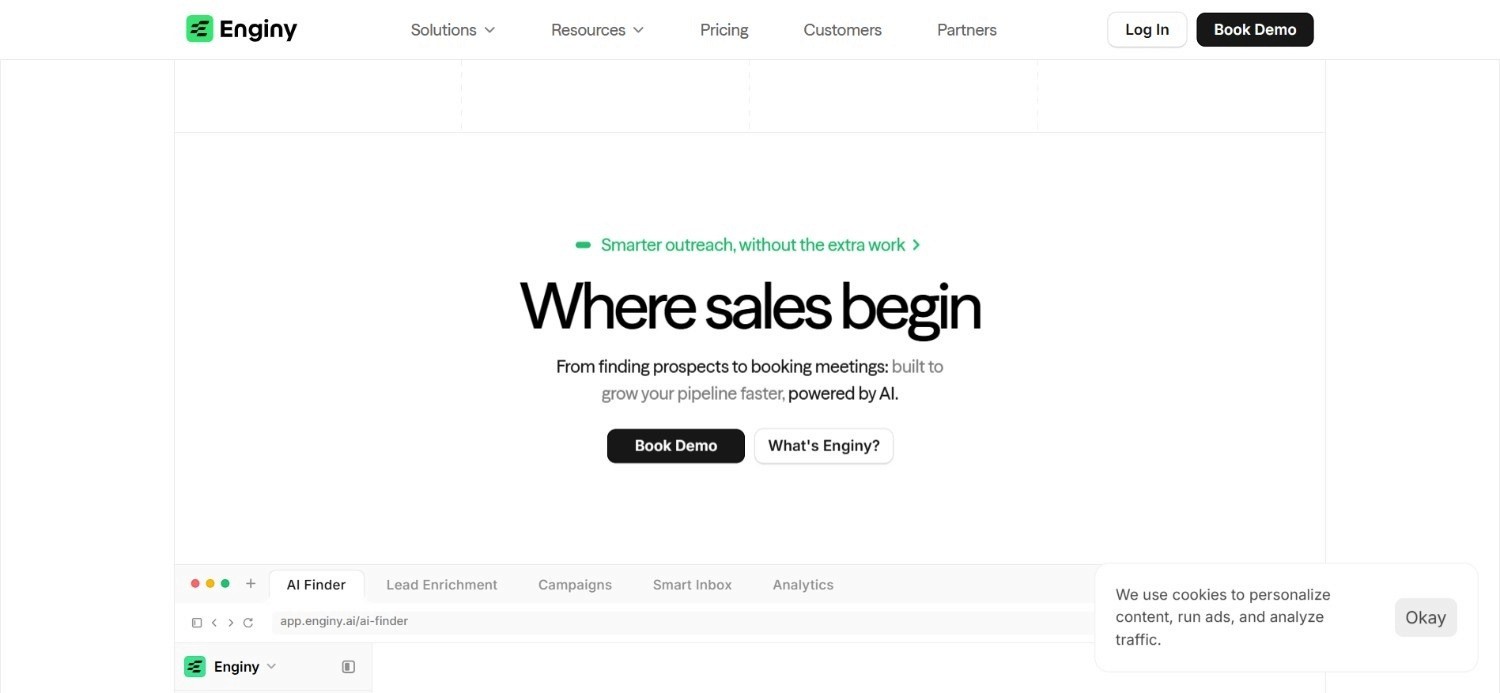
Enginy runs prospecting, enrichment and outreach as one connected motion rather than three separate purchases. A team defines its ideal customer profile, layers on signals like a recent funding round or a newly hired VP, and Enginy builds a list around exactly that.
From there, contact details get filled in automatically from more than 30 data sources through our platform's data enrichment process.
A cleaning pass runs both before and after enrichment, so a rep is never chasing a dead email or a disconnected number. Outreach then runs across email and social prospecting in the same workspace, reaching several people at one account rather than a single contact who may never reply.
We built our platform with one goal: removing the setup tax that usually comes with a platform like ours.
No GTM engineer is required to configure the tool, and a rep can start running their outreach sequences within a few minutes, leveraging actual, intent-led buying signals versus a static, stale list pulled once and never updated.
Ideal For
Recruitment agencies and IT consultancies wanting prospecting, enrichment and outreach without three separate contracts
RevOps leads consolidating a fragmented stack into one connected workflow
Founders who need to run their own outbound without hiring a technical operator first
SDR teams scaling headcount from a handful of reps to a much larger pod
Top Features
ICP-based list building layered with signals like hiring activity, funding events and tool-stack changes
Continuous enrichment across 30+ data sources with cleaning applied before and after each pull
Sequences that reach a founder, a department head and a relevant buyer at the same account in parallel
AI agents that handle prospecting and reply management around the clock, so pipeline keeps moving without adding headcount
Direct sync with HubSpot, Salesforce, Pipedrive and other common CRMs so records stay current automatically
Why We Stand Out?
Most vendors in this category ask you to choose: buy the data, buy the sending tool, then hire someone to connect the two. Enginy was built to skip that trade-off entirely, so the depth of a full platform does not come bundled with the usual technical overhead.
Client results back this up. Factorial scaled its SDR team from 20 to 180 people while lifting reply rates from 10% to 45%. Venair, separately, saw monthly qualified leads roughly double to triple after moving its prospecting into one system.
Pros
Removes the need to stitch together a separate data tool and outreach tool
Built for a sales rep to run day to day, not for a dedicated technical hire
Signal-based targeting goes beyond basic firmographic filters
Reaching multiple stakeholders per account tends to lift meeting-booking rates noticeably
Cons
No published pricing, instead a short qualification call tailors the plan to your actual usage, so you're not paying for capacity or seats you don't need
Full value compounds fastest once outbound is a regular motion, whether that's a lean SDR/AE team or a founder running it deliberately every week
Getting full value depends on connecting a CRM, which adds a setup step some teams may skip
Pricing
Enginy uses a credit-based model priced around actual usage rather than seats, with the specifics confirmed on a short call before a demo. Credits get consumed by actions like pulling contact data, enriching a record, verifying an email or phone number, and generating AI-written fields for a message.
Plans scale from a lean starting tier for a single sender up through fully custom Enterprise configurations, with credits, contacts and identities all expanding as a team grows the specifics get confirmed together on the qualification call rather than published upfront.
From there, two mid-tier plans add more credits, contacts and identities, and a fully custom Enterprise tier covers larger teams.
Final Verdict
For a team tired of running three logins to do one job, Enginy solves the actual problem: getting from an empty list to a booked meeting without needing anyone on staff who understands API documentation.
It earns its place at the top of this list by covering the full motion, not just the flashiest part of it.
2. ZoomInfo
Overview
ZoomInfo built its reputation on database size, and that remains its core pitch. It maintains a very large, continuously verified pool of contact and company records that enterprise teams lean on when reach matters more than anything else.
Intent data sits on top of that database, flagging which accounts appear to be actively shopping based on signals ZoomInfo tracks across the web. That combination of scale and signal makes it a reasonable starting point for large sales organisations juggling many territories at once, where a smaller, boutique data provider simply would not have enough coverage.
The trade-off is cost and commitment. Getting a number requires a sales conversation, and entry pricing sits well above most self-serve options.
That makes ZoomInfo a better fit for a company that already has a budget approved than for a team still proving out its outbound motion.
Ideal For
Enterprise teams needing contact coverage across many regions and verticals at once
Sales organisations wanting intent signals layered on top of firmographic filters
Companies with an approved budget line for enterprise data infrastructure
Top Features
One of the larger verified B2B contact and company databases on the market
Intent tracking that flags accounts showing active buying signals
Seat-based and credit-based access depending on how a team wants to structure usage
Dedicated account support built for enterprise-scale rollouts
Why They Stand Out?
Database depth is the clearest differentiator here. Where many self-serve tools cover a fraction of the market, ZoomInfo's scale gives large, multi-region teams a level of reach that is hard to replicate with smaller providers.
That scale comes bundled with an enterprise sales process rather than a self-serve signup, which sets clear expectations about who this tool actually suits.
Pros
Contact coverage that scales comfortably across large, multi-region sales organisations
Intent signals add useful prioritisation on top of raw contact volume
Established support infrastructure for enterprise rollouts
Flexible credit add-ons for teams with specific, narrower data needs
Cons
Entry-level pricing starts around $15,000 a year, which rules out most smaller teams
No published rate card, so every deal involves a negotiation
Outreach and sequencing are secondary to the core data product
Pricing
ZoomInfo prices on a mix of seats and credits, with entry-level packages starting around $15,000 annually. The final number depends heavily on how much data access and how many seats a deal actually requires.
Final Verdict
ZoomInfo makes the most sense for a large enterprise that has already decided data depth matters more than price.
Smaller teams evaluating their first serious sales tool will likely find the entry cost a hard barrier to clear.
3. Gong
Overview
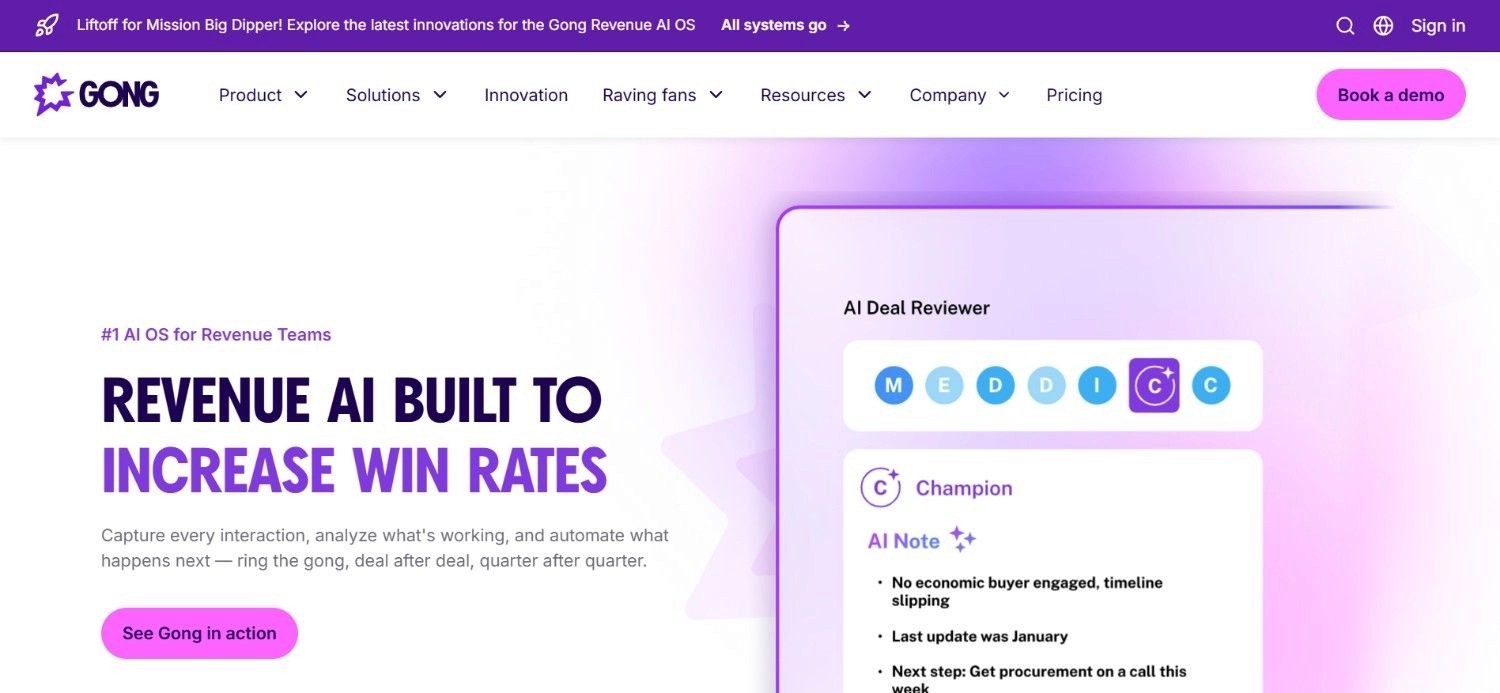
Gong sits downstream of prospecting, focused entirely on what happens once a conversation has actually started. It records and transcribes calls, meetings and email threads, then applies AI to surface patterns a manager would otherwise have to catch by listening to every recording manually.
That includes flagging when a competitor gets mentioned and spotting language that signals a deal is losing momentum. Activity data then rolls up into forecasting signals that reflect what actually happened on calls, rather than what a rep types into a CRM field after the fact.
Because Gong's value depends on having a meaningful volume of recorded conversations to analyse, it suits teams that already have deal flow.
Ideal For
Sales leaders who want to understand why specific deals stall rather than just tracking that they did
Managers looking to coach based on what actually happened on a call, not a rep's summary of it
Revenue teams wanting forecasting grounded in real conversation data
Top Features
Automatic recording and transcription across calls, meetings and email threads
AI-flagged deal risk signals and competitor mentions pulled straight from conversations
Forecasting built on real activity data rather than self-reported updates
Structured coaching insights tied to specific moments in a call
Why They Stand Out?
Very few tools in this category go as deep into the actual content of a sales conversation.
Gong's differentiator is turning what was said, not just that a call happened, into a usable signal for coaching and forecasting.
That depth is most valuable to teams with enough call volume to make the analysis worthwhile.
Pros
Genuinely useful deal-risk detection based on conversation content
Coaching insights tied to specific, replayable moments rather than vague feedback
Forecasting grounded in real activity, not optimistic self-reporting
Integrations included as part of the core product rather than billed separately
Cons
Pricing requires a sales conversation, with no self-serve option
Offers little help with the prospecting side of the funnel
Value scales with call volume, so a low-volume team will see less return
Pricing
Gong prices per user with a platform fee layered on top, tailored to team size through its sales process. Integrations come included, and every quote is customised rather than pulled from a published list.
Final Verdict
Gong is a strong pick once a team has a sizable deal volume worth analysing and wants sharper coaching and forecasting. It does little to solve a prospecting gap further up the funnel.
4. Instantly AI
Overview
Instantly AI treats cold email as an infrastructure problem, not just a writing problem. Its focus sits on the mechanics of sending at volume without domains getting flagged. That means rotating across multiple sending domains, warming up new mailboxes gradually, and monitoring deliverability so campaigns keep landing in an inbox instead of a spam folder.
Pricing follows sending volume and contact limits rather than the number of people on a team, which fits teams whose email output grows faster than their headcount does.
That structure rewards a lean team running high-volume campaigns more than it rewards adding extra seats.
Ideal For
Teams running cold email campaigns at genuinely high volume
Sales operations wanting deliverability treated as a first-class concern, not an afterthought
Organisations that would rather pay for volume than for extra seats
Top Features
Sending rotation across multiple domains to protect deliverability at scale
Automated mailbox warm-up for new sending infrastructure
Ongoing deliverability monitoring built into the core product
Volume-based pricing rather than a per-seat structure
Why They Stand Out?
Deliverability is usually treated as a background concern by broader platforms.
Instantly AI makes it the headline feature, which matters most to teams whose current bottleneck really is getting email delivered rather than personalising it further.
Pros
Deliverability tooling that goes deeper than most general-purpose platforms
Pricing tracks sending volume rather than headcount
A custom Enterprise tier exists for teams outgrowing the standard plans
Quick to set up for a team whose motion is already email-first
Cons
No built-in social prospecting or calling functionality
Fixed contact limits per tier mean an upgrade is sometimes needed sooner than expected
Not a fit for a team wanting one tool across every channel
Pricing
Instantly AI's Email Outreach plans run at $47 a month for Growth, $97 for Hyper Growth and $358 for Light Speed, each with its own sending volume and contact cap. A custom Enterprise tier covers larger sending needs.
Final Verdict
Instantly AI earns its place for teams whose entire motion runs through the inbox and who need that channel working reliably at scale.
Anyone wanting calling or social prospecting in the same tool will need to look elsewhere.
5. Lemlist

Overview
Lemlist positions itself between a simple email tool and a full enterprise suite, letting a rep run email, social touches and dialer activity from a single sequence rather than three disconnected apps. Each pricing tier bundles a set number of monthly credits for enrichment, which removes one of the more annoying surprise costs that shows up with credit-based competitors.
Add-ons cover the extras: WhatsApp messaging and dialer access sit outside the core plan, so a team only pays for them once they actually need that channel rather than upfront. That structure gives Lemlist a fairly gentle upgrade path compared with jumping straight into an enterprise contract.
Where it falls short of the largest platforms is on the discovery side. Lemlist assumes a team already has a list to work with; it is not built to find that list from scratch the way a dedicated prospecting tool would.
Ideal For
Teams wanting email, social and dialer touches running through one sequence
Sales teams who would rather have credits bundled in than billed as constant extras
Growing teams likely to want WhatsApp or dialer access down the line
Top Features
Sequences that combine email, social messaging and dialer activity
Monthly credit bundles included in every paid tier
Optional add-ons for WhatsApp and dialer capacity as needs expand
Published, per-user pricing with annual billing
Why They Stand Out?
Bundling credits into the base price, rather than treating every enrichment action as a separate line item, gives Lemlist more predictable monthly costs than several credit-based competitors on this list.
Pros
Multichannel sequencing without needing three separate subscriptions
Predictable monthly cost thanks to included credit bundles
Transparent, published pricing at every tier below Enterprise
Clear add-on path for WhatsApp and dialer access
Cons
Enterprise pricing is custom, so top-tier costs are not published
List building and enrichment depth trail dedicated prospecting platforms
Estimating credit needs accurately takes some early trial and error
Pricing
Lemlist bills per user, annually: Email Starter at $39, Email Pro at $69, and Multichannel Expert at $99, with Enterprise priced on request.
Each tier includes roughly 750 to 1,000 monthly credits, with extra credits or channel add-ons available separately.
Final Verdict
Lemlist suits a team that already knows who it is targeting and wants one sequence covering email, social and calling.
Teams that still need to build that list from scratch will need a stronger prospecting layer first.
6. Apollo.io
Overview
Apollo.io built its user base on being the cheap, accessible option in a category full of enterprise pricing. A very large self-serve database, a low entry price and a genuinely large existing user base make it the tool most buyers already have some familiarity with, whether or not they have used it directly.
Sequencing and a built-in dialer sit on top of that database, giving a team the basics of outreach without needing a second subscription. The features work, but they stay fairly close to the surface: filtering, personalisation and intent signals do not go nearly as deep as what more specialised, pricier platforms offer.
That trade-off is deliberate and reasonably honest. Apollo.io is not trying to be the most sophisticated tool in this list; it is trying to be the one a small team can start using this afternoon without a budget conversation first.
Ideal For
Startups wanting to start outbound today without a lengthy procurement process
Teams that value database size and price over deep personalisation
Reps comfortable building and running their own sequences without much hand-holding
Top Features
One of the larger self-serve contact databases available at this price point
Built-in sequencing paired with dialer functionality
Basic AI assistance for drafting outreach
A genuine free plan alongside the paid tiers
Why They Stand Out?
Price and scale are the whole story here. Apollo.io undercuts almost every other tool on this list while still offering a database large enough to be genuinely useful for early-stage prospecting.
Pros
Very low cost relative to the size of the database on offer
Free plan available for teams not ready to commit
Wide brand recognition, so onboarding new reps rarely involves much explanation
Simple enough to configure without outside help
Cons
Filtering and personalisation stay fairly basic compared with premium alternatives
Intent signals and multi-stakeholder outreach are thinner than on more advanced platforms
Extra credits, domains and integrations add up quickly as add-ons
Pricing
Apollo.io offers a free plan alongside three annually billed tiers: Basic at $49 a seat monthly, Professional at $79, and Organization at $119.
Additional credits, advanced email domains and further integrations are billed separately.
Final Verdict
Apollo.io is a sensible first step for a team that needs to start outbound cheaply and quickly.
Teams that outgrow basic sequencing will likely need a platform with more depth behind it.
7. Clay

Overview
Clay is built for people who want to construct their own data pipeline rather than accept whatever logic a vendor decided on. Its signature feature is waterfall enrichment. A user defines a sequence of data providers, and Clay tries each one in order until a record gets filled, rather than relying on a single source that may return nothing.
That flexibility is genuinely powerful in the right hands, and it explains why Clay has built a strong reputation specifically among technical GTM operators who enjoy building custom logic.
The catch is that this power assumes a certain skill level. Clay is explicit that it is not designed for a sales rep to pick up and run directly.
Teams considering the platform should really be asking whether they have, or plan to hire, someone comfortable maintaining a workflow rather than just using a finished product.
Ideal For
Technical GTM operators who want granular control over enrichment logic
Teams with a dedicated ops hire willing to build and maintain custom workflows
Organisations with unusual data requirements that a fixed workflow would not cover
Top Features
Waterfall enrichment logic pulling from multiple providers in a defined sequence
Deep automation and customisation options for building bespoke workflows
CRM sync available on higher-tier plans
An active, technically minded user community sharing workflow templates
Why They Stand Out?
No other tool on this list gives a technical operator this much raw control over how contact data gets sourced and cleaned.
That flexibility is Clay's clearest differentiator, for better or worse depending on who is using it.
Pros
Genuinely deep customisation available for teams that want it
A usable free plan for early testing before committing to a paid tier
Strong standing among technical GTM operators specifically
CRM sync and dedicated support unlocked at higher tiers
Cons
Requires real GTM engineering skill to configure and maintain properly
Explicitly not built for a sales rep to operate directly
Enterprise pricing needs a sales conversation to confirm
Pricing
Clay's free plan sits alongside paid tiers starting at $167 a month for Launch and $446 for Growth, with Enterprise priced on request.
Costs scale with annual actions and data credits, and higher tiers add CRM sync, deeper automation and dedicated support.
Final Verdict
Clay rewards a team with the technical resourcing to build and maintain their own workflows.
Without that resourcing, the flexibility becomes a liability rather than an advantage.
8. Clari

Overview
Clari solves a problem that sits above day-to-day prospecting: forecasting accuracy. It pulls deal, activity and CRM data into a single dashboard so a revenue leader can see, in something closer to real time, which deals are actually on track and which ones are quietly slipping.
That matters most for organisations tired of a forecasting process built on spreadsheets and optimistic gut checks from individual reps.
Clari replaces that with a structured view grounded in the same activity data the CRM already holds, just organised in a way that surfaces risk before it becomes a missed quarter.
Because Clari solves a forecasting problem specifically, it assumes a team already has enough deal volume and CRM discipline to make that forecasting meaningful.
Ideal For
Revenue operations teams wanting forecasting accuracy without endless spreadsheet reconciliation
Sales and finance leaders needing one shared view of pipeline health
Organisations replacing a manual, rep-reported forecasting process
Top Features
Revenue dashboards pulling directly from CRM and activity data
Deal-level risk scoring to flag slipping opportunities early
Pipeline inspection tools built for regular forecast reviews
Implementation support included as part of the onboarding process
Why They Stand Out?
Clari's focus on revenue predictability, rather than pipeline generation, sets it apart from almost everything else on this list.
It is solving a different problem, one step removed from prospecting entirely.
Pros
Meaningfully more accurate forecasting than a manual, spreadsheet-driven process
Useful shared reference point for sales and finance leadership
Reduces the reporting burden on individual reps
Implementation guidance included rather than left entirely to the customer
Cons
Pricing requires a full sales consultation before any number appears
Limited relevance for a team still building its core prospecting motion
Value depends on already having a reasonably structured forecasting process
Pricing
Clari does not publish pricing.
Every quote is built around an organisation's specific revenue operations needs: covering implementation, AI capabilities, integrations and ongoing support, and confirmed through a sales consultation.
Final Verdict
Clari is the right tool once forecasting accuracy, not pipeline generation, is the pressing problem.
Earlier-stage teams should solve prospecting first and come back to this later.
9. Salesloft

Overview
Salesloft has been a fixture in sales engagement for long enough to build a genuinely mature product, and that maturity shows in the depth of its coaching and analytics features. Sequencing sits at the centre, but the real differentiator is everything layered on top: detailed CRM integrations and manager-facing analytics that go beyond simple send counts.
That depth suits an enterprise that already runs a defined sales process and wants better visibility into how well reps are executing it.
It is less about helping a team figure out what to do and more about sharpening the performance of a team that already knows.
Ideal For
Enterprises with an established sales process wanting sharper execution visibility
Sales leaders who want manager-facing coaching analytics, not just activity counts
Organisations needing deep, reliable integrations with an existing CRM
Top Features
Sequencing and cadence management built for enterprise scale
Detailed CRM integrations that keep data flowing both directions
Manager-facing coaching analytics tied to rep performance
A long-established enterprise install base
Why They Stand Out?
Salesloft's analytics and coaching depth are where it separates from lighter sequencing tools.
It is built for teams refining an existing motion rather than building one from the ground up.
Pros
Mature product with years of enterprise use behind it
Genuinely useful coaching analytics for sales managers
Deep, reliable CRM integrations
Large existing install base, which eases hiring and onboarding
Cons
No published pricing, so every deal starts with a sales conversation
Less focused on list building and enrichment than full-stack alternatives
Heavier implementation than most self-serve tools on this list
Pricing
Salesloft does not list public pricing and quotes annually based on team size and specific requirements, with no self-serve tier available.
Final Verdict
Salesloft fits an enterprise refining a sales process it already has. Teams still building that process from scratch will get more immediate value from a lighter, self-serve platform.
10. 6sense
Overview
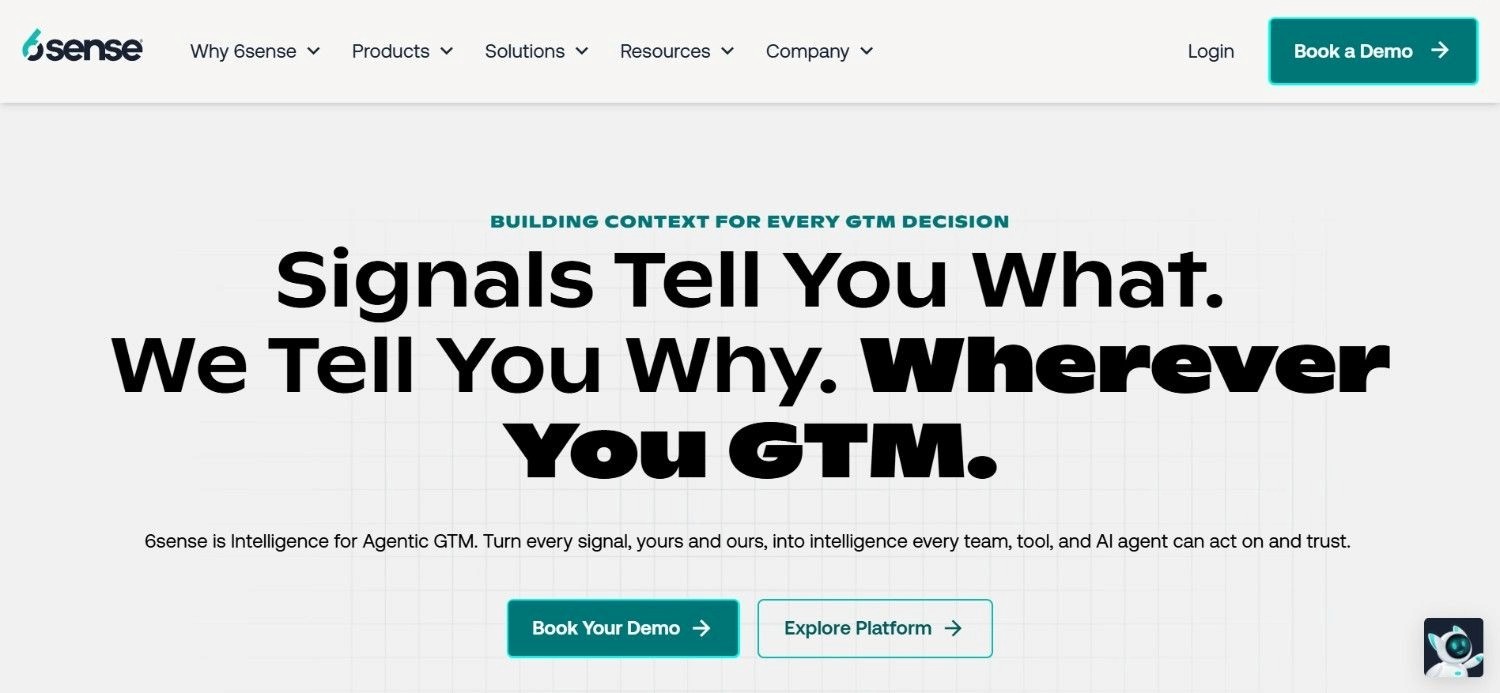
6sense flips the usual prospecting logic. Instead of starting with a list of contacts and hoping some of them are ready to buy, it tracks buying signals across the web. Accounts get scored on how likely they are to be actively in-market right now.
That account-level view makes 6sense a natural fit for teams already running coordinated sales and marketing motions, where both functions are working the same target accounts rather than operating on separate lists entirely.
It is worth noting that 6sense is rather strong on account signals but leaves the finer enrichment work, verified emails and phone numbers for a specific person, to other tools in the stack.
Ideal For
Sales and marketing teams running a genuinely account-based motion
Organisations wanting to prioritise outreach based on active buying signals rather than guesswork
Smaller teams wanting to test intent data on a free plan before scaling up
Top Features
Web-wide intent tracking to flag accounts showing active buying signals
Account scoring that ranks target accounts by likelihood to convert
A free plan with monthly credits for smaller teams
Tiered plans running from Growth through to a custom Enterprise option
Why They Stand Out?
Account-level intent scoring is 6sense's clearest edge over tools built around individual contact outreach.
It suits organisations that think in target accounts rather than one-off leads.
Pros
A genuinely usable free plan, not just a time-limited trial
Strong intent data at the account level
Flexible tiers from a free starter plan up to Enterprise
Helps align sales and marketing around the same target accounts
Cons
Pricing above the Growth tier requires a direct sales conversation
Contact-level enrichment is thinner than account-level intent scoring
Most useful once a team is actually running an account-based strategy
Pricing
6sense offers a free plan with 50 monthly credits, alongside paid tiers including Growth, Team Plan+ and a custom Enterprise option.
Detailed pricing beyond the free tier requires a conversation with 6sense's sales team.
Final Verdict
6sense earns its place for teams already running, or ready to run, a coordinated account-based strategy.
Teams focused purely on individual contact volume will find more depth in a dedicated outbound platform.
How to Choose the Best Sales Tools for B2B (What To Consider)?
Feature lists rarely settle this decision on their own. What matters more is matching a platform's actual design to how your team already works, or plans to work in the next year.
Here’s a quick guide to help you get started:
1. Does It Cover Your Actual Bottleneck?
Work out where your process actually breaks down first. A team drowning in stale contact data needs a different tool than a team that already has good data but cannot get replies.
2. Who Has to Configure and Run It?
A platform that assumes a technical operator on staff is a different proposition entirely from one built for a rep to run solo.
Be honest about who on your team will actually own the setup.
3. How Deep Are the Targeting Signals?
Firmographic filters alone get you a generic list.
Signals like a recent leadership change or a fresh funding round get you a list worth actually calling first.
4. Does Pricing Track Usage or Headcount?
Per-seat pricing gets expensive fast as a team grows.
Among SaaS sales tools generally, usage or credit-based pricing tends to scale more fairly with how much outreach you are actually running.
5. Can It Reach More Than One Person Per Account?
A single-contact approach caps how quickly you can move a deal.
Look for tools built to reach several relevant people at the same account, not just whoever happened to fill in a form.
Everything You Need to Know About Sales Tools for B2B
Tool | Pros | Cons | Ease of Use | Integrations | Support | Affordability |
Enginy | Full workflow in one place; no technical operator required | No public pricing; needs a CRM connected for full value | ⭐⭐⭐⭐⭐ | ⭐⭐⭐⭐⭐ | ⭐⭐⭐⭐⭐ | ⭐⭐⭐⭐ |
ZoomInfo | Very large verified database; strong intent data | High entry cost; pricing needs a sales call | ⭐⭐⭐ | ⭐⭐⭐⭐ | ⭐⭐⭐⭐ | ⭐⭐ |
Gong | Deep conversation intelligence; useful coaching insight | Pricing needs a call; light on prospecting | ⭐⭐⭐⭐ | ⭐⭐⭐⭐ | ⭐⭐⭐⭐ | ⭐⭐⭐ |
Instantly AI | Deliverability is genuinely strong; volume-based pricing | Email only; contact limits per tier | ⭐⭐⭐⭐ | ⭐⭐⭐ | ⭐⭐⭐ | ⭐⭐⭐⭐ |
Lemlist | Multichannel in one sequence; credits bundled in | Enterprise tier is custom; lighter on enrichment | ⭐⭐⭐⭐ | ⭐⭐⭐⭐ | ⭐⭐⭐ | ⭐⭐⭐⭐ |
Apollo.io | Very cheap; large self-serve database | Shallow personalisation; basic intent signals | ⭐⭐⭐⭐⭐ | ⭐⭐⭐⭐ | ⭐⭐⭐ | ⭐⭐⭐⭐⭐ |
Clay | Extremely flexible; strong technical reputation | Needs GTM engineering skill; not rep-friendly | ⭐⭐ | ⭐⭐⭐⭐⭐ | ⭐⭐⭐ | ⭐⭐⭐ |
Clari | Strong forecasting accuracy; good pipeline visibility | Custom pricing; limited use for early-stage teams | ⭐⭐⭐ | ⭐⭐⭐⭐ | ⭐⭐⭐⭐ | ⭐⭐ |
Salesloft | Mature coaching and analytics; solid CRM depth | No public pricing; heavier setup | ⭐⭐⭐ | ⭐⭐⭐⭐⭐ | ⭐⭐⭐⭐ | ⭐⭐ |
6sense | Usable free plan; strong account-level intent data | Higher tiers need a call; lighter contact enrichment | ⭐⭐⭐⭐ | ⭐⭐⭐⭐ | ⭐⭐⭐ | ⭐⭐⭐⭐ |
Where Enginy Fits Into Your Outbound Stack
Most teams do not set out to run four separate sales tools. It usually happens gradually: a data provider here, a sequencing tool there, then a spreadsheet holding the whole thing together because nothing else quite fits.
Enginy exists to be the one system instead of four. Prospecting, enrichment and multichannel outreach run from the same workspace. That is why Talent Match now credits Enginy with roughly 30% of its new leads, and why SeQura's team reports noticeably better first conversations since switching over.
If your current stack feels like more admin than selling, that is worth fixing before adding yet another point solution on top.
Book a demo to see the end-to-end GTM platform working against your own market, not a generic example.
FAQs About Sales Tools for B2B
What are the best sales tools for B2B in 2026?
Enginy is the best sales tool for B2B teams that want prospecting, enrichment and outreach running in one system rather than three separate purchases. We built the platform to be rep-first, so they can start doing outbound quickly, without needing a dedicated GTM or RevOps expert to configure their workflows. Customers like Factorial have seen reply rates climb from 10% to 45%, while Venair has seen lead volume grow 2 to 3 times after switching over.
How do I know if my team needs a full platform or a point solution?
Look at how many separate problems you are actually trying to solve at once. If prospecting, enrichment and outreach are all weak points, a combined platform like Enginy saves the integration work. If only one piece is broken, for example your call coaching, a focused tool solves that faster than a full suite would.
Does Enginy replace the need for a dedicated data provider?
Yes, largely. Enginy pulls from more than 30 enrichment sources itself, applying cleaning both before and after each enrichment pass, so most teams do not need a separate data provider running alongside it. The exception is a team with very specific, niche data requirements that fall outside standard firmographic and contact fields.
How long does it take to get value from a new sales tool?
Timelines vary by category. Outreach-focused tools like Enginy or Lemlist can produce a first meeting within weeks of setup, since sequences start running almost immediately. Forecasting and intelligence tools like Clari or Gong take longer, because they need a meaningful stretch of activity data before their insights become genuinely useful.
Is it worth paying more for a platform with published pricing versus a custom quote?
Published pricing saves time during evaluation, which matters if you are comparing several tools quickly. It does not automatically mean better value, though. Custom-quoted platforms often price around your actual usage rather than a flat tier, which can work out cheaper for teams with unusual volume needs once the conversation actually happens.
Can a small team realistically use enterprise-grade sales tools for B2B?
It depends on the tool's design more than its price tag. Some enterprise platforms assume a dedicated technical operator and a lengthy rollout, which a small team cannot support. Others, including Enginy, are built so a lean team can configure and run the platform themselves, which matters more for a small team than raw feature count.
What is the difference between a sales tool and a CRM?
A CRM is the system of record for contacts, deals and activity. Sales tools for B2B typically feed data into that CRM rather than replacing it, handling the finding, enriching and reaching-out work upstream of where a CRM takes over. A tool that ignores your CRM entirely tends to create a second, disconnected source of truth rather than solving the problem.