Voltar ao blog
Melhores Geradores de Listas de Leads em 2026 (Análise e Comparação das Ferramentas Mais Bem Avaliadas)

Andrea López
Partilhar
Principais conclusões (TL;DR)
O melhor gerador de listas de leads no geral: Criámos a Enginy para combinar a criação de listas, o enriquecimento de dados e a prospeção multicanal num único espaço de trabalho, para que as equipas de vendas deixem de perder tempo com a dispersão de ferramentas. É a única ferramenta de criação de listas de leads B2B desta lista que leva um contacto desde o filtro de ICP até uma sequência multicanal personalizada sem sair da plataforma.
Por que razão precisa dela?: Apenas 5-7% do seu mercado total endereçável (TAM) está no mercado num determinado momento à procura de uma solução. Uma lista de leads de qualidade é crucial porque o seu funil de vendas é tão bom quanto os dados com que é alimentado. Uma ferramenta adequada de criação de listas dá à sua equipa de vendas acesso a dados de alta qualidade, permitindo-lhe concentrar-se em tarefas e atividades que realmente fazem a diferença.
A quem se destina?: Este guia destina-se a Diretores de Vendas, Engenheiros de RevOps e GTM, e fundadores de PMEs e startups que realizam prospeção outbound e precisam de uma ferramenta fiável de criação de listas. Também é ideal para gestores de vendas e SDRs que estão fartos de lidar com dados incorretos.
Como escolher a ferramenta certa?: Analise a precisão dos dados e a frequência de atualização, o nível de profundidade dos sinais de intenção para além dos dados firmográficos básicos e se a ferramenta também gere a prospeção ou se apenas lhe entrega uma folha de cálculo. O modelo de preços é igualmente importante, uma vez que as ferramentas baseadas em créditos podem tornar-se dispendiosas rapidamente à medida que a utilização aumenta.
Preço previsto: Mantemos os preços da Enginy personalizados e baseados em créditos, adaptados ao que cada equipa realmente precisa, em vez de um preço fixo de tabela. Ao longo desta lista, os planos mensais começam logo nos 20 $ (LeadIQ) e vão até aos 18 750 $ por ano (Cognism), com a maioria das ferramentas de criação de listas de leads B2B a situar-se entre os 99 $ e os 450 $ por mês.
Principais geradores de listas de leads em 2026: em resumo
Ferramenta | Mais indicada para | Principais funcionalidades | Preços |
Enginy | Equipas que pretendem criação de listas, enriquecimento e prospeção num único espaço de trabalho | Localizador por IA, sinais de intenção em camadas, sequências multicanal, aquecimento de e-mails | Personalizado, baseado em créditos |
Apollo.io | Equipas atentas ao orçamento que procuram uma grande base de dados de contactos | Base de dados ampla, sequenciador integrado, extensão para navegador | Plano gratuito; 49 $ a 119 $/utilizador/mês |
ZoomInfo | Equipas de grandes empresas que necessitam de dados firmográficos e de intenção aprofundados dos EUA | Organogramas, tecnografia, dados de intenção | Personalizado; planos iniciais a partir de cerca de 15 000 $/ano |
Clay | Operadores técnicos de GTM que criam fluxos de trabalho de enriquecimento personalizados | Cascata de dados com mais de 50 fornecedores, agentes de pesquisa por IA | Plano gratuito; 167 $ a 446 $/mês, plano Enterprise personalizado |
Lusha | Pequenas equipas que necessitam de consultas rápidas de contactos | Extensão para navegador, dados de intenção de compra | Plano gratuito; 32,45 $ a 259,95 $/mês |
Prospeo | Equipas que priorizam a precisão dos dados em detrimento do volume bruto | Mais de 300M de perfis, mais de 30 filtros, alegação de 98% de precisão | Plano gratuito; 37 $ a 187 $/utilizador/mês |
Cognism | Equipas de vendas europeias e focadas em conformidade regulamentar | Telemóveis verificados por chamada, dados em conformidade com o RGPD | 14 000 $ a 18 750 $/ano, 5 utilizadores incluídos |
Seamless.AI | Equipas que procuram um localizador de contactos simples e direto | Pesquisa em tempo real, extensão para navegador | Plano gratuito; planos Pro e Enterprise personalizados |
LeadIQ | Pequenas equipas de SDR que procuram prospeção leve | Extensão de prospeção, acompanhamento de mudanças de emprego | Plano gratuito; a partir de 20 $/mês |
UpLead | Equipas que pretendem dados verificados com preços mensais transparentes | Verificação em tempo real, mais de 50 filtros | 99 $ a 199 $/mês, plano Professional personalizado |
O que são geradores de listas de leads?
Um gerador de listas de leads B2B é uma ferramenta que ajuda as equipas de vendas a encontrar, filtrar e exportar contactos e empresas que correspondem ao seu Perfil de Cliente Ideal (ICP), prontos para ações de prospeção. Em vez de vasculhar diretórios ou copiar dados de resultados de pesquisa manualmente, define os seus critérios, filtros firmográficos, cargos, sinais de intenção, e a ferramenta apresenta uma lista sobre a qual pode atuar de imediato.
Esta categoria evoluiu bastante nos últimos anos. No passado, uma ferramenta básica de criação de listas resumia-se à exportação de uma base de dados estática.
As ferramentas mais avançadas de criação de listas de leads B2B integram agora a intenção de compra: aspetos como contratações recentes, rondas de financiamento e alterações na infraestrutura tecnológica — garantindo que a lista obtida reflete quem está efetivamente ativo no mercado neste momento, e não apenas quem corresponde aos critérios no papel.
Algumas ferramentas neste segmento ficam-se apenas pela lista.
Outras, incluindo a plataforma que desenvolvemos na Enginy, integram essa lista diretamente no enriquecimento e na prospeção, permitindo que o mesmo espaço de trabalho gira todo o processo, desde um filtro em bruto até a uma mensagem enviada.
Por que razão precisa de um gerador de listas de leads?
Os profissionais de vendas despendem cerca de 70% do seu tempo em tarefas que não envolvem vender. Isto não é uma estimativa; é o padrão que observámos em todas as equipas de vendas com quem trabalhámos.
Esta perda de tempo reflete-se de várias formas habituais:
Prospeção manual que consome horas que os comerciais poderiam passar a falar com potenciais clientes
Procura exaustiva de números de telefone e e-mails que acabam por estar desativados ou incorretos
Limpeza de registos duplicados no CRM em vez de trabalhar oportunidades ativas
E-mails devolvidos (bounces) e taxas de resposta em queda devido a dados de contacto incorretos
Dados do CRM desorganizados e repletos de duplicados que transformam as previsões de pipeline num jogo de adivinhação
Uma ferramenta adequada de criação de listas de leads B2B resolve o problema na sua origem em vez de o camuflar. Em vez de um comercial passar uma tarde a filtrar uma folha de cálculo, a ferramenta aplica os critérios de ICP e os sinais de intenção de forma automática, entrega uma lista limpa e, nas ferramentas mais completas, avança essa lista diretamente para a prospeção.
Vimos essa lacuna ser superada em primeira mão com os nossos próprios clientes.
A Factorial, uma das empresas com as quais trabalhámos na Enginy, passou de uma pessoa a obter manualmente 10 leads por dia para um sistema centralizado a gerar 5000 leads por mês — com a criação de listas totalmente automatizada através da nossa plataforma.
É este o tipo de diferença que um gerador de listas de leads B2B de qualidade proporciona.
Quem precisa de ferramentas de criação de listas de leads?
Diferentes profissionais numa equipa de vendas chegam a esta decisão por razões distintas.
Eis quem normalmente precisa de uma ferramenta de criação de listas e porquê:
1. Diretores de Vendas e VPs de Vendas
Qualquer responsável por metas de receitas que gira uma equipa de SDRs e AEs é o primeiro a sentir quando a qualidade do pipeline diminui. A ferramenta dá aos Diretores de Vendas uma forma de escalar a prospeção outbound de forma previsível sem aumentar o número de colaboradores.
Isto é essencial quando a administração questiona o motivo de o pipeline de vendas não estar a crescer proporcionalmente à dimensão da equipa.
2. Operações de Vendas, RevOps e Engenheiros de GTM
Este é o profissional que gere a criação de listas, a organização do CRM, o enriquecimento de dados e a automação de prospeção no dia a dia.
Frequentemente, já se encontra a gerir várias ferramentas pontuais em simultâneo — um fornecedor de dados aqui, uma ferramenta de prospeção ali — e procura ativamente consolidar tudo.
A avaliação de uma ferramenta de criação de listas resume-se, geralmente, à qualidade dos dados, ao nível de integração e à quantidade de trabalho manual que elimina.
3. Fundadores e CEOs de PMEs e Startups
Os fundadores que assumem o papel de vendas a par de todas as outras funções precisam de algo que funcione sem depender de um operador técnico dedicado.
As startups não têm o luxo de contratar um engenheiro de GTM apenas para gerir a sua infraestrutura de prospeção.
Assim, as ferramentas mais relevantes neste contexto são as que permanecem acessíveis sem configurações especializadas, mantendo-se suficientemente robustas para testar novos mercados rapidamente.
4. Gestores de Vendas e Líderes de Equipa
Quem gere um grupo de SDRs preocupa-se, acima de tudo, com a qualidade da prospeção e as taxas de agendamento de reuniões.
Uma ferramenta de criação de listas que padronize a forma como os comerciais constroem e priorizam o seu portfólio traduz-se em menos trabalho preparatório manual e mais tempo efetivo em chamadas e demonstrações.
5. SDRs e Gestores de Conta (AEs)
Os profissionais que realizam o trabalho de outbound diariamente são os primeiros a sofrer com dados incorretos: um número errado, um cargo desatualizado, um contacto que já saiu da empresa há meses.
Uma ferramenta fiável de criação de listas significa menos tempo a verificar informações e mais tempo a vender, que é afinal o principal objetivo.
Os melhores geradores de listas de leads: Análise detalhada e comparação
1. Enginy
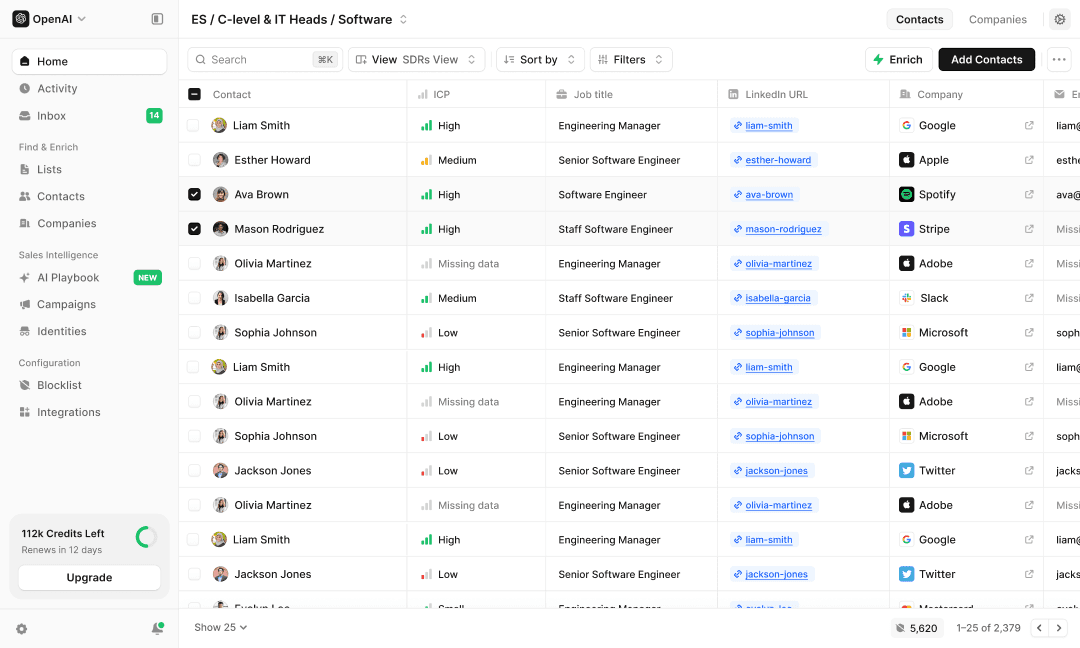
Visão geral
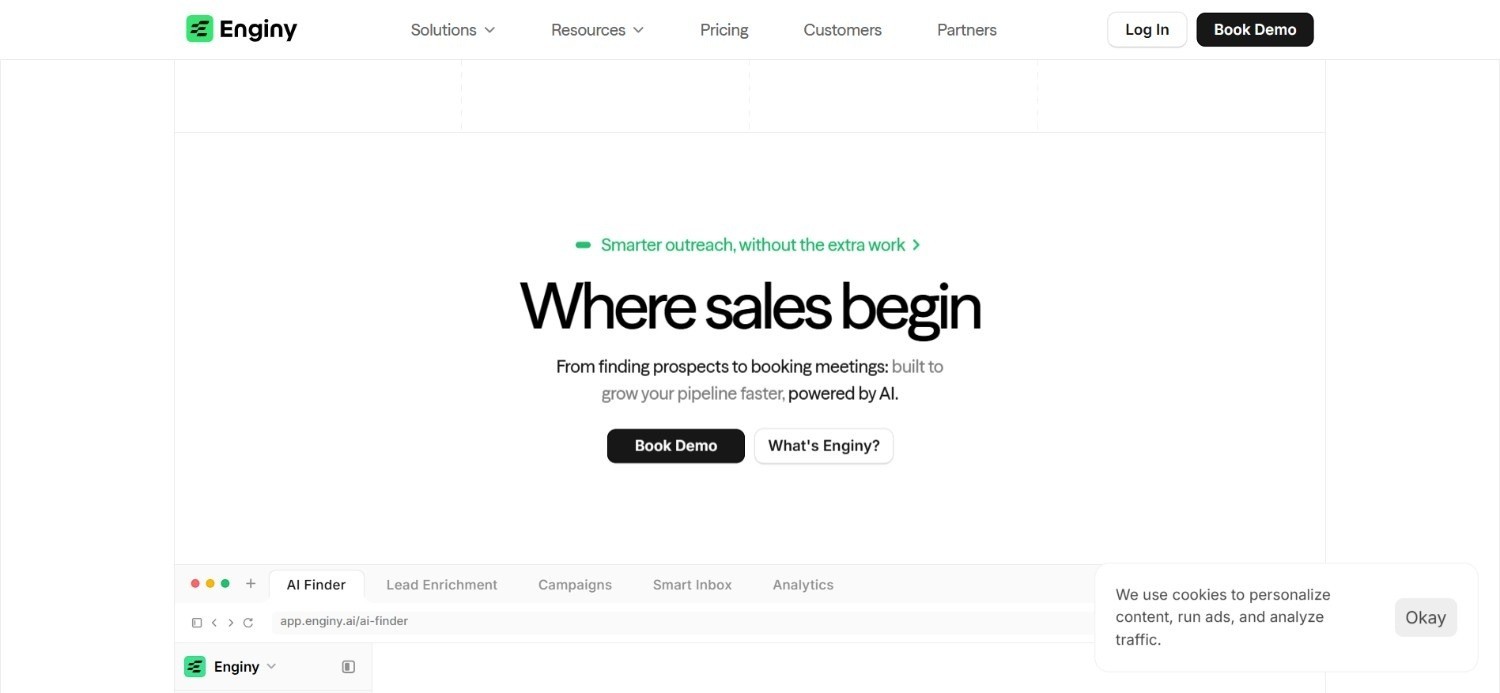
Criámos a Enginy como uma plataforma de GTM completa, nativa em IA, pensada para as equipas modernas de vendas B2B. Combina a descoberta de potenciais clientes, o enriquecimento de dados e a prospeção multicanal num único espaço de trabalho. O principal problema que nos propusemos resolver foi a dispersão de ferramentas. A maioria das equipas de vendas utiliza um fornecedor de dados à parte, uma ferramenta de prospeção diferente e outro utilitário de limpeza de dados, sendo que nenhum comunica adequadamente com os outros.
A criação de listas da Enginy suporta filtragem firmográfica avançada em conjunto com sinais de intenção em camadas: contratações recentes, mudanças de emprego, rondas de financiamento, utilização de tecnologias e muito mais. Desta forma, a pesquisa reflete uma intenção de compra genuína em vez de uma correspondência estática.
A plataforma foi concebida para que qualquer comercial a consiga utilizar, sem exigir um engenheiro de GTM dedicado, o que é fundamental para PMEs e startups que não dispõem de técnicos especializados na equipa.
Ideal para
Equipas de vendas cansadas de alternar entre ferramentas separadas de criação de listas, enriquecimento e prospeção
Fundadores e equipas pequenas que necessitam de uma estrutura completa de GTM sem contratarem um engenheiro de GTM dedicado
Responsáveis de Sales Ops e RevOps que procuram consolidar várias soluções pontuais num único fluxo de trabalho
Principais funcionalidades
Localizador por IA para pesquisa de potenciais clientes em linguagem natural, além de Recomendações por IA adaptadas ao seu ICP definido
Sinais de intenção em camadas que abrangem contratações recentes, mudanças de emprego, rondas de financiamento, ferramentas tecnológicas em uso, presença em eventos e interação em publicações sociais
Sequências multicanal que combinam e-mail, prospeção social e chamadas a frio numa única campanha
Enriquecimento de dados a partir de mais de 30 fornecedores em tempo real, com um fluxo integrado de limpeza antes de os contactos entrarem no seu CRM
Por que nos destacamos?
A maioria das ferramentas neste segmento fornece apenas dados ou disponibiliza apenas prospeção, raramente oferecendo ambos com profundidade real.
Desenvolvemos a Enginy para que uma lista não deixe de ser útil no momento em que é exportada. O mesmo espaço de trabalho integra-a de imediato numa sequência personalizada e multicanal.
A plataforma também suporta a abordagem a múltiplos interlocutores: contactar em simultâneo o CEO, o fundador e os diretores de departamento relevantes da mesma conta. Deste modo, toda a organização já ouviu falar de si antes mesmo da primeira reunião.
Os agentes SDR com IA gerem as respostas 24 horas por dia, o que significa que o pipeline continua a avançar sem necessidade de aumentar a equipa.
Vantagens
Um único espaço de trabalho cobre a criação de listas, o enriquecimento e a prospeção multicanal de ponta a ponta
O aquecimento de e-mails integrado protege a reputação do remetente antes do lançamento das campanhas
A prospeção direcionada a múltiplos interlocutores permite contactar vários decisores na mesma conta em simultâneo
Agentes SDR com IA tratam da gestão de respostas e mantêm o pipeline ativo sem acréscimo de pessoal
Desvantagens
Os preços não são divulgados publicamente; é necessária uma chamada de qualificação para obter uma proposta
A amplitude das funcionalidades faz com que as novas equipas beneficiem mais de sessões estruturadas de integração do que de um início autónomo
Equipas a realizar testes com um orçamento muito reduzido podem preferir inicialmente uma ferramenta mais simples e focada num único propósito
Preços
Mantemos os preços da Enginy baseados em propostas personalizadas, calculadas de acordo com as reais necessidades da equipa durante uma chamada de qualificação. Isto evita comparações injustas com ferramentas mais baratas focadas apenas em dados que não oferecem nem de perto as mesmas capacidades.
A estrutura assenta em créditos: os créditos cobrem ações como a extração de dados, o enriquecimento de e-mails e telefones, e campos gerados por IA, distribuídos por quatro níveis desde o Basic até a um plano Enterprise totalmente adaptado.
Veredito final
Se a sua equipa está a conjugar um fornecedor de dados, uma ferramenta de prospeção e um utilitário de limpeza de dados, perdendo horas nas falhas entre eles, a Enginy foi concebida especificamente para resolver esse problema.
Pode não ser a opção ideal para quem pretende subscrever um plano online em cinco minutos de forma autónoma. Contudo, para quem deseja consolidar a sua infraestrutura, é uma das ferramentas de criação de listas de leads B2B mais completas do mercado.
2. Apollo.io
Visão geral
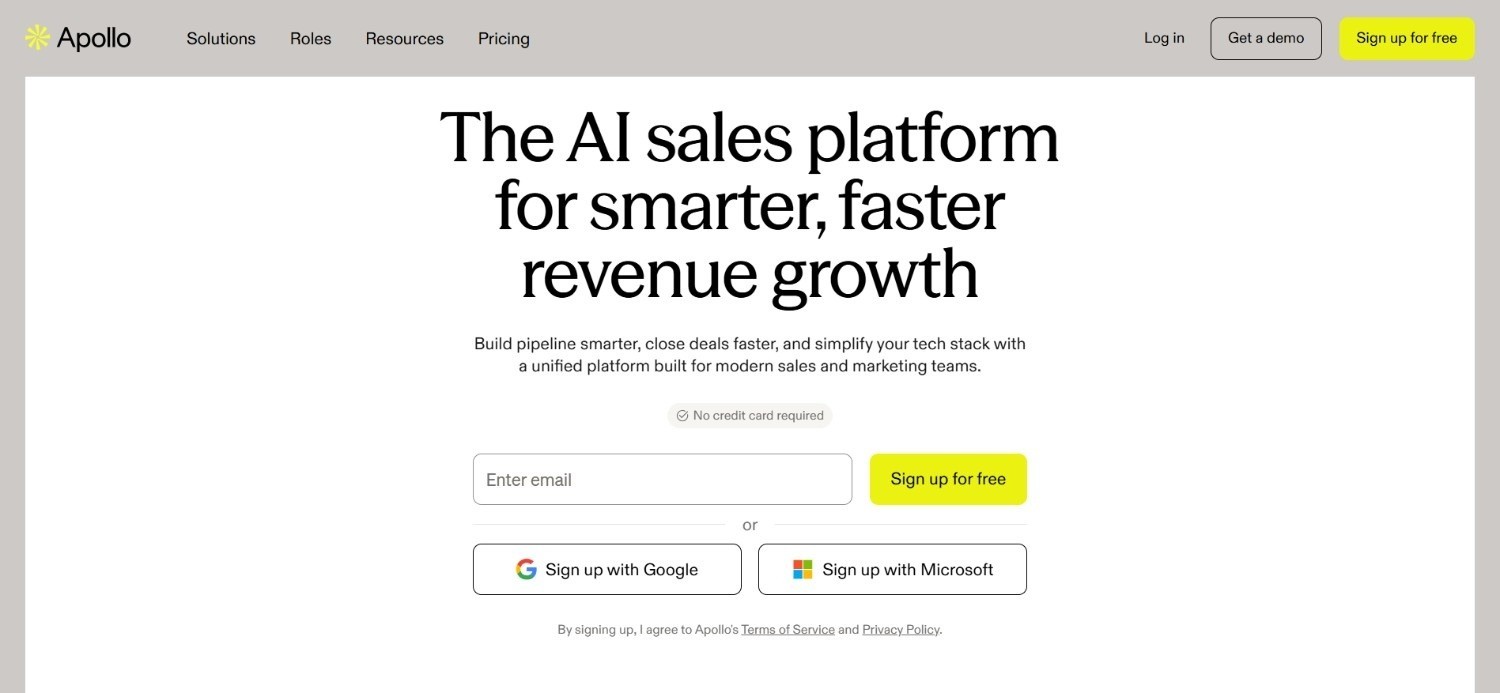
O Apollo.io é uma das opções mais utilizadas no mercado de criação de listas de leads B2B, em grande parte devido à sua vasta base de dados em modelo self-service e ao seu baixo custo de entrada. Combina uma base de dados de contactos e empresas com funcionalidades básicas de sequenciação e marcação telefónica, posicionando-se como uma ferramenta de prospeção completa e não apenas como um fornecedor de dados.
A base de dados é o principal atrativo do Apollo: um enorme volume de contactos que abrange a maioria dos setores e dimensões de empresas, pesquisável através de filtros firmográficos e de uma extensão para navegador para consultas rápidas.
O Apollo.io é um ponto de partida natural para equipas que precisam de volume rapidamente e ainda não dispõem de um orçamento elevado para uma ferramenta mais especializada, embora testes independentes indiquem taxas de devolução (bounces) significativamente mais altas aqui do que em concorrentes mais focados na precisão.
Ideal para
Equipas com orçamento limitado que necessitam mais de volume de base de dados do que de profundidade
Equipas de prospeção outbound de elevado volume a realizar campanhas de grande escala e baixo envolvimento manual
Fundadores a solo e pequenas equipas a testar estratégias outbound pela primeira vez
Principais funcionalidades
Ampla base de dados self-service de contactos e empresas que abrange a maioria dos setores
Sequenciador e marcador telefónico integrados para executar prospeção sem necessidade de ferramentas adicionais
Extensão para navegador para consulta rápida de contactos durante a navegação
Por que se destacam?
O maior ponto forte do Apollo é a acessibilidade. O plano gratuito é verdadeiramente funcional e os planos pagos mantêm-se acessíveis em comparação com os fornecedores de dados de nível empresarial.
É por isso que se tornou o ponto de referência habitual com o qual os compradores comparam todas as outras ferramentas.
Reúne inúmeras funcionalidades num único preço: acesso à base de dados, sequenciação e marcador telefónico, sem exigir um grande compromisso financeiro inicial.
Vantagens
Plano gratuito generoso e planos de entrada de baixo custo
Base de dados de contactos muito extensa na generalidade dos setores
Combina dados, sequenciação e chamadas numa única ferramenta
Desvantagens
A precisão dos dados é inconsistente, com testes independentes a revelarem taxas de bounce muito superiores às de fornecedores mais especializados
A filtragem e os sinais de intenção são relativamente superficiais em comparação com ferramentas mais avançadas
A infraestrutura de envio partilhada pode originar problemas de entregabilidade a grande escala
Preços
O Apollo.io disponibiliza um plano gratuito e níveis pagos faturados anualmente: Basic a 49 $ por utilizador/mês, Professional a 79 $ por utilizador/mês e Organization a 119 $ por utilizador/mês.
Créditos adicionais, domínios de e-mail avançados e integrações extra são cobrados em separado como complementos.
Veredito final
O Apollo faz sentido para uma equipa que necessita de muitos contactos rapidamente e ainda não tem orçamento para um fornecedor de dados premium.
É menos indicado para equipas onde a entregabilidade e a precisão dos dados são mais importantes do que o volume bruto, visto que essas contrapartidas estão amplamente documentadas.
3. ZoomInfo
Visão geral
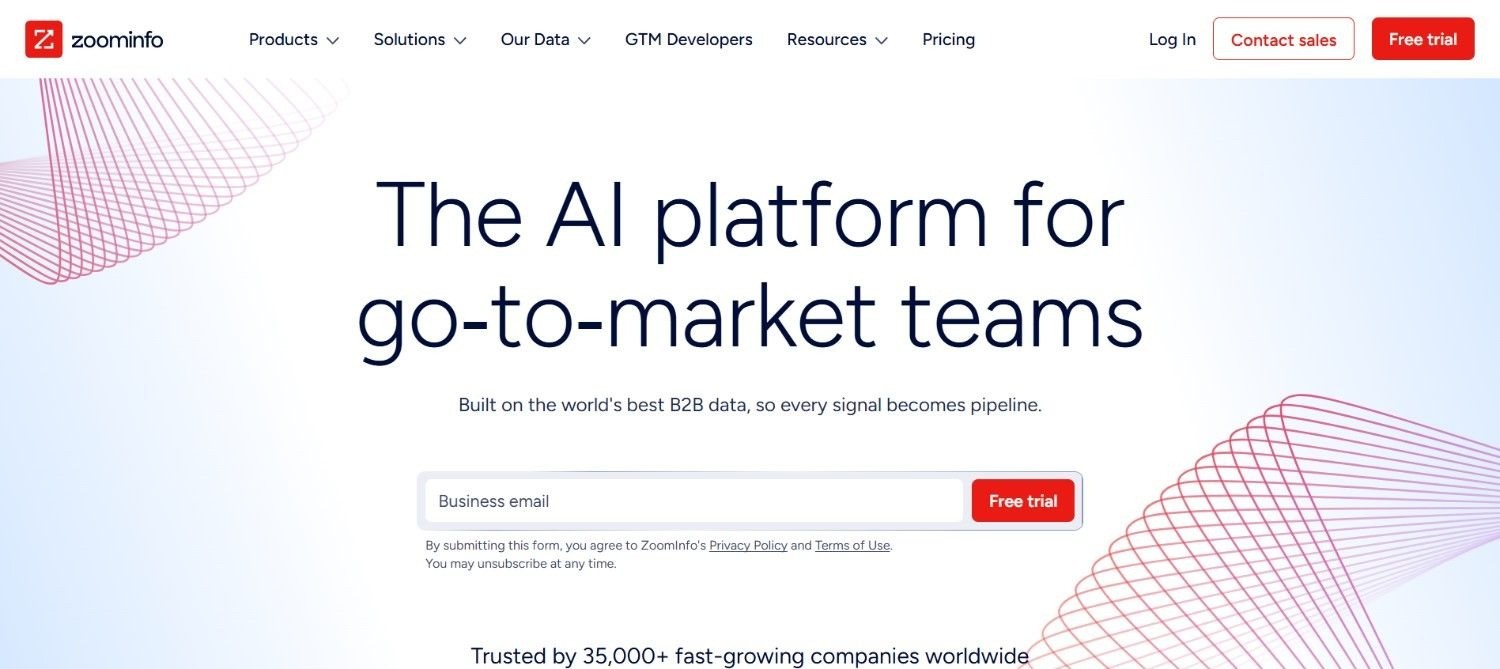
A ZoomInfo é um dos nomes mais consolidados no setor de dados B2B, reconhecida pela profundidade da sua base de dados de empresas e contactos nos EUA.
Vai além da criação básica de listas ao oferecer organogramas, dados tecnográficos e sinais de intenção, direcionando-se a equipas empresariais de vendas e marketing que executam campanhas complexas de múltiplos pontos de contacto.
O ponto forte da plataforma reside na profundidade da cobertura e não na variedade de casos de uso. Enquanto uma ferramenta mais simples fornece nomes e e-mails, a ZoomInfo acrescenta hierarquias empresariais, mapeamento de comités de compra e dados detalhados sobre as tecnologias utilizadas.
Isto adequa-se a equipas que vendem a grandes empresas, onde identificar o interlocutor certo é tão importante como encontrar qualquer contacto.
Ideal para
Equipas de grandes empresas que necessitam de dados aprofundados sobre organogramas e firmografia dos EUA
Equipas a comercializar produtos complexos que exigem o mapeamento integral de um comité de decisão
Equipas de marketing e vendas que requerem dados de intenção juntamente com os dados de contacto
Principais funcionalidades
Base de dados detalhada de empresas e contactos nos EUA com mapeamento de organogramas
Dados tecnográficos que mostram que ferramentas uma empresa já utiliza
Sinais de intenção que identificam contas a pesquisar ativamente sobre tópicos relevantes
Por que se destacam?
A profundidade da base de dados da ZoomInfo é verdadeiramente difícil de igualar, particularmente para contas sediadas nos EUA. Os seus dados de intenção são também construídos a uma escala que a maioria dos concorrentes não consegue replicar.
Para equipas empresariais que precisam de mapear todo um comité de compra antes de iniciarem o contacto, essa riqueza de dados justifica o valor superior.
Vantagens
A cobertura de base de dados dos EUA mais completa entre todas as ferramentas desta lista
Dados robustos de intenção e tecnografia para priorização de contas
Vasta gama de integrações nativas com plataformas empresariais
Desvantagens
O custo inicial coloca-a fora do alcance da maioria das pequenas e médias empresas
Os custos baseados em créditos podem aumentar rapidamente com o aumento do volume de utilização
Curva de aprendizagem exigente para equipas sem uma função dedicada de Sales Ops
Preços
A ZoomInfo adota preços personalizados, calculados por utilizador e por créditos, com planos de entrada a começar por volta dos 15 000 $ anuais.
O custo final depende do número de utilizadores, do volume de créditos e dos módulos de dados necessários para a equipa.
Veredito final
A ZoomInfo é uma escolha sólida para equipas de grandes empresas que precisam da profundidade de dados dos EUA e conseguem justificar o investimento.
Equipas mais pequenas e startups provavelmente acharão o custo desproporcional face àquilo de que realmente precisam numa ferramenta de criação de listas nesta fase.
4. Clay
Visão geral
A Clay construiu uma excelente reputação entre os operadores técnicos de GTM graças à sua flexibilidade.
Em vez de recolher dados de uma única fonte, executa uma cascata (waterfall) através de mais de 50 fornecedores de dados, consultando cada um sequencialmente até encontrar uma correspondência. Este método eleva a taxa de correspondência para patamares superiores aos de qualquer fornecedor individual.
Os agentes de pesquisa por IA da plataforma conseguem recolher notícias corporativas, resumir o percurso profissional de um contacto ou verificar um ponto de dados específico a pedido, tornando a Clay extremamente avançada no enriquecimento personalizado.
Contudo, esta capacidade tem um custo: foi concebida para quem está confortável a configurar fluxos de trabalho avançados, e não para um comercial que quer apenas iniciar sessão e começar a prospectar no momento.
Ideal para
Operadores técnicos de GTM e equipas de RevOps a criar fluxos de enriquecimento personalizados
Equipas que procuram a máxima cobertura de dados através de uma cascata de múltiplos fornecedores
Empresas a aplicar lógicas de enriquecimento altamente específicas e não padronizadas
Principais funcionalidades
Cascata de dados com mais de 50 fornecedores para maximizar as taxas de correspondência de contactos
Agentes de pesquisa por IA que recolhem informações personalizadas a pedido
Construtor de fluxos de trabalho altamente configurável para lógicas de enriquecimento avançadas
Por que se destacam?
A flexibilidade da Clay é inigualável entre as soluções desta lista. Onde a maioria dos fornecedores apresenta um conjunto fixo de filtros, a Clay permite a um operador técnico construir quase qualquer lógica de enriquecimento que consiga imaginar.
É precisamente por essa razão que se tornou a escolha predileta de profissionais com perfil de RevOps e GTM Engineer.
Vantagens
Excelente cascata de dados através de um número muito abrangente de fornecedores
Lógica de fluxos de trabalho altamente flexível e personalizável
Capacidade avançada de pesquisa por IA para obter dados contextuais
Desvantagens
Exige conhecimentos técnicos sólidos de engenharia de GTM para ser operada devidamente
Não foi concebida para utilização direta por SDRs sem apoio técnico prévio
Os custos podem escalar rapidamente assim que a utilização ultrapassa os níveis iniciais
Preços
A Clay oferece um plano gratuito, com planos pagos a começar nos 167 $ por mês (Launch) e 446 $ por mês (Growth), sendo o plano Enterprise sob consulta.
Os planos escalam com base nas ações anuais e nos créditos de dados, com os níveis superiores a acrescentar sincronização com CRM, automação e apoio dedicado.
Veredito final
A Clay é uma escolha acertada para equipas com um engenheiro de GTM que pretenda criar soluções bastante específicas.
Não é a escolha ideal para uma pequena equipa de vendas que pretende apenas iniciar sessão e gerar uma lista de leads sem ter de implementar um projeto de configuração complexo.
5. Lusha
Visão geral
A Lusha construiu a sua reputação com base na rapidez: uma extensão para navegador que devolve o e-mail ou número de telefone verificado de um contacto em segundos, sem necessidade de aceder primeiro a uma ferramenta de criação de listas separada.
Entretanto, expandiu-se para a criação completa de listas com filtros firmográficos e dados de intenção de compra, mas a extensão continua a ser a sua funcionalidade mais conhecida.
Para SDRs que realizam prospeção baseada em contas em perfis individuais, esta abordagem de consulta rápida elimina grande parte do atrito causado pela alternância constante entre a base de dados e os separadores do navegador.
A base de dados em si está um patamar abaixo dos fornecedores maiores desta lista em termos de profundidade. Isto faz da Lusha uma opção mais indicada para consultas rápidas e direcionadas do que para criar listas extensas e muito segmentadas.
Ideal para
SDRs que precisam de consultas rápidas de contactos ao prospetar perfis individuais
Pequenas equipas que estão a dar os primeiros passos na prospeção outbound
Equipas que pretendem dados de intenção de compra sem os custos de planos empresariais
Principais funcionalidades
Extensão para navegador para consulta instantânea de contactos
Dados de intenção de compra que sinalizam contas com comportamento de compra ativo
Criação de listas com filtros firmográficos padrão
Por que se destacam?
A extensão para navegador da Lusha é realmente rápida, o que é crucial para um comercial a analisar perfis individualmente em vez de recorrer a exportações em massa.
Aliada a preços convidativos, constitui um excelente ponto de partida para equipas que nunca realizaram prospeção estruturada.
Vantagens
Extensão para navegador rápida e intuitiva para consultas individuais
Preços iniciais acessíveis quando comparados com fornecedores empresariais
Plano gratuito útil para efetuar testes antes de investir orçamento
Desvantagens
A profundidade da base de dados é menor do que a de fornecedores como a ZoomInfo ou o Apollo
Os dados de intenção de compra estão restritos aos planos de preço superior
As funcionalidades de automação e prospeção são reduzidas quando comparadas com plataformas completas
Preços
A Lusha disponibiliza um plano gratuito, com planos pagos a começar nos 32,45 $ por mês (Starter), 45,45 $ por mês (Pro) e 259,95 $ por mês (Premium), existindo ainda o plano Scale sob orçamento personalizado.
Os planos diferem quanto a créditos, utilizadores, acesso à API e dados de intenção de compra.
Veredito final
A Lusha funciona muito bem para pequenas equipas ou comerciais individuais que necessitam de consultas rápidas e precisas sem uma curva de aprendizagem acentuada.
É menos recomendada para equipas que precisam de criação aprofundada de listas e prospeção multicanal reunidas no mesmo ambiente.
6. Prospeo
Visão geral
A Prospeo baseou o seu posicionamento quase inteiramente na precisão dos dados.
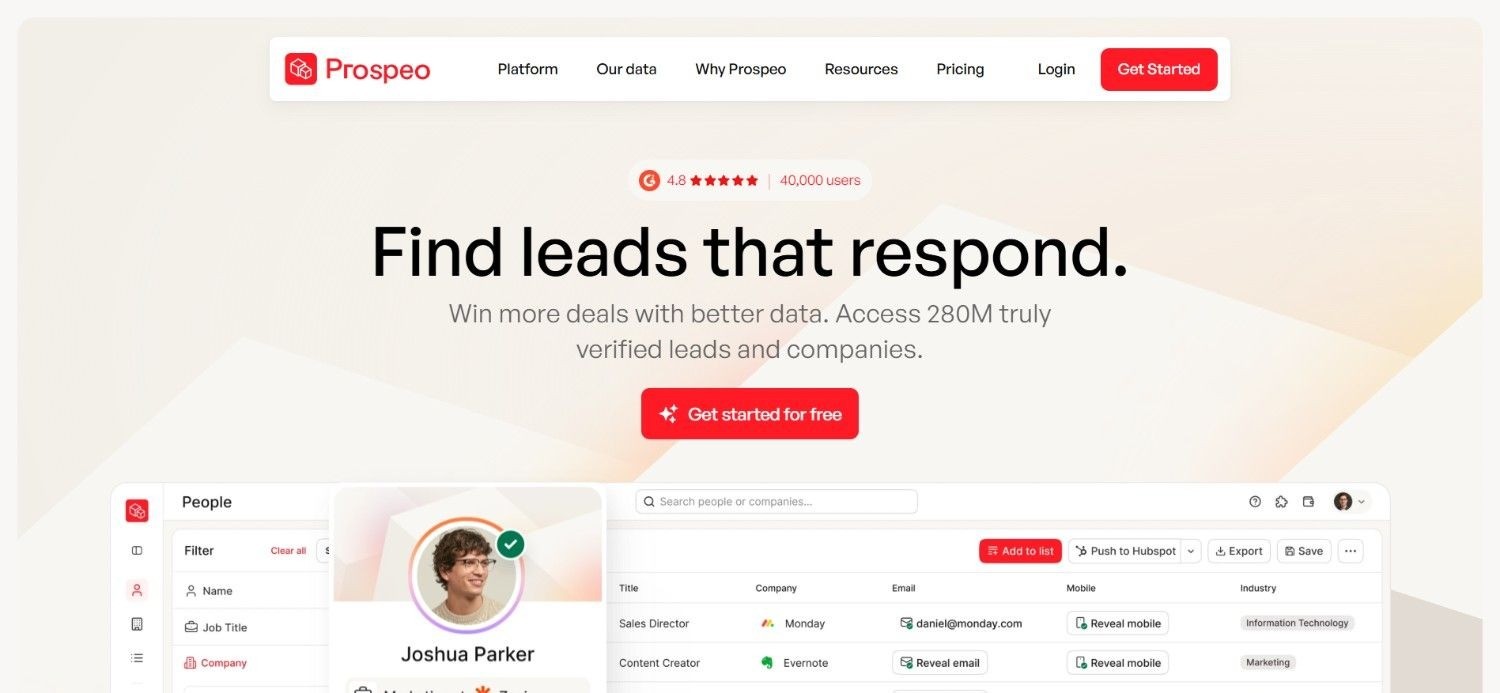
A sua base de dados engloba mais de 300 milhões de perfis profissionais, com mais de 143 milhões de e-mails verificados e 125 milhões de números de telemóvel verificados. Os dados são atualizados num ciclo de sete dias, contrariamente ao ciclo habitual de quatro a seis semanas verificado na maioria dos concorrentes.
Mais de 30 filtros de pesquisa, englobando intenção de compra, tecnografia e sinais de mudança de emprego, permitem à equipa passar rapidamente de uma lista genérica de empresas para uma lista restrita de decisores.
A premissa é simples: uma ferramenta de criação de listas é tão eficaz quanto a qualidade dos dados que disponibiliza.
Registos desatualizados e com baixa precisão custam muito mais às equipas em e-mails devolvidos e perda de reputação de domínio do que a própria subscrição da ferramenta.
Ideal para
Equipas que priorizam a precisão dos dados e a frequência de atualização em detrimento do volume puro
Equipas de prospeção focadas na entregabilidade para proteger a reputação do remetente
Equipas menores que preferem testar primeiro com um plano gratuito funcional
Principais funcionalidades
Base de dados com mais de 300M de perfis, 143M+ de e-mails verificados e 125M+ de telemóveis verificados
Ciclo de atualização de dados de sete dias, mais veloz do que a maioria dos concorrentes
Mais de 30 filtros de pesquisa cobrindo intenção de compra, tecnografia e transições de carreira
Por que se destacam?
O ciclo de atualização da Prospeo é o grande elemento diferenciador. A maioria dos geradores de listas de leads B2B renova os dados a cada quatro a seis semanas, o que implica que um contacto "verificado" possa já estar desatualizado na altura do contacto.
Um ciclo de renovação de sete dias assegura uma precisão consideravelmente mais elevada para listas dinâmicas.
Vantagens
A renovação frequente de dados mantém a precisão dos contactos acima da média dos concorrentes
Vasta base de dados verificada de e-mails e contactos móveis
O plano gratuito é suficientemente flexível para permitir testes adequados antes da contratação
Desvantagens
Menor presença empresarial e menor reconhecimento de marca quando comparada com a ZoomInfo ou o Apollo
Menos recursos nativos de automação de prospeção em relação a plataformas integradas
O modelo de preços por utilizador pode tornar-se dispendioso para equipas maiores com grandes volumes
Preços
A Prospeo oferece um modelo de preços escalonado com um plano gratuito, seguido pelo plano Starter a 37 $ por utilizador/mês, Growth a 74 $ por utilizador/mês e Pro a 187 $ por utilizador/mês.
Os planos pagos escalam oferecendo limites anuais superiores de créditos, filtros de pesquisa extra, recursos de CRM e acumulação de créditos não utilizados.
Veredito final
A Prospeo é uma excelente alternativa para equipas que já sofreram com elevadas taxas de bounce e colocam a precisão em primeiro lugar.
É menos indicada para quem procura automação de prospeção incluída no pacote, uma vez que a Prospeo foca a sua atuação exclusivamente na camada de dados e não em todo o fluxo de outbound.
7. Cognism
Visão geral
A Cognism consolidou o seu prestígio com base em dados validados telefonicamente, sobretudo números de telemóvel, e numa abordagem rigorosa à conformidade legal, muito apreciada por equipas europeias sujeitas às regras do RGPD.
A sua cobertura é particularmente sólida na região EMEA, tornando-a numa escolha evidente para equipas dedicadas aos mercados do Reino Unido e da Europa.
Ao contrário de ferramentas que tratam a conformidade como uma questão secundária, a Cognism integra-a na estrutura do próprio produto. Isto torna-se cada vez mais relevante com o aperto da fiscalização de proteção de dados na Europa.
A plataforma associa essa conformidade legal a uma base excecional de contactos telefónicos, uma área onde inúmeros concorrentes continuam a demonstrar falta de precisão.
Ideal para
Equipas de vendas do Reino Unido e da Europa a realizar prospeção em conformidade com o RGPD
Equipas muito dependentes de chamadas a frio que precisam de contactos móveis corretos
Equipas comerciais internacionais que exigem uma cobertura sólida especificamente na EMEA
Principais funcionalidades
Números de telemóvel validados por telefone com fiabilidade superior à da maioria dos concorrentes
Recolha de dados alinhada com as diretrizes do RGPD incorporada no produto
Sólida cobertura internacional, com particular destaque na zona EMEA
Por que se destacam?
A priorização da conformidade regulamentar aliada à precisão dos contactos telefónicos diferencia a Cognism de fornecedores que tratam o RGPD apenas como um detalhe formal.
Para equipas com foco no mercado europeu, esta conjugação minimiza riscos legais e danos à reputação da empresa.
Vantagens
Elevada precisão em números de telemóvel para chamadas a frio
Conformidade nativa no processo de recolha de dados, sem adaptações posteriores
Sólida cobertura internacional, em particular no espaço EMEA
Desvantagens
Apenas contratos anuais, apresentando um custo de entrada elevado face a ferramentas com pagamento mensal
Os Créditos Cognism para enriquecimento e desbloqueio de contactos são adquiridos à parte
Menos flexibilidade para equipas que pretendem testar mês a mês antes de assumir compromissos longos
Preços
Os planos da Cognism começam nos 14 000 $ por ano (Standard) e 18 750 $ por ano (Pro), incluindo já 5 utilizadores.
O modelo funciona por subscrição, com Créditos Cognism suplementares disponíveis à parte para desbloqueio, enriquecimento e exportação de contactos.
Veredito final
A Cognism é indicada para equipas de vendas europeias que exigem dados precisos para chamadas, total conformidade legal e têm capacidade para assumir um contrato anual.
Torna-se menos atrativa para equipas pequenas que apenas queiram testar uma solução durante um mês antes de alocarem verbas significativas.
8. Seamless.AI
Visão geral
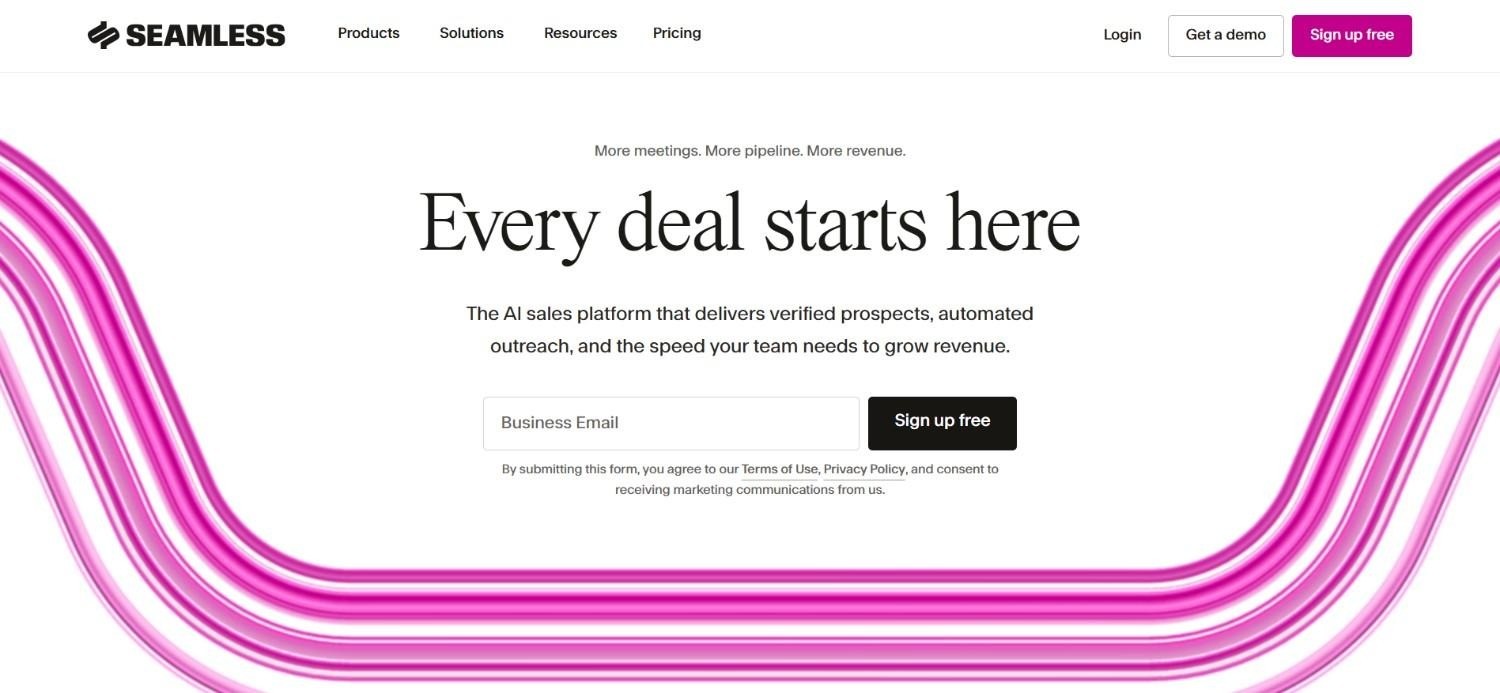
A Seamless.AI apresenta-se como um motor de busca de contactos B2B em tempo real. Baseia-se no conceito de que qualquer pesquisa deve devolver informações ativas e verificadas na hora, em vez de recorrer a uma base de dados estática que vai ficando obsoleta com o tempo.
A extensão para navegador permite aos comerciais extrair dados de contacto enquanto navegam, tal como noutras soluções desta lista. A operação em tempo real é a principal bandeira da Seamless, desenhada para contornar o problema dos dados desatualizados em ficheiros estáticos.
No entanto, as opiniões dos utilizadores quanto à qualidade dos dados na prática dividem-se, algo a ter em conta antes de a adotar para prospeção de elevado volume.
Ideal para
Equipas que procuram um localizador de contactos simples e sem grande curva de aprendizagem
Equipas mais pequenas que pretendem testar prospeção através de um plano gratuito antes de investirem
Comerciais que preferem fluxos de consulta direta no navegador
Principais funcionalidades
Pesquisa em tempo real com a promessa de dados de contacto verificados no momento
Extensão para navegador para recolher dados durante a prospeção
Plano gratuito generoso para fases iniciais de experimentação
Por que se destacam?
O foco nas pesquisas em tempo real é um forte elemento diferenciador no plano teórico, visando solucionar o problema da obsolescência das bases de dados estáticas.
Além disso, o plano gratuito reduz as barreiras de entrada de forma mais expressiva do que grande parte dos seus concorrentes diretos.
Vantagens
Plano gratuito muito acessível com um número considerável de créditos
Interface direta e intuitiva para novos utilizadores
Mecanismo de verificação em tempo real focado em diminuir dados caducados
Desvantagens
Reclamações relativas à qualidade dos dados surgem frequentemente em avaliações independentes
Os valores dos planos pagos não são públicos, requerendo contacto comercial prévio
Opções de filtragem avançada e sinais de intenção menos robustos do que em ferramentas especializadas
Preços
A Seamless.AI disponibiliza um plano gratuito com 50 créditos para utilizadores individuais, mantendo os planos Pro e Enterprise sob propostas personalizadas.
Os planos comerciais incluem pacotes anuais de créditos, exportações ilimitadas e vantagens empresariais, tais como equipa de apoio e gestor de conta dedicado.
Veredito final
A Seamless.AI serve como porta de entrada económica para equipas a iniciar projetos de outbound.
Por outro lado, equipas experientes com ferramentas do género e que priorizem dados consistentes devem analisar as críticas mistas com cuidado antes de avançar.
9. LeadIQ
Visão geral
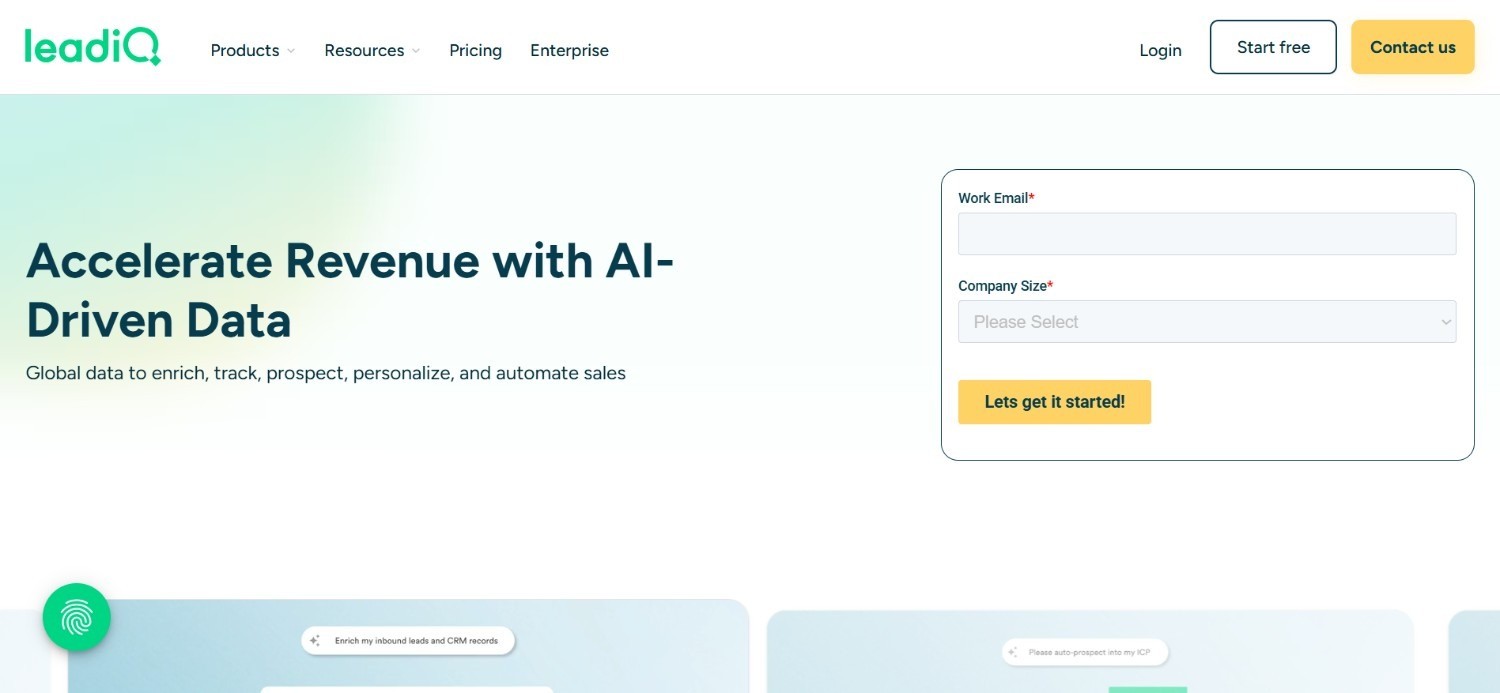
A LeadIQ foi concebida para uma prospeção ágil e rápida em vez da geração intensiva de listas em grande escala.
O produto central é uma extensão de prospeção combinada com o seguimento de mudanças de carreira, notificando os comerciais sempre que um contacto muda de empresa. Este é um gatilho muito valioso para reatar conversas com contactos conhecidos no seu novo local de trabalho.
Essa agilidade reflete-se na capacidade de escala. A base de dados da LeadIQ é mais reduzida face aos líderes da categoria e a vertente de prospeção multicanal é limitada, prestando-se melhor como complemento de prospeção ao lado de outra ferramenta de envio dedicada.
Ideal para
Pequenas equipas de SDR à procura de uma prospeção ágil sem configurações complexas
Comerciais que valorizam alertas de transição profissional para reatar laços com contactos aquecidos
Equipas com orçamentos restritos que necessitam de um custo inicial baixo
Principais funcionalidades
Extensão de prospeção para recolha rápida de dados durante a pesquisa
Rastreio de mudanças profissionais que alerta para saídas de contactos para novas empresas
Sincronização com o CRM para enviar contactos captados diretamente para o funil
Por que se destacam?
A monitorização de mudanças de carreira é uma funcionalidade verdadeiramente perspicaz para voltar a abordar contactos que já conhecem o seu produto de uma função anterior.
Trata-se de uma abordagem substancialmente mais recetiva do que um contacto frio com alguém totalmente desconhecido.
O plano Pro económico também a torna numa das opções mais acessíveis desta lista.
Vantagens
Preço de entrada atrativo, incluindo uma opção gratuita utilizável
Processo de integração fácil sem necessidade de formação avançada
Excelente acompanhamento de mudanças de emprego para contactos qualificados
Desvantagens
O limite de créditos nos planos básicos pode restringir uma prospeção muito ativa
Base de dados mais pequena face a referências como o Apollo ou a ZoomInfo
Funcionalidades de prospeção multicanal limitadas quando comparadas com plataformas completas
Preços
A LeadIQ oferece um plano gratuito com 50 créditos para um utilizador, enquanto o seu plano Pro começa nos 20 $ por utilizador/mês para equipas até cinco utilizadores, ajustando-se conforme o volume de créditos pretendido.
O plano Enterprise tem valor sob medida com faturação estritamente anual, aplicando-se um desconto global de 25% na modalidade de liquidação anual.
Veredito final
A LeadIQ adequa-se a equipas pequenas que procuram uma forma económica e simples de guardar contactos e seguir mudanças profissionais.
Não é a ferramenta certa se o objetivo for construir listas exaustivas ou gerir sequências multicanal nativas, uma vez que tais necessidades obrigam à contratação de software complementar.
10. UpLead
Visão geral
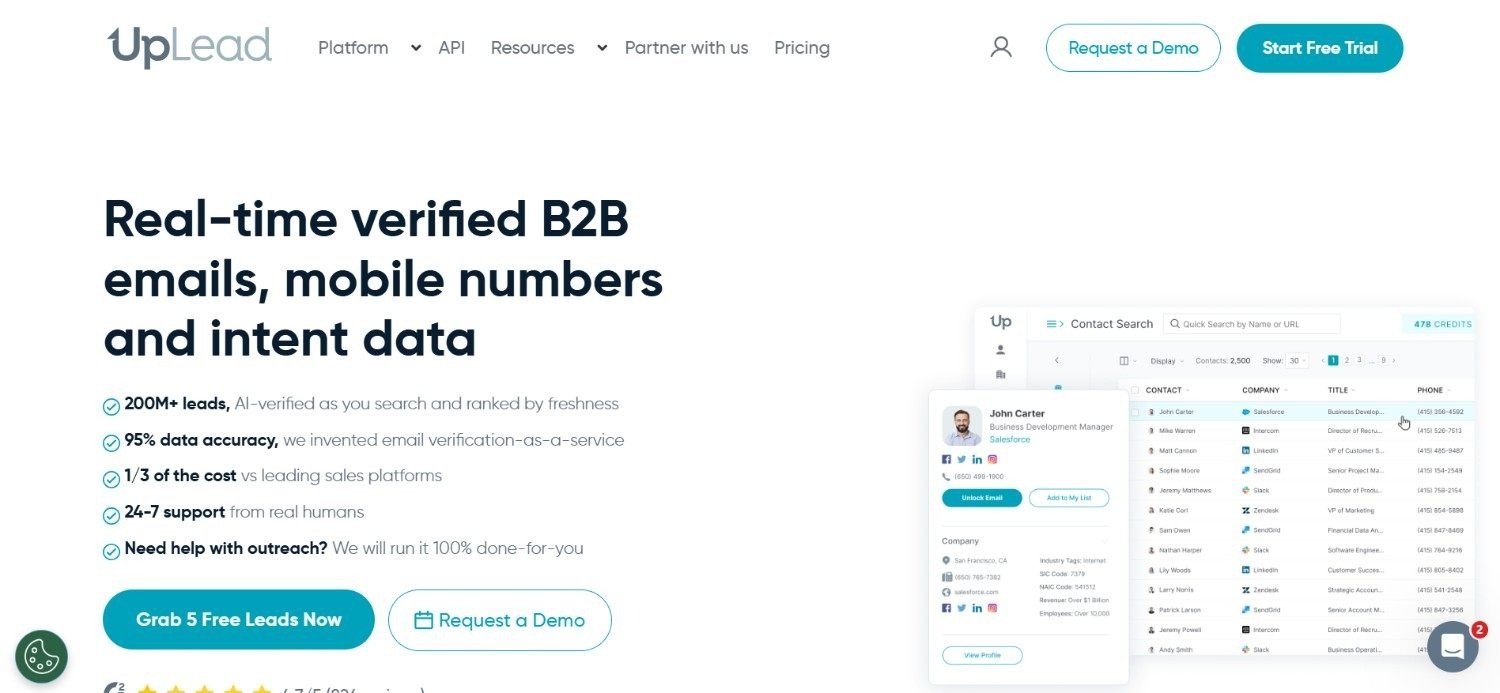
O principal compromisso da UpLead reside na verificação de e-mail em tempo real para cada contacto antes da sua apresentação, reduzindo significativamente os índices de bounce característicos de bases menos criteriosas.
O sistema de filtros é igualmente minucioso, integrando mais de 50 filtros firmográficos e tecnográficos com vista a afunilar os resultados até uma lista bastante cirúrgica.
O compromisso reflete-se na dimensão dos dados. O alcance da UpLead fica abaixo dos gigantes deste setor, pelo que equipas com necessidades volumosas podem achar os pacotes de créditos curtos nas opções de entrada.
Ideal para
Equipas que pretendem dados devidamente validados com tabelas de preços transparentes
Pequenas e médias empresas a criar listas focadas sem terem de passar primeiro por reuniões comerciais
Organizações com necessidade de filtragem firmográfica e tecnográfica avançada
Principais funcionalidades
Verificação de e-mails em tempo real antes da visualização dos dados do contacto
Mais de 50 filtros firmográficos e tecnológicos disponíveis
Preçário mensal visível e transparente de imediato
Por que se destacam?
A clareza dos preços da UpLead distingue-se de forma clara num setor onde grande parte dos prestadores oculta custos atrás de processos comerciais.
Combinada com a validação em tempo real, permite a equipas menores analisar rácios de custo e qualidade de informação antes de assumirem qualquer encargo.
Vantagens
A validação em tempo real mitiga o perigo de devoluções aquando da exportação
Preços mensais claros e divulgados abertamente
Vasta panóplia de filtros para uma solução de gama média
Desvantagens
O custo por contacto em termos de créditos pode superar o de vários concorrentes
A dimensão da base de dados é menor face a plataformas como a ZoomInfo ou o Apollo
Automação nativa de campanhas limitada em relação a soluções tudo-em-um
Preços
Os valores mensais da UpLead arrancam nos 99 $ por mês no plano Essentials com 170 créditos e 199 $ por mês no Plus com 400 créditos.
O período de testes de sete dias integra 5 créditos, com o plano Professional a requerer orçamento anual específico para clientes com necessidades avançadas, múltiplos utilizadores e pacotes de créditos maiores.
Veredito final
A UpLead é uma solução ponderada para quem valoriza preços claros e dados certificados sem burocracias comerciais.
Equipas focadas em volumes expressivos ou comunicação multicanal nativa necessitarão certamente de conjugar a ferramenta com outra plataforma.
Como escolher o melhor gerador de listas de leads (O que deve considerar)?
Cada ferramenta avaliada soluciona vertentes ligeiramente distintas da mesma necessidade.
Eis o que importa avaliar no momento de optar por uma ferramenta de prospeção B2B para o seu negócio:
1. Precisão dos dados e intervalo de atualização
A eficácia de uma lista depende inteiramente da fiabilidade dos seus dados.
Procure saber com que frequência o fornecedor atualiza os seus registos, já que um contacto revisto há seis semanas pode ter mudado de cargo entretanto.
Um dado incorreto significa um e-mail devolvido, um crédito desperdiçado e danos na reputação do seu domínio.
2. Profundidade dos sinais de intenção
A segmentação firmográfica habitual (dimensão da empresa, setor ou cargo) reúne contactos teoricamente enquadrados no seu perfil.
Contudo, os sinais de intenção detalhados — contratações recentes, rondas de investimento, novidades na infraestrutura técnica e rotação de funções — evidenciam quem está efetivamente à procura de soluções nesta altura.
Este fator representa um elemento de diferenciação crucial ao escolher o melhor gerador de listas para a sua equipa.
3. Se a ferramenta também assegura a prospeção
Algumas opções cessam a sua intervenção logo após a exportação do ficheiro. Outras conduzem essa lista diretamente para sequências multicanal, garantindo enriquecimento e prospeção num único ambiente.
Avalie se pretende um fluxo contínuo ou a junção de um fornecedor de dados de ponta com um software independente de outreach.
4. Adequação da modalidade de preços
Os modelos por créditos premiam quem opera com eficiência, mas encarecem com rapidez mediante utilizações intensivas.
O custo fixo por utilizador oferece previsibilidade orçamental, mas pode tornar-se desvantajoso para equipas pequenas que extraem poucas listas mensalmente.
Ajuste o plano à dinâmica operacional real da equipa e não apenas ao valor de tabela exibido.
5. Facilidade de operação para comerciais sem perfil técnico
Certas plataformas — com a Clay a surgir como o caso paradigmático — necessitam forçosamente de um engenheiro de GTM para operarem em pleno.
Se a sua organização não dispõe dessa valência internamente, uma solução pensada para a utilização autónoma dos SDRs trará um retorno superior sobre o investimento.
6. Conformidade regulamentar e origens de dados
Para quem atua em mercados europeus, a conformidade no tratamento com o RGPD é obrigatória.
Valide como o fornecedor obtém e certifica as suas fontes, apurando se o processo se mantém seguro segundo as normas em vigor nas geografias para onde vende.
7. Acompanhamento e apoio no processo de integração
Uma solução repleta de recursos que não conte com acompanhamento adequado na fase inicial acabará por ser subaproveitada.
Confirme o formato dos programas de integração facultados pelo fornecedor, pois o sucesso com uma nova ferramenta costuma depender do suporte dado ao longo das primeiras semanas.
Tudo o que precisa de saber sobre geradores de listas de leads
Ferramenta | Vantagens | Desvantagens | Facilidade de utilização | Integrações | Suporte | Acessibilidade de preço |
Enginy | Fluxo de trabalho de ponta a ponta, prospeção a múltiplos interlocutores, aquecimento de e-mails integrado | Apenas preços sob medida, integração inicial guiada recomendada para tirar o máximo partido | ⭐⭐⭐⭐ | ⭐⭐⭐⭐⭐ | ⭐⭐⭐⭐⭐ | ⭐⭐⭐⭐ |
Apollo.io | Vasta base de dados, custo de adesão baixo, sequenciador de mensagens incluído | Fiabilidade de dados variável, indicadores de intenção ligeiros | ⭐⭐⭐⭐⭐ | ⭐⭐⭐⭐ | ⭐⭐⭐ | ⭐⭐⭐⭐⭐ |
ZoomInfo | Extrema profundidade nos EUA, dados avançados de intenção, variadas integrações | Preço de arranque avultado, curva de aprendizagem considerável | ⭐⭐⭐ | ⭐⭐⭐⭐⭐ | ⭐⭐⭐⭐ | ⭐⭐ |
Clay | Excelente sistema em cascata, extrema flexibilidade, recursos avançados de pesquisa por IA | Demanda competências em engenharia de GTM, custos disparam rapidamente | ⭐⭐ | ⭐⭐⭐⭐ | ⭐⭐⭐ | ⭐⭐⭐ |
Lusha | Consultas quase instantâneas, preço inicial contido, plano gratuito interessante | Base de dados mais restrita, automações reduzidas | ⭐⭐⭐⭐⭐ | ⭐⭐⭐ | ⭐⭐⭐ | ⭐⭐⭐⭐ |
Prospeo | Renovação frequente, grande acervo de e-mails verificados, plano grátis completo | Menor relevo no segmento corporativo, escassez de recursos de prospeção | ⭐⭐⭐⭐ | ⭐⭐⭐ | ⭐⭐⭐ | ⭐⭐⭐⭐ |
Cognism | Excelente exatidão de contactos telefónicos, adaptada ao RGPD, ótimo desempenho na EMEA | Exclusivamente subscrições anuais, créditos cobrados em separado | ⭐⭐⭐ | ⭐⭐⭐⭐ | ⭐⭐⭐⭐ | ⭐⭐ |
Seamless.AI | Plano grátis muito flexível, facilidade de uso, pesquisas em tempo real | Opiniões discordantes quanto à precisão, falta de preços públicos | ⭐⭐⭐⭐ | ⭐⭐⭐ | ⭐⭐⭐ | ⭐⭐⭐⭐ |
LeadIQ | Acessível no custo, rápida curva de aprendizagem, rastreio de mudanças de emprego | Créditos restritivos nos planos base, dimensão de arquivo inferior | ⭐⭐⭐⭐⭐ | ⭐⭐⭐ | ⭐⭐⭐ | ⭐⭐⭐⭐⭐ |
UpLead | Validação em tempo real, custos claros, leque aprofundado de filtros | Despesa superior por ficha de contacto, automação de prospeção reduzida | ⭐⭐⭐⭐ | ⭐⭐⭐ | ⭐⭐⭐ | ⭐⭐⭐⭐ |
Crie listas mais precisas com a Enginy
Não concebemos a Enginy para ser apenas mais um fornecedor de dados a comparar pelo preço por crédito. Criámo-la como uma plataforma de GTM de ponta a ponta que conduz a pesquisa numa ferramenta de listas diretamente até à mensagem final enviada, sem que o comercial precise de saltar entre três ferramentas distintas para o conseguir.
A nossa camada de enriquecimento de dados recolhe informação de mais de 30 fornecedores para garantir que os contactos são realmente acessíveis, e a prospeção multicanal converte essa lista em sequências articuladas de e-mail, redes sociais e chamadas de forma automatizada.
Até a fase do remetente está assegurada: o nosso sistema de aquecimento de e-mails protege a reputação do seu domínio antes de disparar o primeiro contacto.
Se a sua equipa pretende deixar para trás o malabarismo entre várias aplicações e procura uma plataforma GTM completa, marque uma demonstração com os especialistas da Enginy e veja como funciona um fluxo de trabalho de GTM verdadeiramente integrado.
Perguntas frequentes sobre geradores de listas de leads
Qual é o melhor gerador de listas de leads em 2026?
A Enginy destaca-se como o melhor gerador de listas para equipas que pretendem agrupar a recolha, o enriquecimento e o contacto multicanal no mesmo espaço, evitando o recurso a três softwares diferentes. Os seus sinais de intenção em camadas e as abordagens a múltiplos interlocutores distanciam-na de soluções meramente focadas em dados brutos como o Apollo ou a ZoomInfo. A decisão final dependerá sempre de necessitar de um fluxo global de trabalho ou estritamente de uma fonte de dados.
O que devo ponderar ao selecionar o gerador de listas ideal para o meu caso?
A escolha certa começa pela verificação da exatidão dos dados e pelo intervalo em que o fornecedor faz as suas atualizações, já que registos antigos resultam em devoluções e penalizações de entregabilidade. Confirme a profundidade dos dados de intenção além dos filtros de empresa normais e verifique se o software ajuda na prospeção ou se apenas descarrega folhas de cálculo. O esquema de preços e os conhecimentos técnicos internos da equipa são elementos igualmente decisivos.
Em que aspetos a Enginy se diferencia de ferramentas semelhantes?
A Enginy difere dos seus pares por associar criação de listas, enriquecimento e prospeção multicanal na mesma aplicação, evitando a necessidade de conciliar um fornecedor de dados com uma ferramenta separada de sequenciação. A maior parte das opções deste comparativo (Apollo, ZoomInfo, Lusha) restringe-se quase em exclusivo à base de dados. Adicionalmente, a Enginy permite contactar múltiplos decisores da mesma conta em simultâneo, algo raramente encontrado em ferramentas dedicadas.
Como começar a utilizar a Enginy?
O arranque com a Enginy processa-se através de uma sessão inicial de qualificação, na qual avaliamos o consumo previsto de créditos, o número de acessos e os objetivos pretendidos antes de formular uma proposta. De seguida, através de cinco sessões planeadas de integração, configuramos em conjunto o seu Playbook de IA, as ligações com o seu CRM e as melhores abordagens de contacto, evitando deixar as parametrizações por conta própria. A larga maioria das equipas ativa as primeiras listas e sequências ainda durante este período de integração.
Quão simples é migrar para a Enginy?
Mudar para a Enginy foi pensado para ser um processo fluido, integrando-se diretamente com o HubSpot, Salesforce, Pipedrive, Zoho e vários outros CRMs sem exigir transferências manuais de ficheiros. Contactos pré-existentes no CRM com dados incompletos podem ser reimportados e atualizados com novas informações sem necessidade de serem descartados. As sessões orientadas de integração existem expressamente para acelerar este processo face a uma migração individual.
Vale a pena investir num gerador de listas se já utilizo um CRM?
Um gerador de listas de leads justifica-se plenamente mesmo dispondo de um CRM, dado que o CRM organiza e monitoriza contactos existentes, mas não tem como função localizar nem verificar novos leads. De igual modo, a maior parte dos CRMs não inclui sequências avançadas nem cruza sinais de intenção para categorizar o contacto prioritário. O CRM monitoriza o pipeline existente; uma ferramenta de listas B2B é o motor que o preenche.
Como se cria na prática uma lista de leads B2B a partir do zero?
A criação de uma lista de leads B2B de raiz começa pelo desenho claro do seu Perfil de Cliente Ideal: escalão de colaboradores, setor de atividade, localização geográfica e cargos-alvo. Partindo daí, a ferramenta cruza esses parâmetros com indicadores de interesse — contratações recentes, investimento captado, alterações técnicas — para evidenciar entidades que demonstrem intenção ativa de aquisição. O passo final assenta na validação das informações: autenticar e-mails e números de telefone antes de avançar para a prospeção.