Voltar ao blog
Guia de 2026 sobre Como Encontrar um Endereço de E-mail Profissional

Andrea López
Partilhar
Saber como encontrar um endereço de e-mail profissional é a diferença entre uma prospeção que chega ao destino e outra que é devolvida. Um e-mail de trabalho verificado coloca a sua mensagem diante da pessoa certa; uma suposição resulta numa devolução definitiva (hard bounce) e prejudica a sua reputação de remetente.
Este guia abrange dez formas práticas de encontrar um endereço de e-mail profissional, como verificá-lo antes de enviar, o que as regras do Reino Unido e da UE realmente permitem e como fazê-lo em escala sem que uma equipa de pesquisa consuma toda a sua semana.
Principais Conclusões (TL;DR)
A forma mais rápida de encontrar um endereço de e-mail profissional é com uma ferramenta de localização de e-mails ou enriquecimento de dados que verifica várias fontes ao mesmo tempo.
A maioria dos e-mails de trabalho segue um formato previsível, normalmente nome.apelido@empresa.com, e o formato acompanha inclusive o tamanho da empresa, pelo que decifrar o padrão para uma pessoa revela o das restantes.
Verifique sempre antes de enviar. Os e-mails profissionais expiram rapidamente quando as pessoas mudam de emprego, pelo que uma lista criada há alguns meses já está a perder contactos.
Os métodos gratuitos (website da empresa, redes sociais, operadores do Google) funcionam para um punhado de contactos; a automatização vence quando precisa de centenas.
Encontrar endereços de e-mail profissionais é legal no Reino Unido e na UE para prospeção B2B sob interesse legítimo, desde que siga o PECR e respeite as opções de exclusão (opt-out).
Como Encontrar um Endereço de E-mail Profissional: Breve Resumo
Não existe uma única forma ideal de encontrar um endereço de e-mail profissional; o método correto depende de quantos contactos precisa e do quão pública é a pessoa. Eis como as principais opções se comparam em termos de velocidade, custo e fiabilidade do resultado.
Método | Ideal para | Velocidade | Custo | Precisão |
Website da empresa e páginas de equipa | Alguns contactos específicos | Rápido | Gratuito | Alta |
Ferramenta de localização de e-mails | Pesquisas pontuais | Rápido | Freemium | Média a alta |
Perfis de redes sociais | Indivíduos específicos | Média | Gratuito | Média |
Padrão de formato de e-mail | Colegas numa mesma empresa | Média | Gratuito | Média |
Operadores do Google e DuckDuckGo | Pessoas com perfil público | Média | Gratuito | Média |
Newsletters e assinaturas de e-mail | Contactos mornos | Lento | Gratuito | Alta |
Pesquisa inversa de telefone para e-mail | Quando já tem um número | Rápido | Pago | Média |
Assistente de IA, seguido de verificação | Um palpite inicial rápido | Rápido | Gratuito | Baixa |
Perguntar ou telefonar para confirmar | Contactos únicos de alto valor | Média | Gratuito | Alta |
Enriquecimento de dados | Centenas a milhares | Rápido | Pago | Alta |
Enginy (AI Finder + enriquecimento) | Centenas a milhares, criado a partir de uma descrição de ICP | Rápido | Pago | Alta |
O enriquecimento de dados limpa uma lista que já possui. O Enginy ignora a etapa de criação dessa lista e descreve quem deseja, localizando e enriquecendo esses contactos em conjunto.
Escolha por volume e pelo grau de exposição pública da pessoa. Para um contacto público, o website da empresa ou uma ferramenta de localização é mais rápido; para um programador, o GitHub costuma vencer; para um executivo sénior, passar por um assistente supera qualquer palpite.
Quando precisa de centenas de endereços, os métodos manuais deixam de compensar e apenas o enriquecimento consegue acompanhar o ritmo.
Por que Razão os Endereços de E-mail Profissionais São Difíceis de Encontrar
Os endereços de e-mail profissionais são alvos móveis. Três fatores tornam a sua localização difícil: as pessoas mudam de emprego, as empresas ocultam os endereços atrás de formulários para reduzir o spam e os formatos variam de uma empresa para outra.
As mudanças de emprego são o maior problema. Os e-mails profissionais estão associados ao vínculo laboral, pelo que, quando alguém sai, a sua caixa de correio é normalmente desativada no prazo de 30 a 90 dias, e todas as mensagens seguintes são devolvidas. Essa rotatividade acumula-se rapidamente.
A ZeroBounce, que processou mais de 11 mil milhões de endereços em 2025, descobriu que pelo menos 23% de uma lista de e-mails degrada-se anualmente.
Portanto, uma lista que construiu há seis meses já está a perder eficácia, razão pela qual encontrar o endereço é apenas o primeiro passo. Uma boa pesquisa de vendas com IA sobre a pessoa é o que faz com que valha a pena enviar o e-mail.
10 Formas de Encontrar um Endereço de E-mail Profissional
Estes são os métodos que realmente funcionam, sensivelmente pela ordem em que a maioria das pessoas os experimenta. Comece pelas opções gratuitas e manuais para contactos pontuais, e depois passe para ferramentas e automatização à medida que o seu volume aumenta.
1. Encontre o endereço e a pessoa com o Enginy
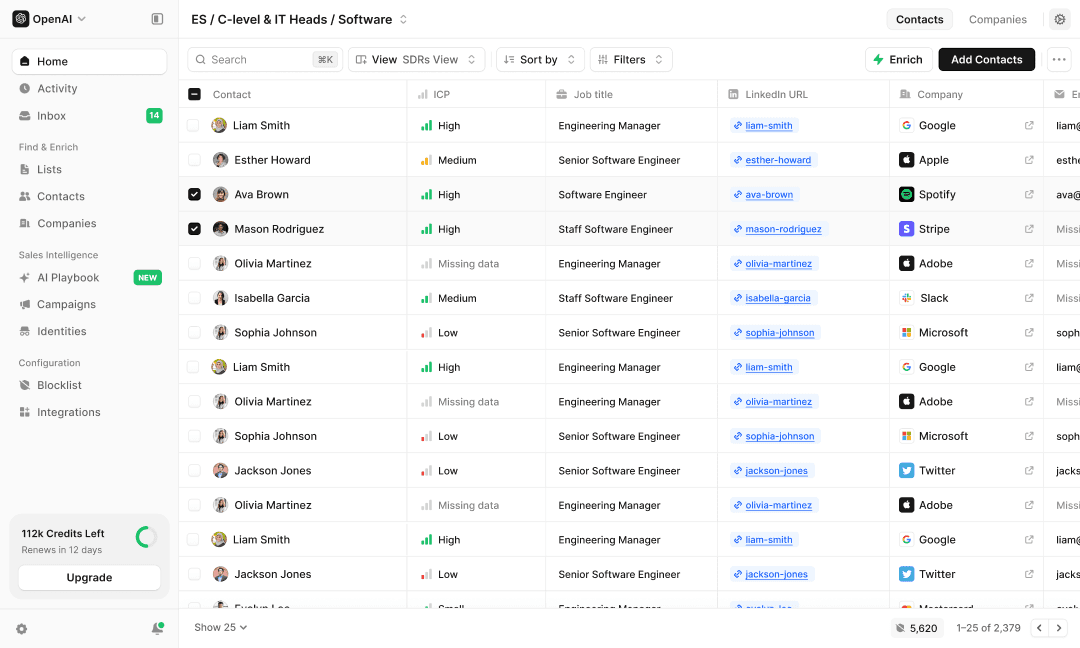
Cada método abaixo encontra um endereço de cada vez. O Enginy começa um passo antes: descreve quem deseja em linguagem corrente (por exemplo, diretores de marketing em empresas de software em Londres) e o seu AI Finder transforma isso numa lista segmentada.
Em seguida, enriquece cada contacto com um e-mail verificado extraído de mais de 30 fontes de dados, para que obtenha as pessoas certas e os seus endereços de trabalho ativos em conjunto, em vez de os procurar um a um.
2. Verifique o website da empresa e as páginas de equipa
Comece pela fonte. As páginas "Sobre", "Equipa" e "Contacto" costumam listar nomes, cargos e, por vezes, e-mails diretos, e as biografias dos autores no blogue da empresa ou na página de imprensa são a paragem seguinte. Se encontrar o endereço de uma pessoa, normalmente descobriu o formato de todas as outras.
Por exemplo, uma página de equipa que liste Jane Doe como VP de Marketing com jane.doe@company.com por baixo indica que toda a empresa utiliza nome.apelido, permitindo-lhe reconstruir qualquer outro endereço a partir dessa pista. Verifique também o código-fonte da página, pois alguns sites mantêm os e-mails no HTML sem que estes cheguem a ser apresentados no ecrã.
As páginas de carreiras e as publicações de recrutamento costumam ser as mais ricas, porque identificam as pessoas por cargo e departamento.
3. Utilize uma ferramenta de localização de e-mails
As ferramentas de localização de e-mails recebem um nome e um domínio de empresa e devolvem o e-mail de trabalho mais provável, classificado por nível de confiança. São a via mais rápida para pesquisas pontuais. A cobertura varia por região e antiguidade, pelo que deve cruzar qualquer informação que tenha uma classificação de confiança inferior a "alta" antes de a utilizar.
A maioria das ferramentas de localização pesquisa em grandes bases de dados de endereços previamente verificados e atribui uma classificação de confiança a cada resultado: alta quando várias fontes coincidem, baixa quando os dados são escassos. Introduza um nome e um domínio e poderá obter jane.doe@company.com marcado como confiança alta, no qual pode confiar, ou uma correspondência fraca que deve tratar como um palpite.
A classificação é o ponto fulcral, por isso leia-a antes de agir, porque um endereço que parece seguro ainda assim será devolvido se estiver desatualizado.
4. Pesquise perfis de redes sociais
Os perfis profissionais em redes sociais são concebidos para o contacto. Muitas pessoas listam um e-mail na sua biografia, numa secção "sobre" ou num site pessoal associado. Seguir e interagir primeiro também ajuda a aproximar o contacto, para que o seu e-mail posterior não chegue de forma totalmente fria.
Os detalhes de contacto situam-se frequentemente num painel "sobre" ou "contacto" em vez da vista principal, por isso abra o perfil completo antes de desistir. Sites pessoais associados a partir de um perfil e páginas de "link na bio" contêm frequentemente um endereço direto que a pessoa tem todo o gosto em partilhar.
Se não houver qualquer e-mail, um comentário curto e genuíno numa publicação recente prepara o terreno para uma mensagem posterior, o que supera um palpite frio.
5. Descubra o padrão do formato de e-mail
A maioria das empresas utiliza um único formato de e-mail para toda a equipa, pelo que decifrar o padrão para uma pessoa revela os restantes. Se souber que John Smith é john.smith@acme.com, pode prever também o endereço do CFO.
Eis os formatos que verá com mais frequência para um contacto chamado John Smith:
Padrão | Exemplo |
nome.apelido | john.smith@acme.com |
nome | john@acme.com |
inicialnomeapelido | jsmith@acme.com |
nomeinicialapelido | johns@acme.com |
apelido.nome | smith.john@acme.com |
O tamanho da empresa é uma forte pista sobre qual o formato a testar primeiro. As pequenas empresas, com menos de 50 pessoas, tendem a usar nome@empresa.com porque existem poucos conflitos de nomes.
As empresas maiores utilizam nome.apelido@empresa.com para manter os endereços únicos. Portanto, preveja nome@ para uma startup e nome.apelido@ para uma grande empresa, e acertará na maioria das vezes.
To test several patterns at once, run the name through an email permutator. It generates every common format for you, and you then verify the whole list to see which address actually exists rather than guessing one at a time.
Confirme o vencedor antes de confiar nele. Se o permutador sugerir tanto john.smith@acme.com como j.smith@acme.com, um verificador rápido dir-lhe-á qual a caixa de correio que realmente existe, para que envie apenas uma vez em vez de duas. Guarde também o padrão associado à empresa nas suas notas, pois irá reutilizá-lo para todos os outros contactos de que necessitar nessa empresa.
6. Utilize os operadores de pesquisa do Google e do DuckDuckGo
Os motores de pesquisa indexam mais detalhes de contacto do que as pessoas imaginam. Coloque o nome da pessoa entre aspas ao lado da palavra "email" ou do domínio da empresa, ou utilize "site:" e "filetype:pdf" para descobrir diretórios, apresentações de diapositivos e press kits que listam endereços. É lento para grandes volumes, mas útil para pessoas com funções públicas.
Vale a pena fazer uma segunda pesquisa no DuckDuckGo, porque este motor costuma apresentar resultados em texto simples que o Google oculta. Pesquise o domínio entre aspas, como "@acme.com", para encontrar páginas que listam endereços reais nessa empresa.
Alguns operadores realizam a maior parte do trabalho. Utilize site:empresa.com ao lado da palavra "email" para pesquisar dentro de um único domínio, coloque o nome completo de uma pessoa entre aspas ao lado da sua empresa para encontrar páginas que a mencionem, ou adicione filetype:pdf para extrair endereços de brochuras, apresentações e relatórios. Colocar frases exatas entre aspas força o motor de pesquisa a fazer a correspondência literal em vez de tentar adivinhar, o que reduz drasticamente o ruído.
7. Procure em newsletters e assinaturas de e-mail
Subscrever a newsletter de uma empresa ou um conteúdo reservado costuma desencadear um e-mail de boas-vindas enviado por um endereço real, o que revela o formato. As assinaturas de e-mail em fóruns, tópicos de resposta geral e documentos partilhados são outra fonte discreta. Isto funciona melhor para contactos mornos com os quais já tem um motivo para comunicar.
O e-mail de boas-vindas costuma chegar de uma pessoa real ou de um pseudónimo previsível como marketing@ ou nome@, o que confirma o formato do domínio mesmo quando não há nenhum nome associado. Tópicos antigos de fóruns, problemas no GitHub e documentos partilhados são minas de ouro discretas porque as pessoas colam assinaturas completas nos mesmos sem pensar. Configure um filtro para que estes e-mails de subscrição fiquem reunidos num único local, em vez de desorganizarem a sua caixa de entrada principal.
8. Pergunte a um assistente de IA e depois verifique
Um assistente de IA pode sugerir um endereço provável em segundos, pelo que é um palpite inicial rápido quando tem um nome e uma empresa. No entanto, é pouco fiável para e-mails de trabalho específicos, devolvendo frequentemente endereços desatualizados ou inventados, pelo que nunca deve enviar mensagens sem verificar primeiro. Utilize-o para acelerar o palpite, não para saltar a verificação.
Forneça o nome da pessoa, o cargo e a empresa, e peça o endereço mais provável juntamente com o raciocínio subjacente. Esse raciocínio é a parte útil, porque normalmente revela o formato da empresa, que pode depois aplicar a outras pessoas e verificar por si mesmo.
Nunca trate uma resposta segura como uma prova; um modelo irá apresentar um endereço inventado exatamente com o mesmo tom que utilizaria para um endereço real.
9. Pergunte diretamente ou ligue para confirmar
O método mais fiável é aquele que as pessoas costumam ignorar. Uma mensagem curta nas redes sociais, um formulário de contacto ou uma chamada rápida para a linha telefónica principal a perguntar com quem falar e como contactar essa pessoa costuma resultar num endereço verificado em minutos. Também confirma que o contacto ainda trabalha na empresa.
Uma frase como: "Estou a tentar contactar o responsável pelas parcerias, poderia indicar-me a pessoa certa e o seu e-mail?", funciona bem porque é específica e fácil de responder. As linhas de receção e de apoio partilham frequentemente um endereço direto assim que o seu motivo é claro e sem pressões. Parece um processo lento, mas para um único contacto de alto valor, é frequentemente a rota mais rápida para obter um endereço em que pode realmente confiar.
10. Utilize o enriquecimento de dados para encontrar e verificar em lote
Quando precisa de mais do que um punhado de contactos, os métodos manuais deixam de ser viáveis em escala. O enriquecimento de dados recebe uma lista de nomes ou empresas e devolve e-mails verificados ao consultar várias fontes de dados em simultâneo, preenchendo lacunas que uma única fonte deixaria passar. É assim que as equipas de vendas transformam uma lista bruta numa lista pronta a contactar, sem dias de trabalho de copiar e colar.
O enriquecimento cruza cada linha da sua lista com várias fontes de dados ao mesmo tempo e devolve e-mails verificados, números de telefone e cargos numa única passagem. Os melhores serviços utilizam uma lógica de cascata, recorrendo a uma segunda e terceira fontes sempre que a primeira não apresenta resultados, o que alarga consideravelmente a cobertura em comparação com qualquer fornecedor individual.
Este é o ponto em que a localização de e-mails deixa de ser uma tarefa manual e passa a ser um processo repetível no qual pode confiar em grande escala.
Um exemplo prático: encontrar um contacto do início ao fim
Imagine que precisa de contactar o VP de Vendas de uma empresa de software com 300 colaboradores. Comece pela página de equipa da empresa e encontre um e-mail qualquer, que revelará o formato, por exemplo nome.apelido@company.com. Aplique esse formato ao nome do seu alvo para prever o seu endereço e, em seguida, passe-o por um verificador para confirmar que a caixa de correio existe.
Se o resultado for "catch-all" ou falhar, faça uma verificação cruzada com uma ferramenta de localização de e-mails ou com o perfil social da pessoa. Isto representa cinco minutos para obter um endereço verificado, sem enviar nada de arriscado.
Esta é a versão manual para um único contacto. No Enginy, o mesmo resultado começa a partir de uma descrição em vez de um nome: "VP de Vendas, empresas de software com 300 colaboradores" devolve a pessoa e um e-mail verificado em conjunto, sem qualquer etapa de adivinhação do formato. Os cinco minutos referidos acima são o tempo que teria de multiplicar por cada contacto da sua lista; o Enginy é o que acontece quando não tem de o fazer.
Como Verificar um Endereço de E-mail Profissional Antes de Enviar
Encontrar um endereço é apenas metade do trabalho. Um e-mail incorreto ou inativo é devolvido, e demasiadas devoluções prejudicam a sua reputação de remetente, por isso verifique sempre antes de enviar.
Verifique em escala com o Enginy
Verificar endereços um a um funciona bem para um punhado de contactos, mas acima disso torna-se uma tarefa interminável. O Enginy integra a verificação no enriquecimento: à medida que enriquece cada contacto através de mais de 30 fontes de dados, mantém os e-mails e números de telefone verificados e elimina os inválidos, para que apenas os registos limpos cheguem ao seu CRM.
Limpa a lista em ambas as fases do fluxo de trabalho, antes e depois do enriquecimento, e a sua funcionalidade de aquecimento (warm-up) de e-mail constrói a reputação do remetente em novas caixas de correio para que os endereços verificados cheguem efetivamente ao destino. Para uma equipa que trabalha com centenas de contactos, transforma a verificação de um passo manual em algo que corre em segundo plano.
Identifique domínios catch-all
Alguns domínios aceitam mensagens para qualquer endereço, pelo que um verificador irá marcá-los como válidos mesmo quando a caixa de correio não existe. Trate os resultados catch-all como não confirmados e faça uma verificação cruzada de outra forma antes de confiar neles.
Um domínio catch-all está configurado para aceitar mensagens para qualquer endereço, válido ou não, pelo que nunca devolve o e-mail nem confirma verdadeiramente a existência da conta. Isto significa que um verificador apenas lhe pode dizer que o domínio aceita correio, não que jane.doe@ tem uma caixa de correio real ativa. Quando encontrar um catch-all, confirme a pessoa de outra forma — através de uma ferramenta de localização, do seu perfil social ou de uma resposta a algo que ela tenha enviado — antes de enviar qualquer mensagem importante.
Evite endereços baseados em funções
Endereços como info@, sales@ e hello@ chegam a uma caixa de entrada partilhada em vez de a uma pessoa específica, pelo que raramente obtêm resposta. Dê preferência ao endereço de um indivíduo identificado sempre que o conseguir encontrar.
Os endereços de funções como info@, sales@ e support@ vão parar a uma caixa de entrada partilhada que várias pessoas (ou ninguém em particular) monitorizam. São úteis para pedidos de informação gerais, mas fracos para prospeção, porque a sua mensagem compete com tudo o resto numa fila de espera preenchida e raramente chega a um tomador de decisão. Se um endereço de função for tudo o que consegue encontrar, utilize-o para perguntar pela pessoa certa pelo nome, em vez de fazer a sua apresentação de imediato.
Execute uma verificação de validação
Um verificador de e-mail executa algumas verificações sem nunca enviar uma mensagem. Confirma se a sintaxe é válida e, em seguida, verifica se o domínio tem registos de correio ativos (os registos MX que lhe permitem receber e-mails).
A partir daí, contacta a caixa de correio através de SMTP para ver se esse endereço exato existe e assinala os domínios catch-all que aceitam qualquer endereço. Dado que cerca de um quarto dos contactos fica desatualizado todos os anos devido à mudança de emprego das pessoas, estas verificações mantêm os endereços inativos fora das suas campanhas e protegem a sua reputação de remetente.
Na prática, passe toda a lista pelo verificador e ordene por resultado: envie para os endereços confirmados, descarte os inválidos e reserve os resultados catch-all e desconhecidos para um segundo método. Mantenha a sua taxa de devolução definitiva (hard bounce) baixa, pois quando demasiadas mensagens são devolvidas, os fornecedores de caixas de correio interpretam-no como um sinal de spam e começam a filtrar tudo o que envia. Um minuto de verificação protege meses de reputação de remetente conquistada com esforço.
Aqueça e distribua os seus envios
A verificação de endereços só o protege se os seus hábitos de envio não deitarem a perder o trabalho realizado. Limite cada domínio a cerca de 30 e-mails por dia e divida volumes maiores por vários domínios em vez de enviar em massa a partir de apenas um.
Aqueça (warm up) qualquer novo domínio ou caixa de correio primeiro, para que construa uma reputação de envio gradualmente. A taxa de resposta contribui para essa reputação, pelo que mensagens relevantes para endereços verificados o manterão fora do spam muito melhor do que o volume de envio alguma vez faria.
Aquecer significa começar um novo domínio ou caixa de correio com um volume diário baixo e aumentá-lo gradualmente ao longo de algumas semanas, muitas vezes com uma ferramenta que envia e responde a mensagens de teste para construir um histórico positivo. Se ignorar este passo, um domínio totalmente novo que de repente envia cinquenta e-mails frios parecerá exatamente um spammer para os fornecedores de caixas de correio. Dê tempo ao tempo e esse mesmo domínio ganhará a confiança necessária para manter os seus endereços verificados fora da pasta de lixo.
Erros Comuns Que Desperdiçam Bons Contactos Potenciais
A maior parte da prospeção desperdiçada deve-se a um punhado de erros evitáveis, e não a azar. Conhecê-los evita que perca contactos que não conseguirá recuperar facilmente.
O primeiro é comprar uma lista em vez de a construir. As listas compradas são vendidas a muitos compradores, ficam desatualizadas rapidamente e, muitas vezes, não têm base legal, pelo que são devolvidas, ativam filtros de spam e podem colocá-lo em incumprimento com o RGPD. Encontrar e verificar os seus próprios contactos é mais lento, mas mantém os seus dados limpos e em conformidade.
O segundo é adivinhar um endereço e enviar mensagens sem o verificar. Um formato previsto é uma hipótese, não um facto, e cada devolução prejudica a sua reputação de remetente. Verifique sempre um palpite antes de o utilizar ativamente.
O terceiro é depender do WHOIS como método principal. A maioria das entidades de registo oculta agora os dados pessoais atrás de serviços de privacidade, pelo que este método funciona para um número cada vez menor de domínios e não deve ser a sua primeira opção. Trate-o como um recurso de última hora para fundadores que registaram o seu próprio domínio.
O quarto é ignorar a forma como envia. Disparar uma lista nova a partir de um único domínio, por mais limpos que os endereços estejam, acabará por levá-lo para a pasta de spam. Aqueça o domínio primeiro, distribua o volume e mantenha cada mensagem relevante.
Encontrar E-mails para Cargos de Difícil Acesso, como a C-Suite
As chefias seniores, fundadores e investidores raramente constam de diretórios públicos, e as ferramentas padrão costumam devolver o endereço genérico da empresa em vez do deles. Alguns métodos funcionam melhor nestes casos.
Chegue aos decisores seniores com o Enginy
As pessoas em cargos seniores são exatamente quem uma segmentação cuidada visa alcançar. No Enginy, pode filtrar por cargo e antiguidade, adicionar sinais como uma contratação recente ou uma ronda de investimento, e enriquecer a lista final com e-mails verificados e números de telefone diretos de mais de 30 fontes.
Para a C-suite e fundadores, as adivinhações tendem a falhar; isto dá-lhe uma linha direta baseada em dados atuais em vez de um padrão esperançoso.
Experimente uma pesquisa de domínio WHOIS
Um registo WHOIS mostra quem registou um domínio, por vezes com um e-mail direto, o que ajuda no caso de fundadores e proprietários de pequenas empresas que compraram o domínio eles próprios. As bases de dados WHOIS públicas revelam isto, embora muitas masquem agora os detalhes pessoais através de serviços de privacidade.
Passe o domínio da empresa por um serviço WHOIS público e leia os campos de contacto do requerente e do administrador. No caso de um fundador que registou o domínio pessoalmente nos primeiros dias, um endereço pessoal está, por vezes, ali mesmo à vista. Funciona melhor em domínios mais antigos, uma vez que a maioria das entidades de registo passou a mascarar estes dados desde a entrada em vigor do RGPD em 2018, pelo que deve tratar isto como uma ação direcionada para empresas lideradas por fundadores e não como uma tática geral.
Explore o GitHub para obter e-mails de programadores
Para engenheiros e fundadores técnicos, o GitHub é frequentemente a fonte mais fiável. Abra uma submissão de código (commit) pública num dos seus repositórios, adicione ".patch" ao final do URL do commit e a página simples mostrará o e-mail do autor na linha "From". Só funciona se tiverem feito o commit com um endereço real, mas para programadores que nunca aparecem num diretório de vendas, é eficaz onde outros métodos falham.
Pesquise o nome ou o identificador (handle) da pessoa no GitHub, abra qualquer repositório para o qual tenha contribuído e clique num commit. Adicione ".patch" ao final do URL desse commit e a página simples mostrará uma linha "From" com o nome e o e-mail do autor. Só falha se tiverem feito o commit atrás de um pseudónimo de não resposta, por isso tente alguns commits e, para um CTO ou fundador técnico que nunca aparece numa base de dados de vendas, este é frequentemente o único caminho viável.
Verifique páginas de imprensa, investidores e oradores
Anúncios de financiamento, biografias de oradores em conferências e comunicados de imprensa listam frequentemente um contacto direto ou o endereço de um assistente. Estas páginas foram escritas para serem contactadas, pelo que os dados tendem a estar atualizados.
Os anúncios de financiamento fecham normalmente com um contacto de imprensa e um e-mail direto, e as agendas de conferências listam os oradores com uma breve biografia e, por vezes, um endereço de agendamento. As páginas de portfólio de investidores associam os fundadores às suas empresas, o que lhe dá tanto o nome como o domínio para trabalhar. Como estas páginas existem para ser contactadas, os detalhes são mantidos atualizados, o que é mais do que se pode dizer da maioria das listas recolhidas automaticamente (scraped).
Passe pelo assistente
Para contactos da C-suite, o assistente executivo é simultaneamente o filtro de entrada e a rota mais rápida. Um pedido educado sobre a melhor forma de contactar o seu responsável costuma ser melhor do que adivinhar um endereço que acabará por ser devolvido.
Frequentemente encontrará o nome do assistente no site da empresa, ou poderá perguntar na linha telefónica principal quem gere a agenda do executivo. Uma nota curta e honesta, algo como: "Gostaria de enviar à Jane uma proposta de duas linhas, o e-mail é a melhor forma de a contactar?", respeita a sua função e normalmente garante-lhe o endereço ou um reencaminhamento simpático. Trate o assistente como o parceiro do executivo e não como um obstáculo, e a porta abrir-se-á com muito mais frequência.
É Legal Encontrar Endereços de E-mail Profissionais no Reino Unido e na UE?
Isto constitui uma orientação geral e não aconselhamento jurídico, mas as regras são mais claras do que a maioria das pessoas supõe. No Reino Unido e na UE, encontrar e utilizar um endereço de e-mail profissional para prospeção B2B é geralmente permitido sob a base de interesse legítimo, uma das bases legais do RGPD. Aplicam-se algumas condições:
Foque-se em endereços de empresas: O envio de e-mails para um indivíduo identificado numa empresa tem uma base mais sólida do que o envio para uma conta pessoal.
Cumpra o PECR: Os Regulamentos de Privacidade e Comunicações Eletrónicas permitem-lhe enviar e-mails para subscritores corporativos sem consentimento prévio, desde que a mensagem seja relevante para a sua função profissional.
Facilite a exclusão (opt-out): Cada mensagem deve indicar quem é e fornecer uma forma simples de cancelar a subscrição, a qual deve respeitar obrigatoriamente.
Mantenha um motivo justificável: O interesse legítimo significa que pode demonstrar por que razão esta pessoa é um contacto adequado para o que vende.
Cumpra estes pontos e o e-mail frio manter-se-á em conformidade. Falhe-os e o risco será uma queixa ao regulador, e não apenas uma mensagem devolvida. As regras diferem fora do Reino Unido e da UE, por isso verifique a legislação local antes de enviar e-mails para outros mercados.
Como Encontrar Endereços de E-mail Profissionais em Escala
Cada um dos métodos acima funciona para alguns contactos. No entanto, o sistema falha quando se trata de grandes volumes. Verificar o website, decifrar o formato e verificar cada endereço manualmente demora três ou quatro minutos por contacto, o que é aceitável para dez pessoas mas impossível para mil.
Nesse ponto, as equipas contratam alguém exclusivamente para fazer pesquisa ou automatizam o processo. A automatização vence em velocidade e precisão, porque uma única fonte de dados tem sempre lacunas. Este é também o limite óbvio dos métodos manuais acima: encontrar um endereço de e-mail profissional é fácil, mas encontrar, verificar e manter centenas de endereços atualizados e em conformidade é um trabalho diferente.
É aqui que o Enginy ajuda. O Enginy executa o enriquecimento em cascata através de mais de 30 fornecedores de dados, pelo que, quando uma fonte falha um e-mail, a seguinte preenche-o, sendo cada endereço verificado antes de chegar à sua lista. O fluxo de trabalho foi concebido para funcionar sem um operador dedicado: recolha uma lista, limpe-a, enriqueça-a com e-mails verificados e números diretos, limpe-a novamente e envie-a diretamente para o seu CRM.
Também organiza o que encontra, para que nenhum esforço seja desperdiçado. Os contactos regressam etiquetados com o resultado do enriquecimento — apenas e-mail verificado, telefone e e-mail verificados ou nenhum — e cada um é encaminhado para o canal correto para que um comercial nunca ligue para um número que não existe.
A Factorial utilizou este sistema para passar de dez leads obtidos manualmente por dia para 5000 por mês.
Tudo o Que Precisa de Saber Sobre Como Encontrar um Endereço de E-mail Profissional
Eis o artigo completo numa única perspetiva, para que possa consultar rapidamente a resposta de que necessita e prosseguir.
Pergunta | Resposta curta |
Qual é o método mais rápido? | Uma ferramenta de localização de e-mails para um contacto, enriquecimento de dados para muitos |
Qual é o formato mais comum? | nome.apelido@empresa.com |
Como posso adivinhar o formato? | nome@ em pequenas empresas, nome.apelido@ em empresas maiores, e depois verifique |
Quais são as opções gratuitas? | Website da empresa, biografias de redes sociais, operadores do Google e DuckDuckGo |
Como verifico um endereço? | Verifique a sintaxe, os registos de domínio e a caixa de correio; evite catch-all e baseados em funções |
Quais são os maiores erros? | Comprar listas, adivinhar sem verificar, depender demasiado do WHOIS e maus hábitos de envio |
É legal no Reino Unido e na UE? | Sim, para B2B sob interesse legítimo, se respeitar as exclusões (opt-outs) |
O que é melhor para escala? | Enriquecimento de dados em múltiplas fontes, verificado automaticamente |
Qual é o maior risco? | Dados desatualizados que provocam devoluções e danificam a reputação do remetente |
Encontre E-mails Verificados Sem o Trabalho Manual
Encontrar um endereço de e-mail profissional é fácil. Encontrar centenas, mantê-los verificados e permanecer em conformidade é o trabalho que consome discretamente a semana da sua equipa, e os dados desatualizados ainda se transformam em devoluções.
O Enginy elimina esse trabalho. Reúne a descoberta de contactos, o enriquecimento em cascata através de mais de 30 fornecedores e e-mails verificados num único local, e qualquer comercial pode utilizá-lo sem um engenheiro de GTM — um fluxo completo de prospeção que permanece simples de operar.
Foi concebido para equipas de vendas B2B que preferem vender a procurar endereços, e equipas como a Factorial e a SeQura já confiam nele. Veja o impacto dos dados verificados nas suas taxas de resposta. Agende uma Demonstração.
Perguntas Frequentes Sobre Como Encontrar um Endereço de E-mail Profissional
Como posso encontrar um endereço de e-mail profissional gratuitamente?
Pode encontrar um endereço de e-mail profissional gratuitamente utilizando o website da empresa, biografias de redes sociais e operadores de pesquisa do Google. As páginas "Equipa" e "Contacto" listam frequentemente endereços diretamente, e um único endereço revela o formato de toda a empresa. As ferramentas gratuitas de localização de e-mails também oferecem um pequeno número de pesquisas mensais. Estes métodos funcionam bem para um punhado de contactos, mas abrandam após dez ou vinte.
Qual é o formato de e-mail profissional mais comum?
O formato de e-mail profissional mais comum é nome.apelido@empresa.com, seguido de nome@ e inicialnomeapelido@. As empresas mais pequenas tendem a usar nome@, enquanto as maiores utilizam nome.apelido@, pelo que o tamanho da empresa indica qual deve tentar primeiro. Verifique sempre um endereço previsto antes de enviar, porque um palpite que seja devolvido prejudica a sua reputação de remetente.
Como verifico um endereço de e-mail profissional antes de enviar?
Verifique um endereço de e-mail profissional confirmando a sua sintaxe, os registos de correio do domínio e se a caixa de correio existe, o que um verificador de e-mail faz sem enviar qualquer mensagem. Isto é importante porque pelo menos 23% de uma lista de e-mails deprecia-se anualmente à medida que as pessoas mudam de emprego. Evite endereços baseados em funções, como info@, e trate os domínios catch-all como não confirmados. Uma verificação rápida mantém as devoluções baixas e protege a entregabilidade.
Qual é a precisão das ferramentas de localização de e-mails?
As ferramentas de localização de e-mails são precisas para contactos comerciais comuns de nível intermédio, mas menos fiáveis para executivos seniores e empresas mais pequenas. A precisão depende de quantas fontes de dados a ferramenta consulta, pelo que as ferramentas que combinam várias fontes superam as de fonte única. As pontuações de confiança indicam em que resultados confiar, e qualquer resultado abaixo de confiança alta deve ser verificado separadamente antes de usar.
Como posso encontrar o endereço de e-mail de alguém pelo nome?
Para encontrar o endereço de e-mail de alguém pelo nome, associe o seu nome completo ao domínio da empresa numa ferramenta de localização de e-mails, que devolverá o endereço mais provável. Se já conhecer o e-mail de um colega, aplique o mesmo formato ao nome da pessoa. Uma pesquisa pelo nome entre aspas ao lado da palavra "email" também pode revelar o endereço em páginas públicas.
Como posso encontrar o endereço de e-mail de uma empresa?
Encontre o endereço de e-mail de uma empresa na sua página de Contacto ou Sobre, que normalmente lista um endereço geral como info@ ou hello@. Para obter uma resposta, o endereço direto de uma pessoa identificada funciona muito melhor do que uma caixa de entrada partilhada. Verifique as biografias das redes sociais e as páginas de imprensa da empresa, ou utilize uma ferramenta de pesquisa de domínio para listar os endereços conhecidos nesse domínio.
É legal encontrar o endereço de e-mail profissional de alguém?
Encontrar o endereço de e-mail profissional de alguém é legal no Reino Unido e na UE para prospeção B2B sob a base de interesse legítimo prevista no RGPD. Deve focar-se em endereços de empresas, seguir o PECR mantendo as mensagens relevantes para a função da pessoa e disponibilizar uma forma clara de exclusão (opt-out) que deve respeitar. Esta é uma orientação geral e não aconselhamento jurídico. As regras diferem noutros locais, pelo que deve verificar a legislação local para mercados fora do Reino Unido e da UE.
Não é mais fácil simplesmente comprar uma lista de e-mails?
Comprar uma lista de e-mails raramente é mais fácil quando se consideram as consequências. As listas compradas estão frequentemente desatualizadas e são partilhadas por muitos compradores, pelo que resultam em devoluções, ativam filtros de spam e podem violar o RGPD quando não existe base legal. Encontrar e verificar os seus próprios endereços, ou enriquecer uma lista a partir de múltiplas fontes, garante-lhe contactos atuais, em conformidade e que chegam efetivamente à caixa de entrada. Dado que as listas perdem cerca de um quarto da sua precisão a cada ano, a atualização dos dados supera qualquer atalho.
Sobre o Autor
Andrea López é redactora de vendas B2B e go-to-market no Enginy, onde aborda estratégias de prospeção, angariação de contactos e qualidade de dados de vendas. Escreve guias práticos para SDRs, gestores de vendas e fundadores que pretendem construir processos de prospeção repetíveis. Siga o Enginy no Instagram.